

ChatGPT Outlook PluginChatGPT for Outlook AI Tool
Email summarization and response automation for Outlook.
ChatGPT for Outlook1 views
Email summarization and response automation for Outlook.
Overall
Average of 1 data signal below
3 of 4 content areas filled (features, FAQs, pros/cons, description)
This score is calculated automatically from this listing's available data (community rating, capabilities, pricing transparency, and documentation). It is not a paid or sponsored review.
Pricing & Model
Freemium
Open Source & API
Proprietary
No Public API
Foundational Model
Proprietary Engine
Key Integrations
Web App Only
Common queries about ChatGPT Outlook Plugin answered
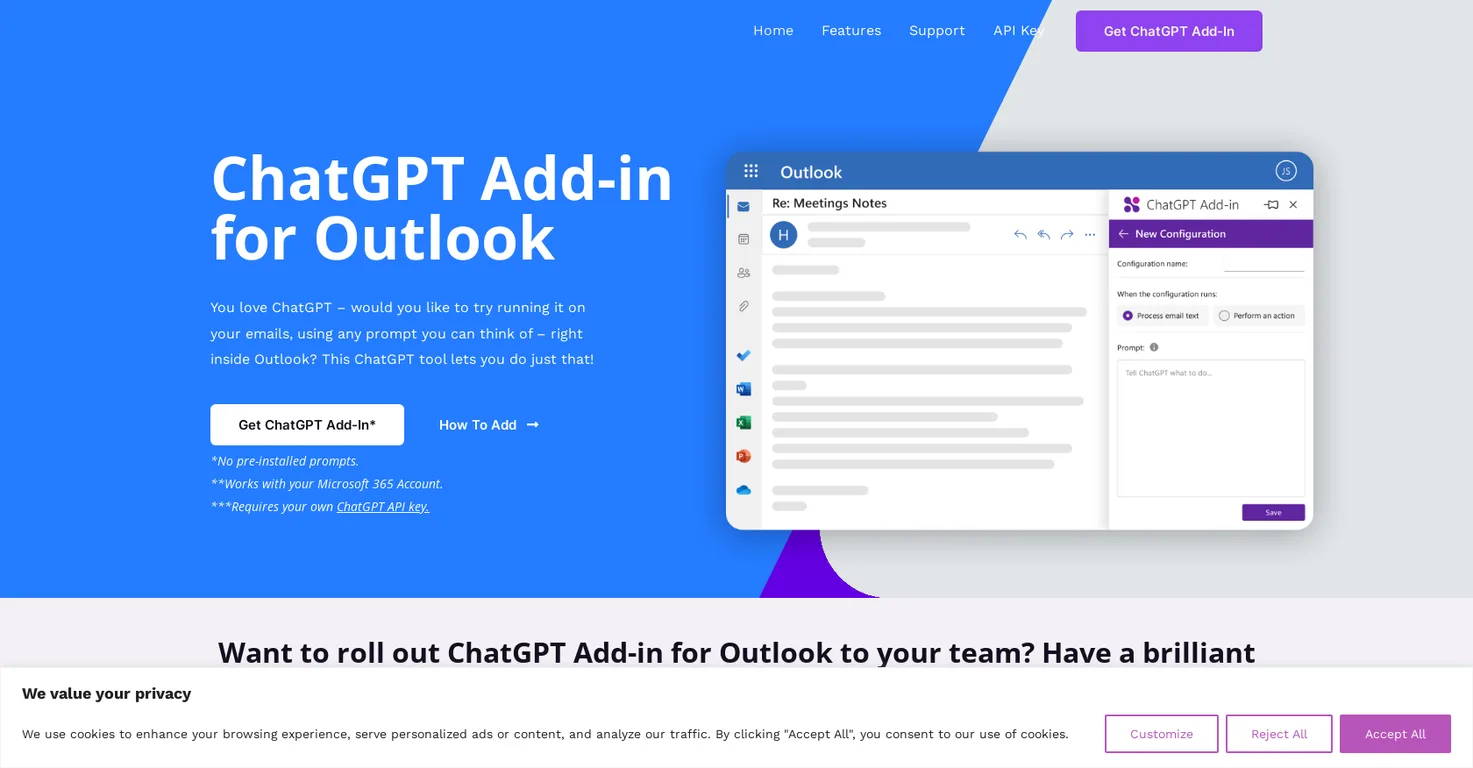
ChatGPT for Outlook is an add-in that allows users to run ChatGPT, a language model developed by OpenAI, within the Outlook email client. The tool allows users to generate responses to emails based on their own prompts, directly within the Outlook interface. It is created by Blueberry Consultants, a company that is not affiliated with OpenAI or Microsoft, although they are Microsoft Partner
ChatGPT for Outlook works by using custom prompts to guide ChatGPT in generating relevant summaries or highlights based on user needs. It operates directly within the Outlook interface, where users can choose to process the entire email or only certain sections. The generated output can either replace the original email body for easy comparison or be displayed in a separate window. Consequently, the add-in can update emails' importance based on generated output, such as marking it as high priority or important.
Real ratings and feedback from the community
Be the first to share your rating and comments for this AI tool!
How ChatGPT Outlook Plugin stacks up against top competitors
| Feature | ChatGPT Outlook Plugin | Fliki | Lovable | Vsub |
|---|---|---|---|---|
| Rating | ★ 3 | ★ 4.8 | — | ★ 4.5 |
| Visits / month | — | 692,189 | 34,814,456 | 107,765 |
| Pricing Model | Freemium | freemium | freemium | freemium |
| API Access | No | No | No | No |
| Open Source | No | No | No | No |
| Link | Visit Website |
Explore similar AI tools in this category
Yes, ChatGPT for Outlook allows you to install custom prompts to guide ChatGPT in generating relevant summaries or highlights based on your specific needs.
Key features of ChatGPT for Outlook include the ability to install custom prompts to generate relevant information, process entire emails or specific sections, display output separately or replace the original email body, update emails’ importance automatically based on output, and manage multiple configurations for different emails or scenarios.
ChatGPT for Outlook gives users the option to process the entire email or only specific sections such as the body, subject, or attachments to focus on the most relevant information.
Yes, the ChatGPT for Outlook tool can automatically update the email's importance based on the generated output, including flagging it as high priority or marking it as important.
Multiple configurations in ChatGPT for Outlook allow users to manage various setups for different types of emails or scenarios. Each configuration has its own set of conditions, prompts, and display preferences.
Yes, a custom version of ChatGPT for Outlook can be rolled out to a team. Blueberry Consultants offer the option to roll out a custom version of the add-in to teams and businesses.
A user provides Blueberry Consultants with their ChatGPT prompt and API key, after which the company creates a custom version of the ChatGPT Outlook Add-in for them. This custom version can then be resold to unlimited users, offering a chance for businesses to monetize their prompt ideas.
Details about specific prompts for ChatGPT for Outlook are not disclosed on their website, but users can install custom prompts as required to guide ChatGPT in generating relevant summaries or highlights.
ChatGPT for Outlook highlights important information in emails by relying on custom prompts to generate relevant summaries. Users can opt to have these summaries replace the original email body for easy comparison and quick identification of crucial information.
Yes, ChatGPT for Outlook can replace the original email body with the generated output for easy comparison and quick identification of important information.
Blueberry Consultants, the creators of the ChatGPT for Outlook plugin, use ChatGPT technology but are not affiliated with OpenAI or Microsoft. However, they are a Microsoft Partner.
The output of ChatGPT for Outlook can be displayed in two ways. It can either be displayed in a separate window for users to view alongside the original message or replace the original email body for immediate comparison.
Yes, ChatGPT for Outlook can manage multiple configurations for different types of emails or scenarios. Each configuration can have its own set of conditions, prompts, and display preferences which allows the add-in to adapt to varying professional situations.
The ChatGPT for Outlook plugin requires a user's own ChatGPT API key. However, their website does not provide explicit information on how to obtain this key.
Yes, there is a requirement to use a Microsoft 365 Account with the ChatGPT for Outlook plugin.
The creator of the ChatGPT for Outlook plugin is Blueberry Consultants, a private limited Custom Software Development Company.
ChatGPT for Outlook aids email management by automating response generation based on user-installed prompts. It selectively processes emails or sections, generates summaries or highlights, and updates email importance bases on output - all leading to efficient inbox management.
Yes, a business version of ChatGPT for Outlook is available. Blueberry Consultants can create a custom version with unique prompts that businesses can either use for improved internal efficiency or resell to unlimited users.
| Visit Website |
| Visit Website |
| Visit Website |
Lexi AI is an AI-powered research assistant that helps users read, summarize, and extract key information from various documents. It allows users to chat with their documents, ask questions, generate new content, and organize their research efficiently.
Compare Fliki's free and paid tiers to see how this text-to-video AI tool simplifies social media, blog-to-video, and content marketing production.


