

Sub Translate AISubtitle translation AI Tool
Your subtitle translator powered by AI
Subtitle translationFree + from $6.9/mo0
Your subtitle translator powered by AI
Overall
Average of 2 data signals below
Basic pricing published
3 of 4 content areas filled (features, FAQs, pros/cons, description)
This score is calculated automatically from this listing's available data (community rating, capabilities, pricing transparency, and documentation). It is not a paid or sponsored review.
Pricing & Model
freemium
Free + from $6.9/mo
Open Source & API
Proprietary
No Public API
Foundational Model
Proprietary Engine
Key Integrations
Web App Only
Free + from $6.9/mo
See full pricing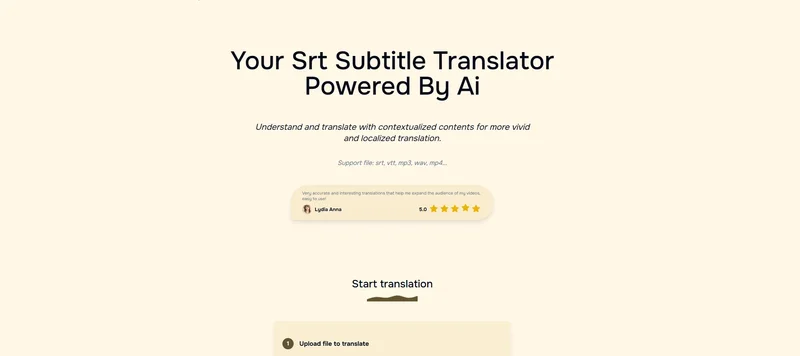
Common queries about Sub Translate AI answered
Sub Translate AI is an online tool powered by AI technology that facilitates the translation of video content and SRT files. Its main function is to swiftly convert subtitles into various languages. It supports a range of file and video formats and provides a user-friendly process where files can be uploaded, translated into the selected target language and style, and then downloaded.
Sub Translate AI operates through a straightforward process. Users upload their files (which can be in a variety of formats), specify their preferred target language and translation style, and then tap the translate button. The AI conducts the translation, maintaining a high degree of accuracy and considering the context of the content. After the translation process, users can download the translated content.
Real ratings and feedback from the community
Be the first to share your rating and comments for this AI tool!
How Sub Translate AI stacks up against top competitors
| Feature | Sub Translate AI | Fliki | Lovable | Vsub |
|---|---|---|---|---|
| Rating | ★ 3 | ★ 4.8 | — | ★ 4.5 |
| Visits / month | — | 692,189 | 34,814,456 | 107,765 |
| Pricing Model | freemium | freemium | freemium | freemium |
| API Access | No | No | No | No |
| Open Source | No | No | No | No |
| Link | Visit Website |
Explore similar AI tools in this category
Sub Translate AI supports a variety of file formats including srt, vtt, mp3, wav, mp4, and more. This includes both subtitle file formats and audio/video file types, encompassing a broad range of potential inputs.
Yes, Sub Translate AI supports the direct translation of both audio and video files. Besides translating text files like SRT or VTT, this tool enables you to translate audio files such as mp3 and wav, and video files like mp4.
Sub Translate AI prides itself on high accuracy translations. It focuses not just on word-for-word translation, but also on contextual accuracy. This means understanding phrases within their correct contexts and maintaining that understanding across languages, which results in improved translation accuracy.
Sub Translate AI is beneficial for a range of users, including but not limited to content creators, educators, students, YouTubers, and other media professionals. It enhances the accessibility and reach of video content by breaking linguistic barriers and offering support in numerous languages.
Yes, Sub Translate AI provides an option to translate subtitles directly from video content. This can be done by uploading a video file, choosing the target language and style, and allowing the AI to do the rest, resulting in an accurately translated and timed SRT file.
Sub Translate AI enables style customization by allowing users to adapt the translation style to fit their content. While performing a translation, it takes into account the specific needs and context of your content to ensure that it matches the intended communication style.
Sub Translate AI offers a range of pricing plans, each tailored to different user needs. There are free credits which support the translation of SRT and VTT files up to 120 subtitles per translation. Additionally, there are paid credits which offer support for multiple file formats, allows batch translations, and keeps a record of translation history for a period of 15 days.
Yes, Sub Translate AI caters to a wide array of language conversion needs. Users have the flexibility to choose from an extensive list of languages, making it a great tool for global content accessibility.
Yes, using Sub Translate AI can definitely help expand the audience reach of your YouTube content. By translating your video subtitles into various languages, you make your content accessible to global audiences, effectively extending your videos' reach across linguistic barriers.
Absolutely, Sub Translate AI can be used for educational purposes as well as in the media industry. Educators and students can leverage it to access and comprehend educational videos from anywhere in the world. Media professionals can use it to increase the accessibility of their content.
Yes, Sub Translate AI allows for the bulk translation of files. However, you'll need to use the 'Pay credits' plan for this, which supports batch translation of up to 5 files at once.
Yes, Sub Translate AI does save your translation history, but only with the 'Pay credits' plan. The history of translations is saved for a period of 15 days.
Yes, there are restrictions on the file size and duration for Sub Translate AI. The max audio/video duration is 60 minutes and the max upload size is 1GB for video files and 20MB for audio files. However, for audio files above 20MB, Sub Translate AI will attempt to compress it.
Sub Translate AI ensures that the translated subtitles are correctly timed by focusing on contextual accuracy and using advanced capabilities to handle complex translations. The goal is to provide subtitles that not only are linguistically accurate but also synced well with the video or audio in terms of pacing and timestamps.
Yes, Sub Translate AI is designed to produce translations that are not just accurate but also vibrant and localized. It comprehends and translates with contextualized content, aiming for a more locally appropriate and vivid translation that flows naturally.
While the basic functionality of Sub Translate AI is accessible to all, using the advanced features like the translation of video and audio files directly, you need to opt for the 'Pay credits' plan.
When it comes to sensitive content, Sub Translate AI maintains a policy wherein it will not perform a translation if the content is determined to be sensitive. The translation of such content will be refrained, and the corresponding result will be displayed as empty.
You can use Sub Translate AI's free plan for professional purposes, with certain limitations. The free plan supports the translation of srt and vtt files, with a limit of up to 120 subtitles per translation, and you can only translate one file at a time. However, the free plan will not save your translation history.
| Visit Website |
| Visit Website |
| Visit Website |
Lexi AI is an AI-powered research assistant that helps users read, summarize, and extract key information from various documents. It allows users to chat with their documents, ask questions, generate new content, and organize their research efficiently.
Compare Fliki's free and paid tiers to see how this text-to-video AI tool simplifies social media, blog-to-video, and content marketing production.


