

MindMacChatGPT on Mac AI Tool
Feature-rich & elegant ChatGPT macOS client, supports multiple AI providers
ChatGPT on Macfrom $29
Feature-rich & elegant ChatGPT macOS client, supports multiple AI providers
Overall
Average of 2 data signals below
Basic pricing published
3 of 4 content areas filled (features, FAQs, pros/cons, description)
This score is calculated automatically from this listing's available data (community rating, capabilities, pricing transparency, and documentation). It is not a paid or sponsored review.
Pricing & Model
free_trial
from $29
Open Source & API
Proprietary
No Public API
Foundational Model
Proprietary Engine
Key Integrations
Web App Only
from $29
See full pricing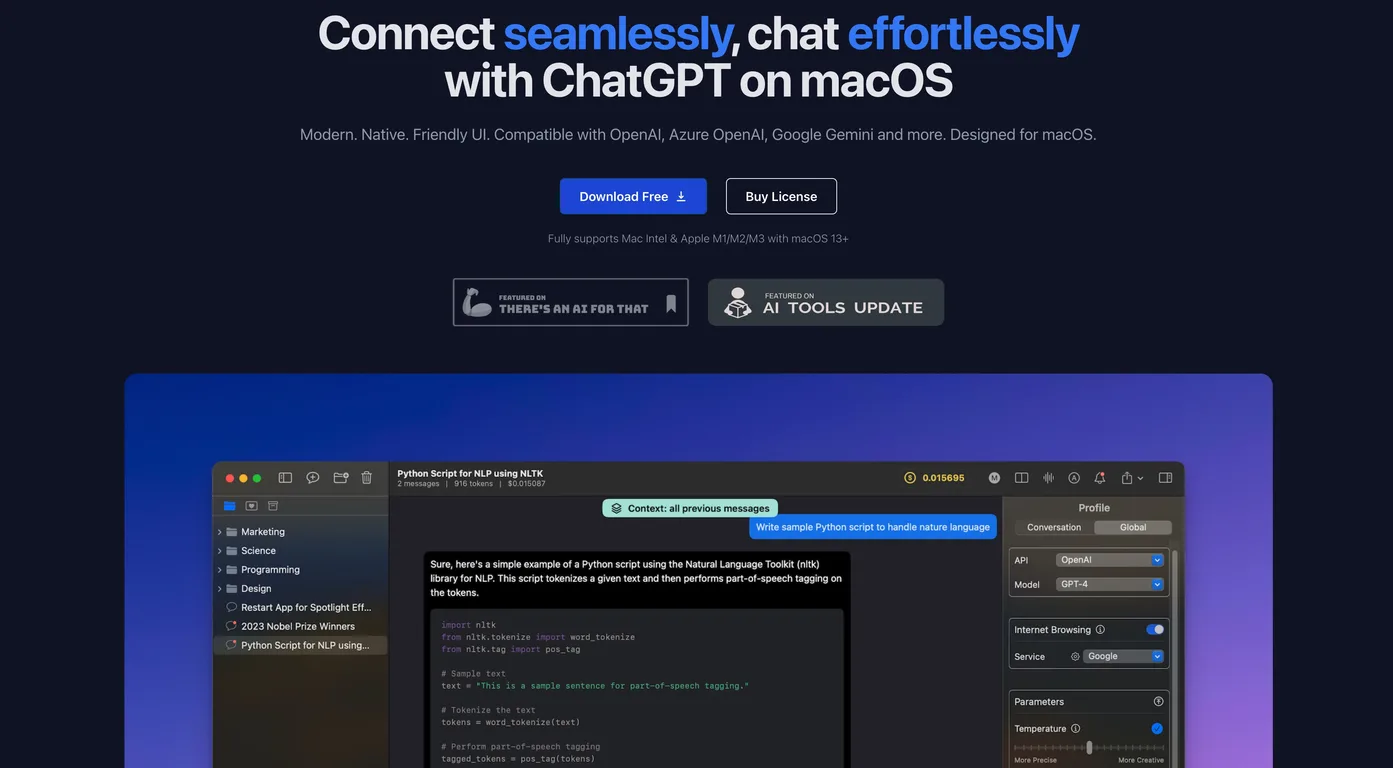
Common queries about MindMac answered
MindMac's powerful inline mode feature facilitates swift content creation or querying directly within any software application. This eliminates the need for window switching, thus greatly enhancing user productivity.
MindMac interface is highly customizable. Users can modify parameters of OpenAI, the visual appearance of the app, the context mode, and even create custom keyboard shortcuts.
MindMac places strong emphasis on the security of user's API key. The API key is stored securely in the Apple Keychain on the macOS, which provides state-of-the-art encryption ensuring utmost safety.
Real ratings and feedback from the community
Be the first to share your rating and comments for this AI tool!
How MindMac stacks up against top competitors
| Feature | MindMac | BoltAI | Olle | Raycast AI |
|---|---|---|---|---|
| Rating | ★ 3 | — | ★ 3 | — |
| Pricing Model | free_trial | paid | paid | freemium |
| API Access | No | No | No | No |
| Open Source | No | No | No | No |
| Link | Visit Website | Visit Website |
Explore similar AI tools in this category

MindMac supports over ten of the most popular languages globally. The software is designed for versatility and is continuously updated to include support for more languages.
Yes, MindMac is designed to efficiently interact with Azure OpenAI ChatGPT models along with several other AI models. This offers users an expansive set of features and capabilities to access.
MindMac is compatible with a wide array of AI models. It interfaces seamlessly with all OpenAI ChatGPT Models, Azure OpenAI ChatGPT Models, Google AI and Google Cloud Vertex AI Models, among others.
MindMac offers numerous advanced features. These include capabilities like Image Generation (DALLE 2 and DALLE 3), Custom API Endpoint and Proxy, and the ability to export to PDF, Markdown and ShareGPT.
MindMac is optimised to provide a native and swift performance on macOS. Its interface is user-friendly and is built using Mac-specific technologies to offer the best experience.
MindMac has several features planned for the future to enhance user experience. Some of these promising features include iDevices Sync via iCloud, Voice Input, Text-to-Speech, Instant Inline Command, and much more.
MindMac is strict about user privacy. It ensures that user's data is sent directly to the OpenAI server. No user data is stored or passed to middle servers, hence ensuring strict adherence to global privacy standards.
MindMac values user interaction customization. It's a highly adaptable app allowing customizations to OpenAI parameters, appearances, context mode, and keyboard shortcuts. It also includes over 150 built-in prompt templates to enrich user interaction.
MindMac espouses various AI models to cater to diverse use cases. Key among these are OpenAI, Azure OpenAI, Google Gemini and several others. It displays an extensive range of applicability through its support for these AI models.
Yes, MindMac offers an extensive library of over 150 built-in prompt templates. These templates enhance and streamline the user interaction with the software, making it a comprehensive assistant in user's daily workflow.
Yes, thanks to the powerful inline mode feature of MindMac, users can generate content or ask questions swiftly in any applications without switching windows. This increases productivity by reducing time and allowing a smooth workflow.
MindMac has an Image Generation feature, compatible with DALLE 2 and DALLE 3. This advanced capability is alongside a host of other features that MindMac brings to AI enthusiasts and professionals worldwide.
With MindMac, users can easily export their content. Options are provided to export content to PDF, Markdown, or ShareGPT, making it easy to access and share your generated content in the most suitable format.
The upcoming features of MindMac announce an exciting addition - iDevices Sync via iCloud. Once it's rolled out, users will be able to sync the app with other Apple devices, enhancing usage and productivity.
As it currently stands, MindMac already supports more than ten popular languages. The roadmap also suggests that there will be continuous updates adding support for even more languages.
MindMac provides developers with a rich set of features and capabilities in order to leverage AI effectively. This includes the ability to customize the API endpoint and proxy, the option to configure OpenAI parameters, and support for inline mode among others.
MindMac ensures efficient access to AI models by providing a seamless and efficient tool to interact with AI models like OpenAI, Azure OpenAI, Google Gemini, and several others. It is designed to be a true Mac-app, using native technologies for best performance and user experience.
| Visit Website |
| Visit Website |
Fliki
Compare Fliki's free and paid tiers to see how this text-to-video AI tool simplifies social media, blog-to-video, and content marketing production.


