

BeamChatGPT on Mac AI Tool
Boosts productivity, enables instant chat on macOS.
ChatGPT on MacFree + from $5
Boosts productivity, enables instant chat on macOS.
Overall
Average of 2 data signals below
Basic pricing published
3 of 4 content areas filled (features, FAQs, pros/cons, description)
This score is calculated automatically from this listing's available data (community rating, capabilities, pricing transparency, and documentation). It is not a paid or sponsored review.
Pricing & Model
paid
Free + from $5
Open Source & API
Proprietary
No Public API
Foundational Model
Proprietary Engine
Key Integrations
Web App Only
Free + from $5
See full pricing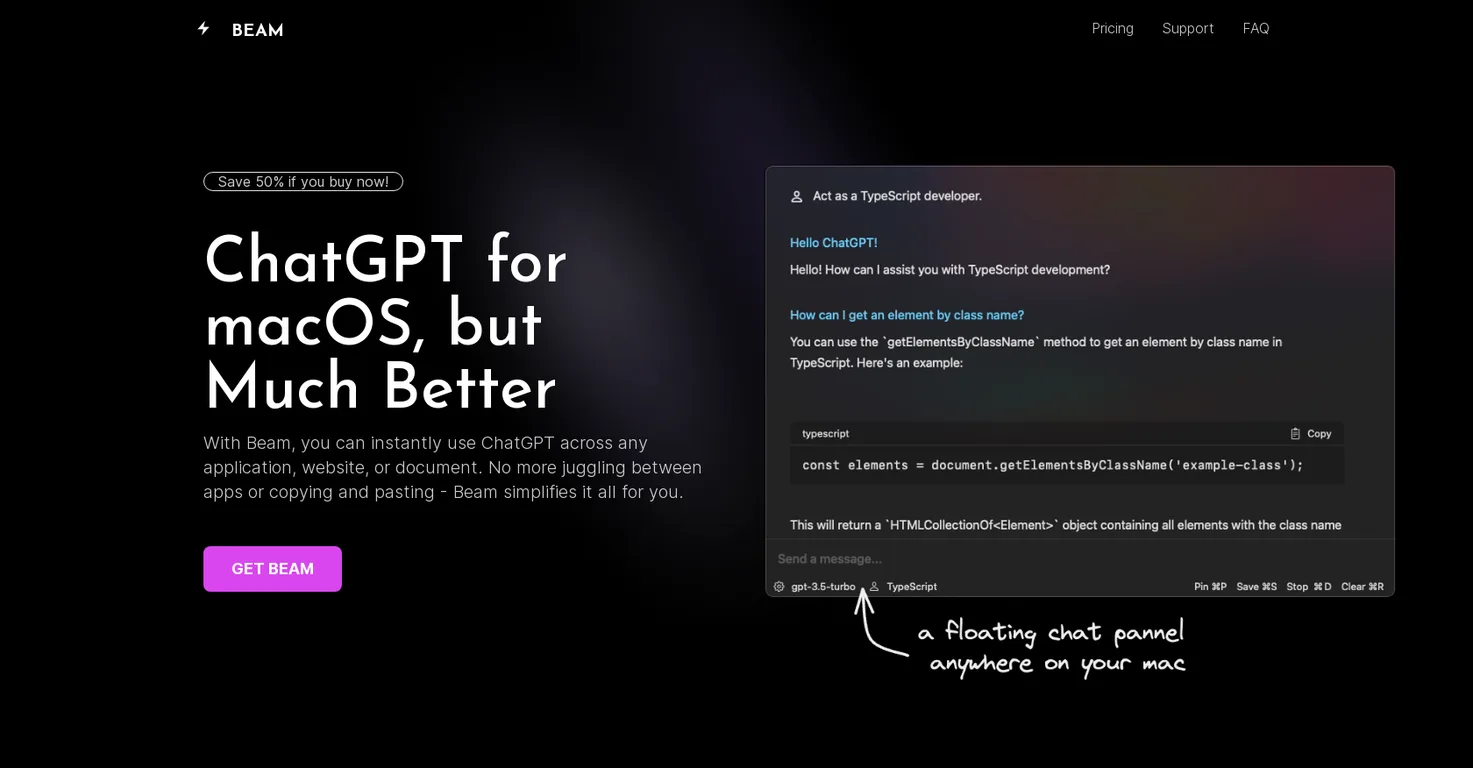
Common queries about Beam answered
Beam for macOS is an efficient user interface tool designed for macOS users to enhance their experience with ChatGPT, an AI-powered chat application.
The main use of Beam is to enable macOS users to instantly access ChatGPT from any application, website, or document, without the need to switch between different apps or copy and paste content.
One can access Beam on Mac by pressing a specific key combination, which opens a floating chat window within the current window.
Real ratings and feedback from the community
Be the first to share your rating and comments for this AI tool!
How Beam stacks up against top competitors
| Feature | Beam | BoltAI | Olle | Raycast AI |
|---|---|---|---|---|
| Rating | ★ 3 | — | ★ 3 | — |
| Pricing Model | paid | paid | paid | freemium |
| API Access | No | No | No | No |
| Open Source | No | No | No | No |
| Link | Visit Website | Visit Website |
Explore similar AI tools in this category

Beam offers several features to enhance productivity, including creating AI profiles for contextual responses, using macros for shortcuts to frequent texts or phrases, and interacting with PDFs using ChatGPT.
In Beam, AI profiles are configurations that users can create to train the GPT models to respond according to their specific needs, providing precise and contextually relevant answers.
Beam makes use of macros by allowing users to assign shortcuts to frequently used texts or phrases. This reduces the need for repetitive typing.
Beam works with PDF documents by leveraging the power of ChatGPT. Users can extract summaries, ask questions, find answers, and make PDF documents more interactive.
The UI of Beam is intuitive and user-friendly due to its native design for macOS. It provides an easy-to-navigate experience, making the tool more accessible to users.
Beam costs $39 or $79 and this price includes full lifetime access, free updates, and a license for usage on another device.
Yes, Beam offers lifetime access to users with a one-time purchase.
Yes, Beam provides free updates to its users.
Beam protects user data by not requiring any special system permissions and ensuring user privacy at all times.
Yes, Beam offers a 7-day money-back guarantee to unsatisfied customers.
No, Beam doesn't require any special system permissions for its use.
Yes, a purchase of Beam includes a free license for usage on another device.
Beam interacts with ChatGPT by providing an interface that allows users to access and engage with the chat application instantly and conveniently from any application, website, or document on their macOS device.
Beam boosts productivity on macOS by providing instant access to ChatGPT, enabling the use of macros for text shortcuts, offering interaction with PDFs and allowing users to stay within their current window while chatting.
Yes, Beam can provide instant access to ChatGPT from any application on a macOS device.
Support for Beam users is available via Twitter (@reactive_dude).
Beam's one-time purchase offer includes full lifetime access, free updates, a license for usage on another device, and a 7-day money-back guarantee.
| Visit Website |
| Visit Website |
Fliki
Compare Fliki's free and paid tiers to see how this text-to-video AI tool simplifies social media, blog-to-video, and content marketing production.


