

FlashFlashCardsAnki cards AI Tool
Convert screenshots into Anki flashcards.
Anki cards0
Convert screenshots into Anki flashcards.
Overall
Average of 1 data signal below
3 of 4 content areas filled (features, FAQs, pros/cons, description)
This score is calculated automatically from this listing's available data (community rating, capabilities, pricing transparency, and documentation). It is not a paid or sponsored review.
Pricing & Model
freemium
Open Source & API
Proprietary
No Public API
Foundational Model
Proprietary Engine
Key Integrations
Web App Only
Common queries about FlashFlashCards answered
FlashFlashCards is primarily designed to offer users a seamless experience in storing and reviewing knowledge consumed from various sources. The tool converts screenshots from any website or PDF document into flashcards, which can be added into Anki, an open-source spaced repetition software, for easy management and review.
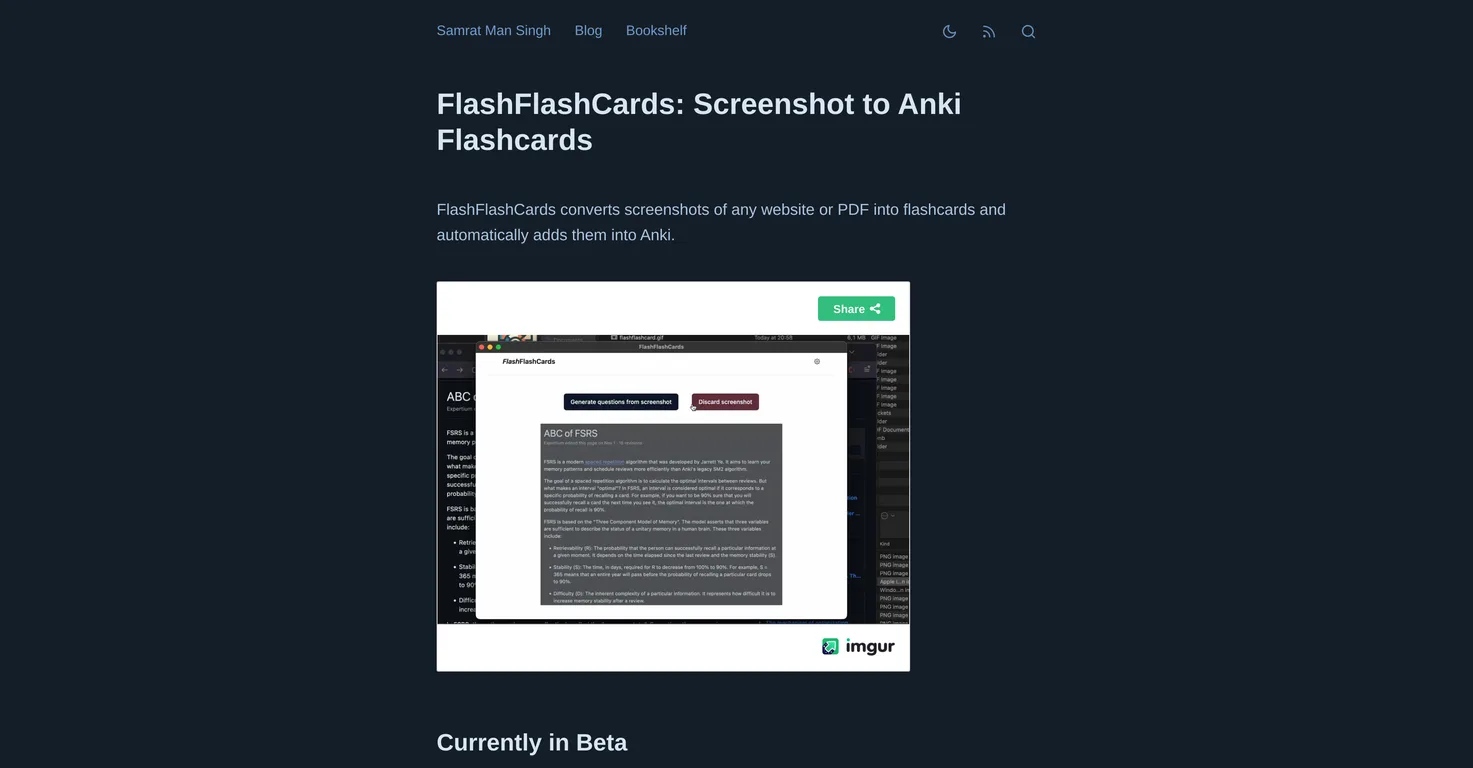
FlashFlashCards works by leveraging artificial intelligence to convert screenshots from any website or PDF document into flashcards. These flashcards can then be automatically added to Anki, an open-source spaced repetition software. The conversion of screenshots into flashcards is initiated by performing the Control+Command+A command, followed by clicking on the 'Generate flashcards' button.
Real ratings and feedback from the community
Be the first to share your rating and comments for this AI tool!
How FlashFlashCards stacks up against top competitors
| Feature | FlashFlashCards | Anki Card Generator | Ai To Cards | Ankigenerator |
|---|---|---|---|---|
| Rating | ★ 3 | ★ 3 | ★ 3 | — |
| Pricing Model | freemium | Free | freemium | freemium |
| API Access | No | No | No | No |
| Open Source | No | No | No | No |
| Link | Visit Website | Visit Website |
Explore similar AI tools in this category
To install FlashFlashCards, users first need to install the Anki-Connect add-on. Following this, FlashFlashCards can be installed and the user's OpenAI API key needs to be entered.
FlashFlashCards only works on Mac operating systems as indicated on their website.
Anki is an open-source spaced repetition software that allows users to review and manage information more effectively. FlashFlashCards integrates with Anki to enable users to add the flashcards created from screenshots directly into Anki for easier management and review.
To convert screenshots into flashcards with FlashFlashCards, you should trigger the Control+Command+A command. After which, you click the 'Generate flashcards' button. The generated flashcards can then be added to Anki for easier management and review.
The key features of FlashFlashCards include the conversion of screenshots from any website or PDF document into flashcards, adding generated flashcards into Anki for easier management and review, and the ability to add an OpenAI API key.
An OpenAI API key is a unique identifier provided by OpenAI that allows FlashFlashCards to harness artificial intelligence capabilities for the conversion of screenshots into flashcards. This key is essential in facilitating the proper functioning of FlashFlashCards according to the information on their website.
The Anki-Connect add-on is a tool that enables FlashFlashCards to integrate with Anki, an open-source spaced repetition software. It essentially provides a bridge between the two, making it possible for users to add the flashcards created from screenshots directly into Anki for easier management and review.
FlashFlashCards enhances the learning experience by converting screenshots from various sources into flashcards that can be added into Anki. By doing so, it allows users to systematically review and manage information, thereby potentially improving knowledge retention and learning effectiveness.
Yes, FlashFlashCards can convert screenshots from PDF documents into flashcards, as well as screenshots from any website.
In FlashFlashCards, the Control+Command+A command is used to initiate the process of converting screenshots into flashcards.
After the flashcards have been generated with FlashFlashCards, they can be added to Anki by pressing the 'Add to Anki' button.
IDK
IDK
IDK
IDK
IDK
IDK
FlashFlashCards facilitates information management by enabling users to convert screenshots from any website or PDF document into structured flashcards, which can then be added into Anki for systematic review and easy management.
| Visit Website |
| Visit Website |

Lovable
Lovablev2.2 turns your app ideas into live web apps instantly with AI and simple prompts-no coding required for fast MVPs and prototypes.


