

Dropbox DashDocument search AI Tool
Your AI-powered universal search tool.
Document searchFree + from $9.99/mo
Your AI-powered universal search tool.
Overall
Average of 2 data signals below
Basic pricing published
3 of 4 content areas filled (features, FAQs, pros/cons, description)
This score is calculated automatically from this listing's available data (community rating, capabilities, pricing transparency, and documentation). It is not a paid or sponsored review.
Pricing & Model
freemium
Free + from $9.99/mo
Open Source & API
Proprietary
No Public API
Foundational Model
Proprietary Engine
Key Integrations
Web App Only
Free + from $9.99/mo
See full pricing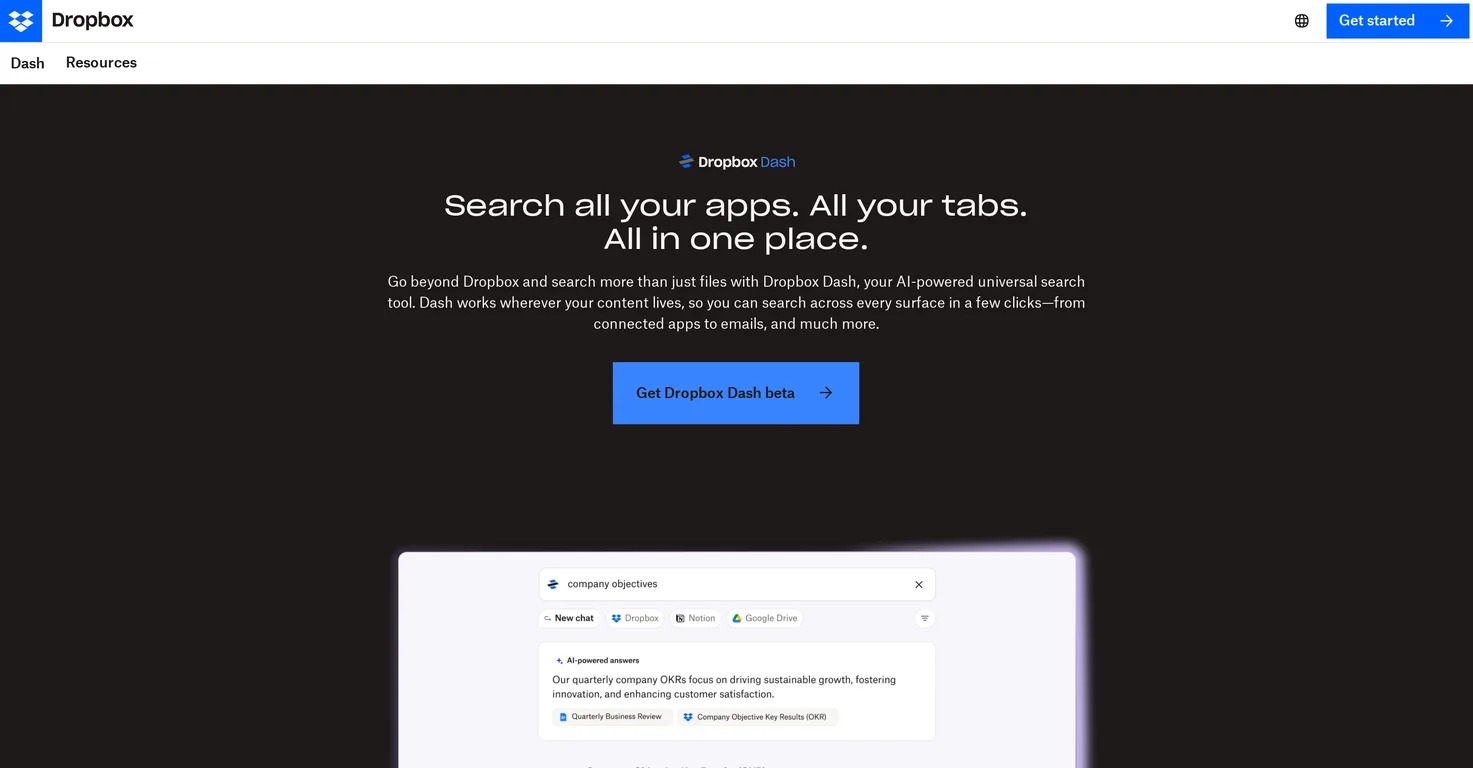
Common queries about Dropbox Dash answered
Dropbox Dash is an AI-powered universal search tool designed for effective workflow management and organization. It allows users to search across all their tabs, apps, and even more specific contents like emails. It extends beyond Dropbox content, interacting with other tools like Google Workspace, Microsoft Outlook, Salesforce, and Notion to offer a cohesive search experience. It includes features like 'Stacks' for superior organization and displays your whole day's tasks in one central page.
Dropbox Dash interacts with Google Workspace and Microsoft Outlook by searching across these platforms, providing users with a unified search experience. It incorporates data from these tools into its search results, enabling users to find information from various sources all in one place. This brings all information together and aids in efficient workflow management.
Real ratings and feedback from the community
Be the first to share your rating and comments for this AI tool!
How Dropbox Dash stacks up against top competitors
| Feature | Dropbox Dash | Asktro | Pocket LLM | AI Finder |
|---|---|---|---|---|
| Rating | ★ 3 | ★ 3 | — | ★ 3 |
| Pricing Model | freemium | freemium | free | paid |
| API Access | No | No | No | No |
| Open Source | No | No | No | No |
| Link | Visit Website | Visit Website |
Explore similar AI tools in this category

Dropbox Dash can search across a multitude of platforms including Dropbox, connected apps like Google Workspace, Microsoft Outlook, Salesforce, and Notion, emails, calendar, open browser tabs, and even the entire desktop. It is designed as a universal search tool that efficiently collects information from an array of sources.
No, Dropbox Dash doesn't only search within Dropbox files. It transcends Dropbox content by interacting with various other tools like Google Workspace, Microsoft Outlook, Salesforce, and Notion. It allows for a search across tabs, apps, emails, calendar and the entire desktop, making it a truly universal search tool.
'Stacks' is a feature in Dropbox Dash that enhances workspace organization by allowing users to group important information from files, apps, and browser links together. It goes a step beyond conventional folders and bookmarks, providing a more superior mode of organization. In addition, these 'Stacks' can be shared and updated within a team, improving team collaboration and information sharing.
Dropbox Dash plays a critical role in managing your workday by providing a comprehensive view of your day in one central page. This includes your important meetings, necessary files, and prioritized projects. It allows easy access and organization of vital information, letting you keep your focus on the important tasks at hand.
Yes, with Dropbox Dash you can organize your browser tabs. It allows users to search across all open browser tabs, bringing forwards relevant information in seconds. This feature aids in efficient workflow management and precise information sourcing.
Yes, Dropbox Dash provides a search experience for emails. It is equipped to search not only across apps and tabs but also specific content areas such as emails. It brings forward relevant email data in search results, streamlining the information sourcing process.
Yes, Dropbox Dash can integrate with both Salesforce and Notion. It works by searching across these platforms, collating valuable information in its search results. It contributes to simplifying the search process by offering the ability to find information in one place, even if the data resides in different applications.
The advantage of having a universal search tool like Dropbox Dash is it streamlines workflow management and organization. It combines data from various sources - apps like Google Workspace, Microsoft Outlook, Salesforce, and Notion, emails, calendar, browser tabs, and employs AI to provide coherent and pertinent search results. This eliminates the need for jumping across different apps or tabs to gather information, making tasks efficient and organized.
Yes, the 'Stacks' you create in Dropbox Dash can be shared and updated within your team. This feature allows for improved collaboration and efficient sharing of important data, thereby enhancing teamwork and productivity.
Dropbox Dash aids in keeping you on top of meetings and projects by displaying your entire workday on one central page. It helps prioritize projects, indicates the files you need, and highlights which meetings to attend. By consolidating all this crucial information in one interface, Dropbox Dash assists in better workday management.
With Dropbox Dash, you can obtain relevant information by asking questions. It gathers and summarizes relevant information from your apps, files, and content to find answers. This feature enhances productivity by reducing the time spent on sourcing and scanning for information.
As of now, Dropbox Dash is available in English only.
Dropbox Dash is currently in the beta phase, implying that it's still undergoing development and testing before it's fully integrated and made available to all users. The Beta phase is a common development stage for software, during which feedback from early users is used to improve the final product.
Dropbox Dash uses AI technology to summarize information from apps, files, and content. When a user asks a question, Dropbox Dash gathers related data from different sources, analyzes the content, and summarizes the information to provide an efficient response.
Dropbox Dash is a superior organization tool due to features like its universal search capability across multiple platforms, 'Stacks' for advanced organization of information, and its ability to display an individual's entire workday on a single page, among others. These features contribute to effective workflow management, increased productivity, and streamlined information access.
Yes, one of the unique features of Dropbox Dash is its ability to display your entire workday in one central page - including scheduled meetings, prioritized projects, and relevant documents. This feature assists in managing workday effectively, ensuring you don’t miss important tasks.
Dropbox Dash provides efficient workflow management by enabling a cohesive universal search across multiple platforms, emails, calendar, and including the entire desktop. With features like 'Stacks', it assists in improved organization beyond traditional folders and bookmarks. It also exhibits your entire workday in one central page, assisting in identification and prioritization of key tasks.
Yes, with Dropbox Dash, you can search your desktop, apps, and tabs at once. It's a comprehensive search tool that gathers information from your entire desktop including open browser tabs, various integrated apps like Google Workspace, Microsoft Outlook, Salesforce, and Notion and other specific content areas like emails and calendar.
| Visit Website |
| Visit Website |

Enables natural language searches on dev documentation.
Fliki
Compare Fliki's free and paid tiers to see how this text-to-video AI tool simplifies social media, blog-to-video, and content marketing production.


