

SongdonkeyMusic splitting AI Tool
Extract audio for music editing and remixing.
Music splitting3 views
Extract audio for music editing and remixing.
Overall
Average of 1 data signal below
3 of 4 content areas filled (features, FAQs, pros/cons, description)
This score is calculated automatically from this listing's available data (community rating, capabilities, pricing transparency, and documentation). It is not a paid or sponsored review.
Pricing & Model
paid
Open Source & API
Proprietary
No Public API
Foundational Model
Proprietary Engine
Key Integrations
Web App Only
Common queries about Songdonkey answered
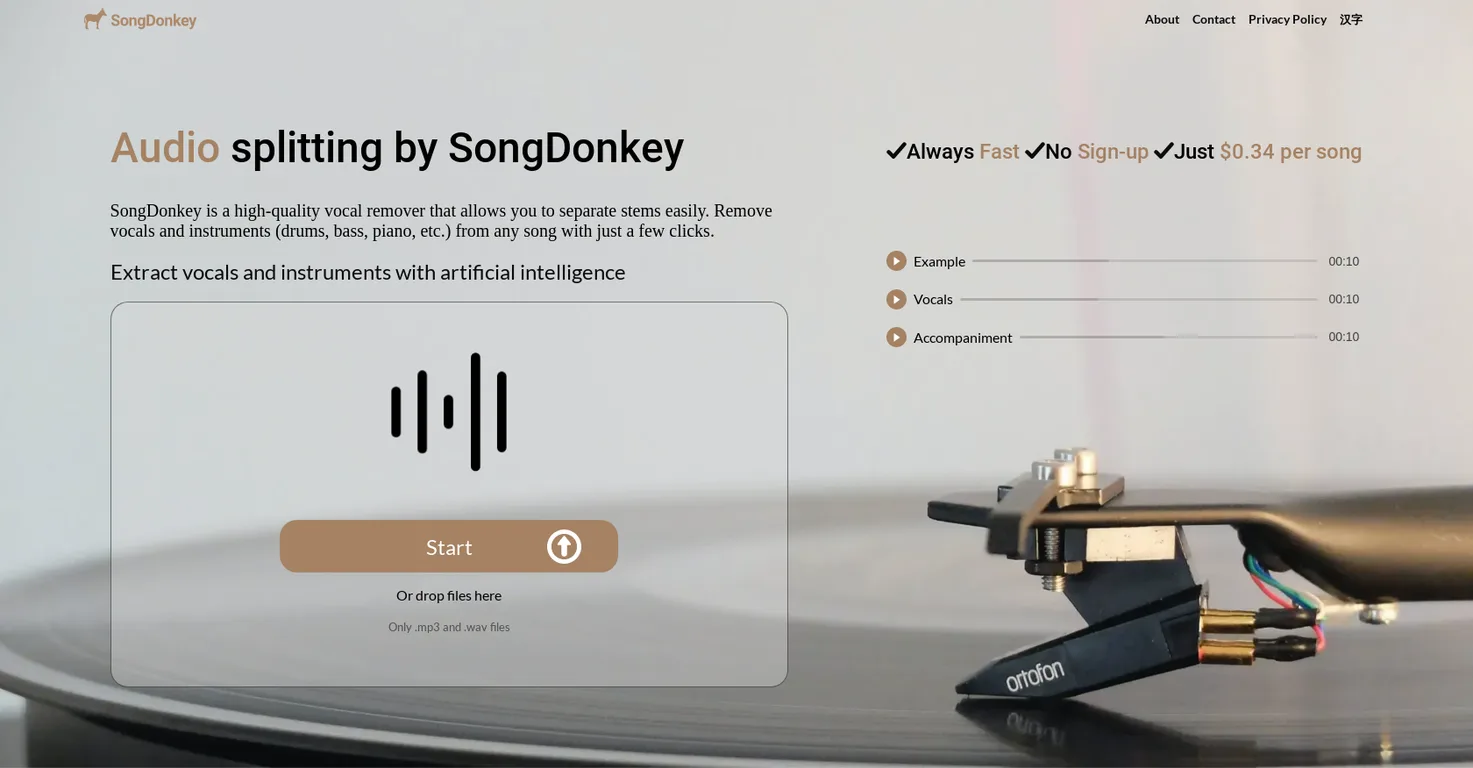
SongDonkey is an AI-powered online tool for audio splitting and vocal removing. It allows users to separate a variety of elements such as vocals, drums, bass, piano, and other instruments from any song efficiently.
What distinguishes SongDonkey is its AI implementation that delivers high-quality vocal removal in a user-friendly interface. It accommodates both MP3 and WAV audio files and does not require sign-ups. It provides various splitting options, from vocals only to multiple stems, has quick processing time, and is affordably priced.
Real ratings and feedback from the community
Be the first to share your rating and comments for this AI tool!
How Songdonkey stacks up against top competitors
| Feature | Songdonkey | Jamorphosia | Splitmysong | Vocali.se |
|---|---|---|---|---|
| Rating | ★ 3 | — | — | — |
| Pricing Model | paid | free_trial | freemium | freemium |
| API Access | No | No | No | No |
| Open Source | No | No | No | No |
| Link | Visit Website | Visit Website |
Explore similar AI tools in this category
SongDonkey utilises advanced Artificial Intelligence technology to extract audio from music. AI algorithms analyze the audio files and separate their components into different tracks such as vocals, drums, bass, piano, and other instruments.
Yes, SongDonkey allows the extraction of specific instruments such as vocals, drums, bass, piano, or other instruments from any song. It offers users a choice of 2 (vocals, accompaniment), 4 (vocals, bass, drums, other), or 5 (vocals, bass, drums, other, piano) stems.
SongDonkey supports both MP3 and WAV file formats for input. Users can also download output files in either MP3 or WAV format as per their preference.
No, SongDonkey does not require users to sign up or create an account. It is accessible to anyone who wants to use it.
SongDonkey's vocal removal feature works on the basis of AI technology. The AI algorithms are trained to analyse and segregate different elements of a song, which includes isolating and extracting the vocal components into a separate track.
For audio file uploads on SongDonkey, users may either directly upload their audio files or use a drag-and-drop method onto the platform.
Yes, SongDonkey lets users choose the number of stems to extract. Users have the option of extracting 2 tracks (vocals and accompaniment), 4 tracks (vocals, bass, drums, and other instruments), or 5 tracks (vocals, bass, drums, other instruments, and piano).
The estimated time for processing the audio on SongDonkey is about 1 minute and 20 seconds.
SongDonkey's pricing starts at $0.34 per song for processing full-length audio.
There is a maximum limit of 10 minutes per song on SongDonkey.
Yes, users have the option to download their output files in either MP3 or WAV format from SongDonkey.
Yes, SongDonkey provides troubleshooting suggestions for errors and affirms customer support availability for any persisting issues.
If an error occurs during the process, SongDonkey suggests several troubleshooting steps like ensuring the song is within the maximum time limit, using compatible file formats, selecting a lower number of stems, or trying a different output format. If the error persists, the user can contact SongDonkey's customer support.
Yes, SongDonkey offers an option to download all the extracted tracks at once.
'Extract vocals and instruments with artificial intelligence' means using AI technology in SongDonkey to separate the diverse elements in a song into different tracks, such as vocals, bass, drums, other instruments, and piano.
Yes, SongDonkey gives users the option to select the output format. Users have the choice between .mp3 and .wav output formats.
With SongDonkey, users can split audio in various ways. They can extract vocals only, accompaniment only, vocals and accompaniment or multiple stems such as vocals, bass, drums, other instruments, and piano. All of these options offer great flexibility for individual user needs.
Yes, SongDonkey is designed to separate vocals, drums, and other instruments from any song with just a few clicks. Using advanced AI algorithms, SongDonkey analyzes the input song and splits it into separate tracks for vocals, drums, and other identified instruments.
| Visit Website |
| Visit Website |


