

ReplyInboxEmail replies AI Tool
Revolutionize your email management with AI.
ReplyInbox Listing Score
Auto-calculatedOverall
Average of 2 data signals below
Basic pricing published
3 of 4 content areas filled (features, FAQs, pros/cons, description)
This score is calculated automatically from this listing's available data (community rating, capabilities, pricing transparency, and documentation). It is not a paid or sponsored review.
Capabilities & Key Tasks
Atomic Answer Block (Fact Checked)
Pricing & Model
freemium
Free + from $45/mo
Open Source & API
Proprietary
No Public API
Foundational Model
Proprietary Engine
Key Integrations
Web App Only
About ReplyInbox
ReplyInbox Pricing
Free + from $45/mo
See full pricing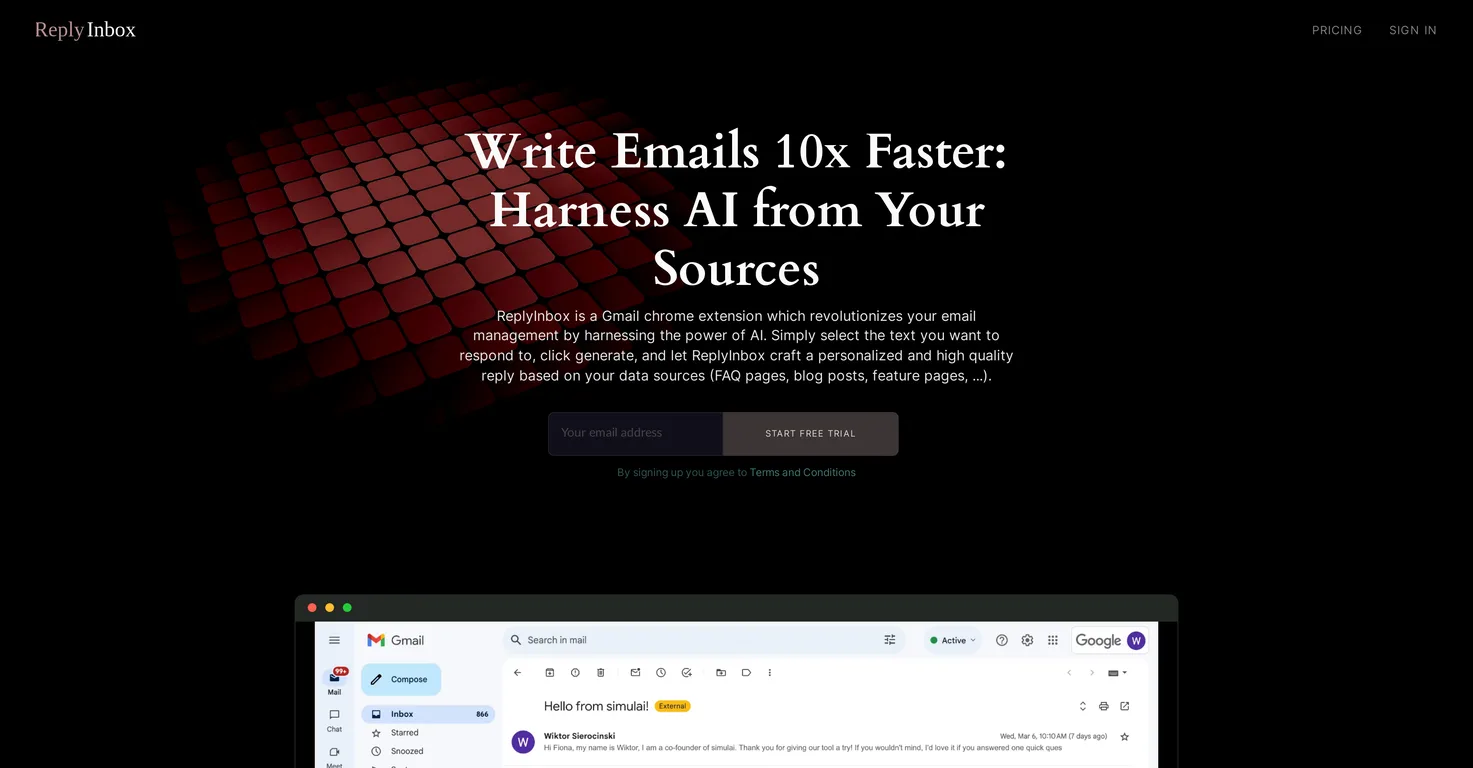
Pros
- Gmail chrome extension
- Streamlines email management
- Auto-generates email responses
- Personalized responses based on user's data
- Utilizes FAQ
- blogs
- feature pages as data sources
- Shares relevant links
- documentation about products/services
- Swift
- accurate email responses
- Emphasizes on data security and privacy
- GDPR compliant
- Increases productivity
- Improves quality of responses
- Boosts efficiency
- Applicable in various business sectors
- Great for managing email communications
- Excellent for customer support
- Constant tool evolution and updates
- Automates customer email replies
- Installable via Chrome Web Store
- Privacy-friendly interface
- Data securely encrypted
- Receive positive testimonials
- Improves productivity significantly
- Streamlines customer interactions
- Essential for HR purposes
- Automates email replies seamlessly
- Saves valuable time and effort
- Offers Pro Plan
Cons
- Only for Gmail
- Requires constant data updates
- Only a Chrome extension
- GDPR compliance obligatory
- Limited to email management
- Automated responses lack human touch
- Limited replies in Pro Plan
- High cost for Pro Plan
- Data needed to respond
Frequently Asked Questions
Common queries about ReplyInbox answered
What is ReplyInbox?
ReplyInbox is an AI-powered Gmail chrome extension that is designed to revolutionize email management by automatically generating high-quality responses to customer emails.
How does ReplyInbox optimize email management?
ReplyInbox leverages the power of AI to optimize email management. It auto-generates high-quality replies to customer emails, which directly impacts efficiency and productivity by speeding up email responses.
How do users interact with ReplyInbox?
Users interact with ReplyInbox by selecting the text they wish to respond to in an email. They then click generate, and ReplyInbox crafts a personalized and high-quality reply, streamlined by the user's data sources.
How does ReplyInbox generate automatic responses?
ReplyInbox generates automatic responses by harnessing AI and user-fed data sources, including FAQ pages, blog posts, or feature pages. It conducts a cognitive process using this information to create a personalized response to selected text within an email.
Can I share documentation with ReplyInbox to streamline answers?
Yes, users can share documentation, such as website links and other details about their products or services, with ReplyInbox. This action empowers the AI to facilitate swift and accurate email responses.
How does ReplyInbox ensure data security and privacy?
ReplyInbox places high emphasis on data security and privacy. It uses secure encryption for user data during transmission and when at rest to ensure utmost care and confidentiality.
Is ReplyInbox GDPR compliant?
Yes, ReplyInbox is GDPR compliant. It handles user data in accordance with stringent GDPR regulations, ensuring data security, privacy, and confidentiality.
What effect does ReplyInbox have on productivity?
ReplyInbox has a profound effect on productivity. By automating replies to customer emails, it saves time, allowing employees to focus on other essential tasks. Testimonials from their website show that it significantly improves productivity across different business sectors.
Can ReplyInbox be used in different business sectors?
Yes, ReplyInbox has an applicability in various business sectors. It is particularly useful in managing email communications and customer support across a range of industries.
How does ReplyInbox contribute towards customer support?
ReplyInbox contributes towards customer support by promptly responding to customer inquiries with high-quality, personalized responses, reducing response times and enhancing the overall customer experience.
Do I need Gmail to use ReplyInbox?
Yes, to fully utilize ReplyInbox's functionalities, users need to have a Gmail account as it is a Gmail Chrome extension.
Is ReplyInbox a Chrome extension?
Yes, ReplyInbox is a Chrome extension. It has been tailored to work specifically with Gmail to streamline email management.
How can ReplyInbox improve the quality of email responses?
ReplyInbox improves the quality of email responses by generating high-quality, personalized responses using data sources such as FAQ pages, blog posts, and feature pages supplied by the user.
Can ReplyInbox handle customer inquiries?
Yes, ReplyInbox is built to handle customer inquiries effectively. It uses AI to generate meaningful responses based on data sources provided by the user, allowing for swift and accurate communication.
How personalized are the responses generated by ReplyInbox?
The responses generated by ReplyInbox are highly personalized. ReplyInbox leverages data from sources like FAQ pages, blog posts, and feature pages to craft replies that are unique to each user and the text selected within the email.
Does ReplyInbox have a trial period?
Yes, ReplyInbox does offer a trial period. Users can start a free trial by signing up on their website.
Can you brief me about ReplyInbox's pricing?
ReplyInbox's Pro Plan is priced at $45 per user per month. This plan includes all features of the tool and allows for up to 1000 replies per month.
Do I have to manually share my data sources or does ReplyInbox pull it automatically?
Users need to manually share their data sources with ReplyInbox. This could include links to FAQ pages, blogs, feature pages, and other documentation relating to their products or services.
Where can I install the ReplyInbox chrome extension?
The ReplyInbox chrome extension can be installed from the Chrome Web Store. A link to the extension is available on their website.
What kind of data sources can be used to educate ReplyInbox?
Various types of data sources can be used to educate ReplyInbox. This includes, but isn't limited to, FAQ pages, blog posts, feature pages, and other forms of documentation that provide details about a user's products or services.
User Reviews
Real ratings and feedback from the community
No reviews yet
Be the first to share your rating and comments for this AI tool!
Direct Comparison Table
How ReplyInbox stacks up against top competitors
| Feature | ReplyInbox | EmailTriager | Warmest | MailBuddy |
|---|---|---|---|---|
| Rating | ★ 3 | — | ★ 3 | — |
| Pricing Model | freemium | freemium | free_trial | paid |
| API Access | No | No | No | No |
| Open Source | No | No | No | No |
| Link | Visit Website | Visit Website | Visit Website | Visit Website |
Alternatives to ReplyInbox
Explore similar AI tools in this category


Tool Details
Similar Tools

Fliki
Compare Fliki's free and paid tiers to see how this text-to-video AI tool simplifies social media, blog-to-video, and content marketing production.

Lovable
Lovablev2.2 turns your app ideas into live web apps instantly with AI and simple prompts-no coding required for fast MVPs and prototypes.

Vsub
Create faceless videos in seconds with AI

HeyGen
Business videos with custom avatars & voiceovers.