

Pitch.comPresentation slides AI Tool
Quickly create sleek decks that get results.
Pitch.com Listing Score
Auto-calculatedOverall
Average of 2 data signals below
Basic pricing published
3 of 4 content areas filled (features, FAQs, pros/cons, description)
This score is calculated automatically from this listing's available data (community rating, capabilities, pricing transparency, and documentation). It is not a paid or sponsored review.
Capabilities & Key Tasks
Atomic Answer Block (Fact Checked)
Pricing & Model
freemium
Free + from $21.49/mo
Open Source & API
Proprietary
No Public API
Foundational Model
Proprietary Engine
Key Integrations
Web App Only
About Pitch.com
Pitch.com Pricing
Free + from $21.49/mo
See full pricing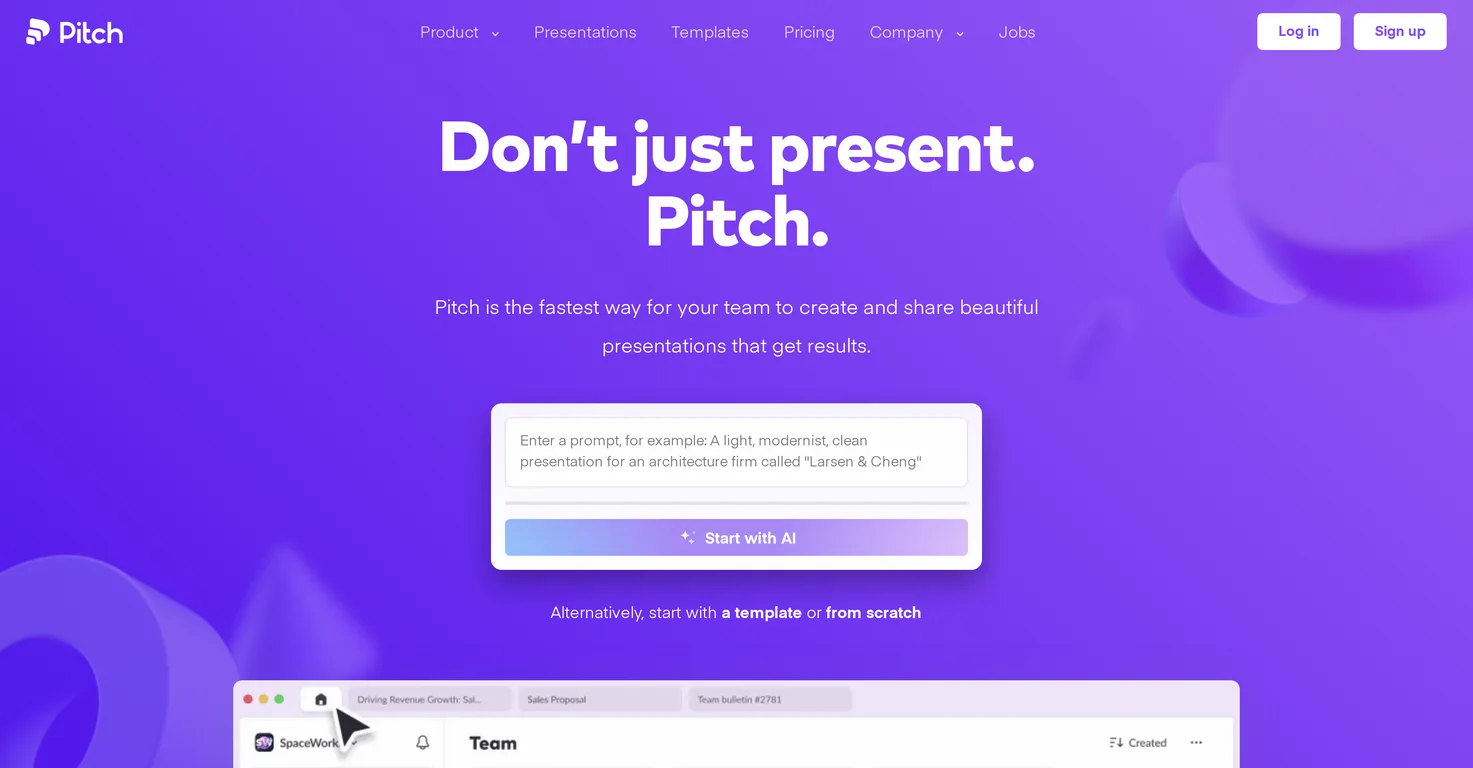
Pros
- User-friendly interface
- Variety of design options
- Intuitive editing functionality
- Applicable to various workplaces
- Optimizes for efficiency
- Promotes dynamic visual communication
- Freemium model available
- Quickly create sleek decks
- Enables team collaboration
- Features built for optimizing efficiency
- Designed for clear communication
- Focused on simplicity
- Visually appealing presentations
- Neatly organizes presentation decks
- Streamlined design process
- Supports various workplace settings
- Functional within educational environments
- Appropriate for corporate presentations
- Engages through visual communication
- Offers various tier options
Cons
- Limited design customization
- No offline mode
- Freemium limitations
- Lack of advanced editing
- Only for team-based workflow
- Potentially changing offer tiers
- Undefined additional costs
- No standalone app
- No animation options
- May lack integrations
Frequently Asked Questions
Common queries about Pitch.com answered
What is Pitch?
Pitch is a digital tool specialized in aiding teams to create visually appealing, effective presentations. Its main focus is on simplicity, clear communication and creating impactful presentation decks in a simplified manner.
What are the key features of Pitch?
Key features of Pitch include a user-friendly interface and intuitive editing functionality, complemented by a variety of design options for users to choose from.
How does Pitch improve the process of making presentations?
Pitch enhances the presentation-making process by offering an easy-to-use interface, varied design options, and straightforward editing functionalities. Its objective is to optimize efficiency, encouraging dynamic, visually engaging communication, thus making the process quicker and more impactful.
Who can benefit from using Pitch?
Pitch is valuable to teams in many different workplace settings, ranging from educational to corporate environments. Any team that needs to make effective, visually appealing presentations can benefit from using Pitch.
Are there different design options available on Pitch?
Yes, Pitch provides a variety of design options, allowing users to create presentations that are unique and catered to their needs.
What makes Pitch user-friendly?
Pitch's user-friendliness comes from its intuitive and easy-to-use interface, which streamlines the process of creating presentation decks. Users can quickly grasp how to create and edit their presentations, saving them time and effort.
How does Pitch support team collaboration?
Pitch is built with a focus on teamwork. While specifics are not detailed on their website, the design of Pitch is intended to promote and support collaboration within teams.
Can Pitch be used in educational settings?
Yes, Pitch can be utilized in educational environments. Its simplicity and clear communication aspects make it suitable for creating effective presentations in educational settings.
Is Pitch suitable for corporate presentations?
Pitch is indeed suitable for corporate presentations. Its function is to enable teams to create professional, effective, and visually appealing presentations, which are key in a corporate setting.
How does Pitch optimize efficiency in presentation-making?
Pitch optimizes efficiency in presentation-making by incorporating an intuitive interface and design options. This allows users to easily create presentations, freeing up time and resources that can be directed elsewhere in the team's work.
What type of visual communication options does Pitch provide?
While specifics about visual communication options are not detailed on their website, Pitch focuses on enabling dynamic, engaging visual communication, inferring a variety of graphical and visual tools available for users.
Is there a cost to sign up for Pitch?
No, there is not. Users can sign up to use Pitch for free, as indicated by the presence of a freemium model on their website.
What is Pitch's freemium model?
While the exact details of Pitch’s freemium model aren’t specified on their website, the freemium model typically provides basic functionalities for free while offering additional features at a cost.
Are there additional offer tiers available in Pitch?
Based on information provided, it can be inferred that additional offer tiers may be available to expand upon Pitch's functionalities, although these details need to be verified on the official Pitch website.
Do the functionalities in each offer tier of Pitch change over time?
Yes, the functionalities in each offer tier of Pitch might change over time, but these specific details need to be confirmed on the official Pitch website.
Where can I check the latest details about Pitch's offers?
You can find the most current information about Pitch's offers on their official website.
How quickly can teams create decks using Pitch?
While the exact speed is not specified, Pitch is advertised as a tool that enables teams to create sleek decks quickly, implying a streamlined and time-efficient process.
Does Pitch allow editing within the presentation slides?
Yes, Pitch includes intuitive editing functionality which allows teams to edit within the presentation slides, offering them great flexibility when creating their decks.
What results can my team expect from using Pitch?
Although specific results are not mentioned on their website, Pitch promises to help teams create sleek, effective decks that yield results, which implies improved presentation quality, engaged audiences, and potentially increased success in delivering the team's message.
Why should I choose Pitch over other presentation software?
Pitch offers distinct features that simplify the process of creating effective, visually appealing presentations. It offers a freemium model, user-friendly interface, intuitive editing functionalities, and a variety of design options. It also focuses on optimizing efficiency and promoting dynamic and engaging visual communication, making it a robust choice amongst other presentation softwares.
User Reviews
Real ratings and feedback from the community
No reviews yet
Be the first to share your rating and comments for this AI tool!
Direct Comparison Table
How Pitch.com stacks up against top competitors
| Feature | Pitch.com | SlideInstantly | SliderAI | PPTX |
|---|---|---|---|---|
| Rating | ★ 3 | ★ 3 | ★ 3 | — |
| Pricing Model | freemium | Paid | freemium | paid |
| API Access | No | No | No | No |
| Open Source | No | No | No | No |
| Link | Visit Website | Visit Website | Visit Website | Visit Website |
Alternatives to Pitch.com
Explore similar AI tools in this category


Tool Details
Similar Tools

Fliki
Compare Fliki's free and paid tiers to see how this text-to-video AI tool simplifies social media, blog-to-video, and content marketing production.

Lovable
Lovablev2.2 turns your app ideas into live web apps instantly with AI and simple prompts-no coding required for fast MVPs and prototypes.

Vsub
Create faceless videos in seconds with AI

HeyGen
Business videos with custom avatars & voiceovers.