

Mappedin3D floor planning AI Tool
Create detailed and accurate indoor maps in minutes.
Mappedin Listing Score
Auto-calculatedOverall
Average of 1 data signal below
3 of 4 content areas filled (features, FAQs, pros/cons, description)
This score is calculated automatically from this listing's available data (community rating, capabilities, pricing transparency, and documentation). It is not a paid or sponsored review.
Capabilities & Key Tasks
Atomic Answer Block (Fact Checked)
Pricing & Model
free
Open Source & API
Proprietary
No Public API
Foundational Model
Proprietary Engine
Key Integrations
Web App Only
About Mappedin
Pros
- User-friendly interface
- Automatic object placement
- 3D interactive map viewer
- Supports map editing
- Export map in formats
- Publish maps for wayfinding
- Focus on venue safety
- Easy locating of safety elements
- Update maps efficiently
- Mobile app for map creation
- Digitizes uploaded floor plans
- Automated layout placement
- No prior mapping experience required
- Free to use
- Multiple Map Exports
- Creates maps quickly
- Map creation via iOS app
- Turns floorplans into digital maps
- Self editing maps
- Automatic safety element placement
- Enables digital wayfinding
- Supports responsiveness design
- Embed maps with API
- Integration with emergency response departments
Cons
- No Android app
- Limited map editing options
- No real-time mapping
- No integration with GPS
- Cannot locate individuals
- No offline map access
- No data analytics tools
- No multicriteria pathfinding functionalities
Frequently Asked Questions
Common queries about Mappedin answered
What is Mappedin Maker?
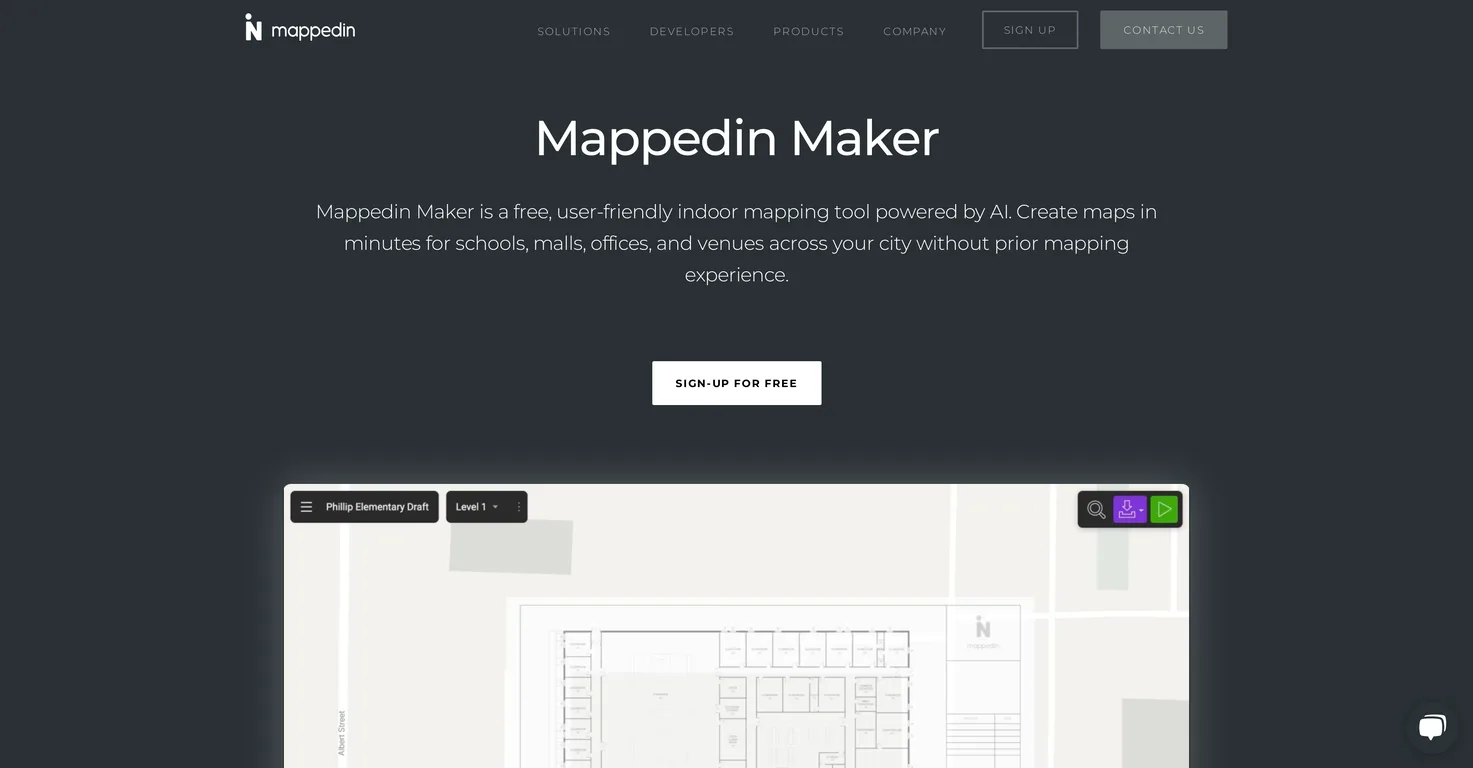
Mappedin Maker is a user-friendly, AI-assisted indoor mapping tool that allows users to create detailed and accurate maps of indoor locations like schools, malls, offices, and other venues. It doesn't require prior mapping experience and it comes with features like AutoMap for automatic placement of objects, a 3D interactive map viewer and map editing capabilities. It places a significant focus on safety by allowing users to easily locate key safety elements like emergency exits and fire extinguishers on their maps.
How does Mappedin Maker use AI?
Mappedin Maker uses AI to assist in the creation of digital maps. When users upload a floor plan of a venue, the AI technology converts it into a robust digital map. Additionally, the AutoMap feature uses AI to automatically place objects like doors, walls, and windows on the map.
Can I upload a floor plan to Mappedin Maker?
Yes, users can upload a floor plan to Mappedin Maker. The AI technology transforms the uploaded floor plan into a detailed and accurate digital map of the venue.
How does the AutoMap feature work in Mappedin Maker?
The AutoMap feature in Mappedin Maker uses AI technology to automatically place objects like doors, walls, and windows on the map while creating it. This automates the layout placement, saving time and effort while ensuring map accuracy.
What is the 3D interactive map viewer in Mappedin Maker?
The 3D interactive map viewer in Mappedin Maker allows users to view their maps in a 3D format. This feature creates a more engaging and intuitive map interface. The 3D view helps to visualize the layout more accurately, ease navigation, and improve wayfinding experience.
How do I edit maps in Mappedin Maker?
Maps in Mappedin Maker can be edited using its user-friendly mapping tools. Users can make changes to their layout, add connections, adjust points of interest and update details as needed.
Can I add connections and move points of interest in Mappedin Maker?
Yes, Mappedin Maker enables users to add connections and move points of interest on their maps. This offers flexibility in customizing the map based on the venue's unique layout and navigational needs.
What formats can Mappedin Maker export maps in?
Mappedin Maker allows users to export their maps in various formats. While the specific formats aren't mentioned on their website, it does indicate that a map can be exported for offline use or published for wayfinding.
How can I publish a map for wayfinding using Mappedin Maker?
Users can publish a map for wayfinding using Mappedin Maker by simply making it live on their website. The process for this isn't specified on their website, but it involves providing user-friendly directions within a venue on the interactive map.
What safety features does Mappedin Maker offer?
Mappedin Maker offers safety features by allowing users to place key safety elements like emergency exits, fire extinguishers, and first-aid stations on their maps. This makes it easy to locate these important safety elements in case of an emergency.
How does Mappedin Maker aid in emergency response?
Mappedin Maker aids in emergency response by providing up-to-date, detailed, and accurate maps. These maps can be invaluable to emergency responders, such as fire departments, by ensuring they have access to the latest layout of the venue, including the location of essential safety elements.
Can I create a map from scratch with Mappedin Maker?
Yes, users can create a map from scratch with Mappedin Maker. If they don't have a floor plan, they can create a map using the Mappedin Maker app for iOS.
Is there an iOS app available for Mappedin Maker?
Yes, there is a Mappedin Maker app available for iOS. This app allows users to create a map from scratch, providing flexibility and convenience for map creation on the go.
How does Mappedin Maker support the digitization of indoor spaces?
Mappedin Maker supports the digitization of indoor spaces by transforming physical floor plans into robust digital maps. These digital maps can then be published on websites, aiding in digital wayfinding and improving the user experience within indoor environments.
How accurate are the maps created with Mappedin Maker?
Accuracy is a key feature of Mappedin Maker. By using AI technology and allowing users to add fine details like doors, walls, windows, and safety elements, the maps created with Mappedin Maker are detailed and true to the actual layout of the venue.
Is Mappedin Maker free to use?
Yes, Mappedin Maker is a free indoor mapping tool, which makes it accessible for any user wanting to create detailed and accurate indoor maps without running into cost barriers.
Can Mappedin Maker map objects like doors, walls, and windows automatically?
Yes, one of Mappedin Maker's features, called AutoMap, uses AI technology to automatically map objects like doors, walls, and windows. This accelerates the map creation process and helps ensure a detailed and accurate representation of the venue.
How quickly can I create a map using Mappedin Maker?
Mappedin Maker allows users to generate indoor maps in a matter of minutes. The exact duration can vary based on the complexities of the venue's layout and the extent of detail required. However, with the help of AI and user-friendly tools, the process is designed to be quick and efficient.
Can I create maps on the go with Mappedin Maker?
Yes, users can create maps on the go with Mappedin Maker. By using the Maker App for iOS, users can create a map from scratch, allowing for map creation even when they don't have access to a floor plan.
How user-friendly is Mappedin Maker?
Mappedin Maker is highly user-friendly. Its interface is designed to be intuitive and easy to use, even for users without any prior mapping experience. Tools like AI-assisted mapping, map editing and AutoMap further enhance the tool's usability by automating complex tasks and providing easy editing options.
User Reviews
Real ratings and feedback from the community
No reviews yet
Be the first to share your rating and comments for this AI tool!
Direct Comparison Table
How Mappedin stacks up against top competitors
| Feature | Mappedin | Finch 3D | OpalAi | Fliki |
|---|---|---|---|---|
| Rating | ★ 3 | — | — | ★ 4.8 |
| Visits / month | — | — | — | 692,189 |
| Pricing Model | free | freemium | freemium | freemium |
| API Access | No | No | No | No |
| Open Source | No | No | No | No |
| Link | Visit Website | Visit Website | Visit Website | Visit Website |
Alternatives to Mappedin
Explore similar AI tools in this category


Tool Details
Similar Tools

Fliki
Compare Fliki's free and paid tiers to see how this text-to-video AI tool simplifies social media, blog-to-video, and content marketing production.

Lovable
Lovablev2.2 turns your app ideas into live web apps instantly with AI and simple prompts-no coding required for fast MVPs and prototypes.

Vsub
Create faceless videos in seconds with AI

HeyGen
Business videos with custom avatars & voiceovers.