

MacCopilotMac assistant AI Tool
Your ultimate AI copilot for macOS
Mac assistantfrom $190
Your ultimate AI copilot for macOS
Overall
Average of 2 data signals below
Basic pricing published
3 of 4 content areas filled (features, FAQs, pros/cons, description)
This score is calculated automatically from this listing's available data (community rating, capabilities, pricing transparency, and documentation). It is not a paid or sponsored review.
Pricing & Model
paid
from $19
Open Source & API
Proprietary
No Public API
Foundational Model
Proprietary Engine
Key Integrations
Web App Only
from $19
See full pricing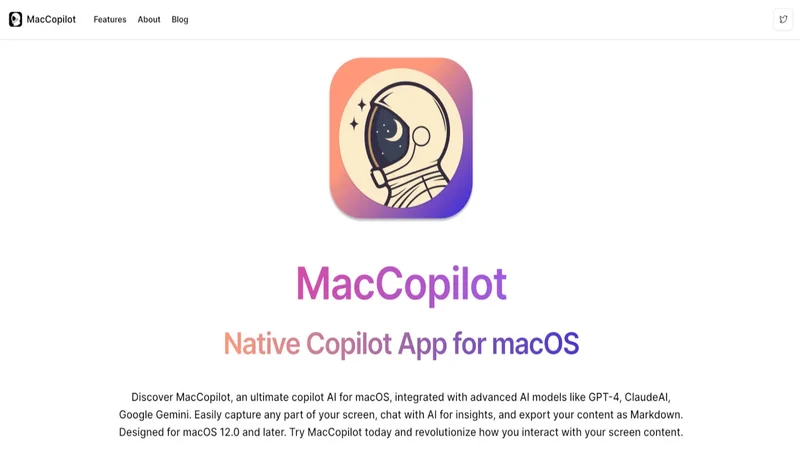
Common queries about MacCopilot answered
MacCopilot incorporates advanced AI models such as gpt-4, claudeai, and google gemini.
Yes, MacCopilot can easily capture any part of the user's screen.
Yes, MacCopilot supports content export in Markdown format.
Real ratings and feedback from the community
Be the first to share your rating and comments for this AI tool!
How MacCopilot stacks up against top competitors
| Feature | MacCopilot | Gep | Fliki | Lovable |
|---|---|---|---|---|
| Rating | ★ 3 | — | ★ 4.8 | — |
| Visits / month | — | — | 692,189 | 34,814,456 |
| Pricing Model | paid | unknown | freemium | freemium |
| API Access | No | No | No | No |
| Open Source | No | No | No | No |
| Link | Visit Website |
Explore similar AI tools in this category
Yes, MacCopilot provides seamless multi-platform support, allowing users to connect with various AI models according to their preference.
MacCopilot aids in boosting productivity and creativity by providing insights about the user's screen content through interaction with embedded AI models. This fosters better understanding and sparks creative ideas.
Yes, MacCopilot provides an option for users to customize AI responses.
Yes, AI models without multimodal support may not utilize screenshot content in MacCopilot.
MacCopilot allows users to connect with various AI models such as OpenAI, Google Generative AI, ClaudeAI, as well as models from an OpenAI API-compatible server, Azure OpenAI service, or a Local Ollama server.
Yes, MacCopilot includes a hotkey configuration for quick screenshot captures.
MacCopilot is specifically designed for macOS version 12.0 and later, which includes Monterey, Ventura and Sonoma.
Yes, MacCopilot supports easier integration and management of different AI models through clear preferences navigation.
In MacCopilot, users can interact with the AI models by capturing screen content. The AI models then provide insights about the captured content to the user.
MacCopilot can generate insights about the user's screen content by interacting with the embedded AI models. These insights foster better understanding and spark creative ideas.
Yes, MacCopilot allows users to easily select and capture any part of their screen with flexible screenshot tools.
MacCopilot supports visual-based interaction, allowing users to seamlessly interact with AI models about their screen content.
Yes, in MacCopilot, users can resize the selected screen capture area.
In MacCopilot, users can add more AI models by navigating to Preferences > Models > Add Model. Users can choose the AI format, enter the required API key, and select a model name.
To add an OpenAI model in MacCopilot, users need to navigate to Preferences > Models > Add Model, select 'OpenAI' format, and enter the required API key with the model name selected.
In MacCopilot, the chatgpt-4o model, an alias to gpt-4o, can be used by adding an OpenAI model with model name select as gpt-4o.
To request recording permission in MacCopilot, users need to navigate to System Preferences > Security & Privacy > Screen Recording and ensure that MacCopilot is checked.
| Visit Website |
| Visit Website |
| Visit Website |
Lexi AI is an AI-powered research assistant that helps users read, summarize, and extract key information from various documents. It allows users to chat with their documents, ask questions, generate new content, and organize their research efficiently.


