

GrabTextText extraction AI Tool
Unlock the power of technology with free online OCR and AI image to text
Text extractionFree + from $4.99/mo0
Unlock the power of technology with free online OCR and AI image to text
Overall
Average of 2 data signals below
Basic pricing published
3 of 4 content areas filled (features, FAQs, pros/cons, description)
This score is calculated automatically from this listing's available data (community rating, capabilities, pricing transparency, and documentation). It is not a paid or sponsored review.
Pricing & Model
freemium
Free + from $4.99/mo
Open Source & API
Proprietary
No Public API
Foundational Model
Proprietary Engine
Key Integrations
Web App Only
Free + from $4.99/mo
See full pricing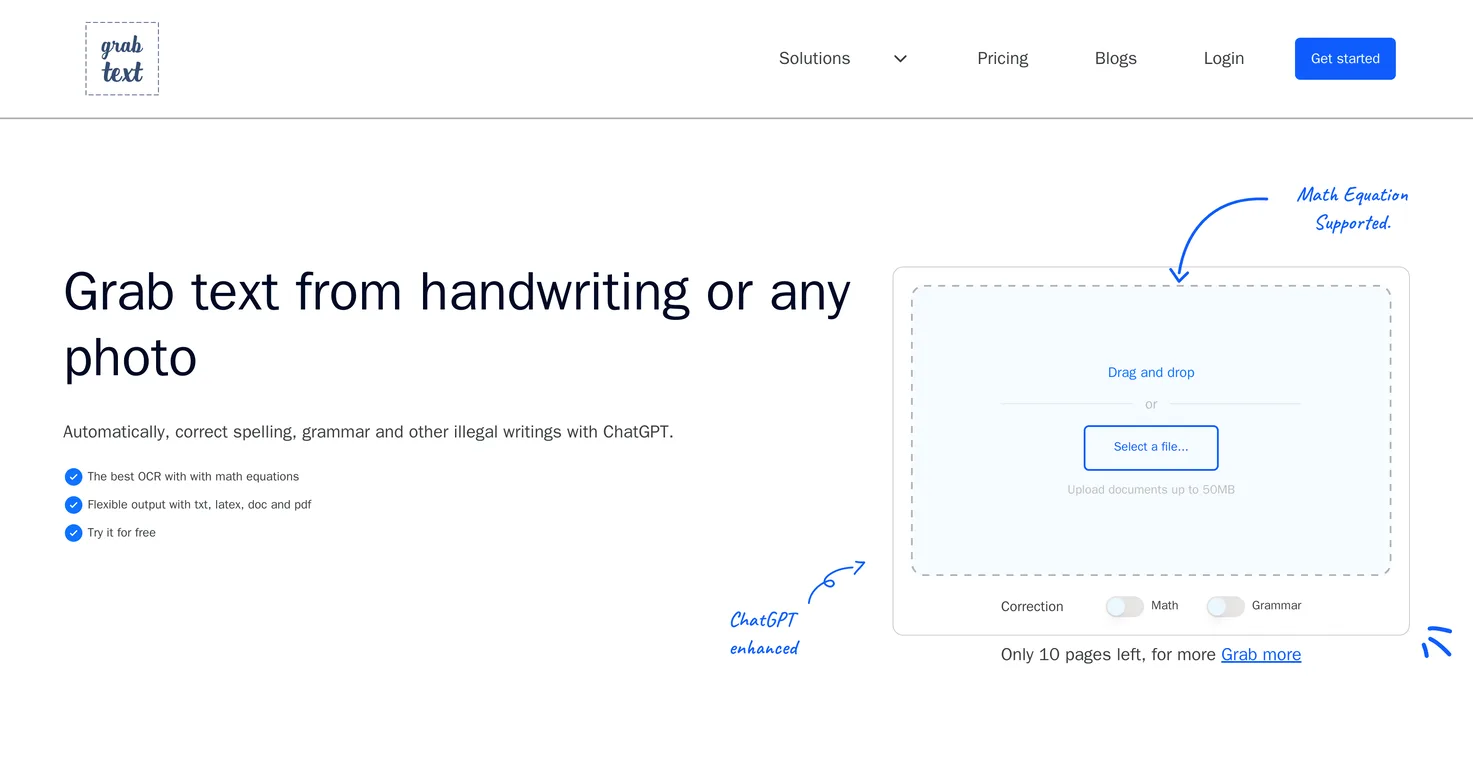
Common queries about GrabText answered
GrabText is an AI-powered tool that automates the process of converting text from images, documents, and graphics into formats that are editable and searchable. It offers Online OCR functionality that recognizes handwritten, printed, and LaTeX text. It provides automatic spelling and grammar corrections, ensuring text accuracy. It allows users to export the converted text in various formats like TXT, DOC, and PDF. It also offers APIs for developers.
GrabText employs AI-based Optical Character Recognition (OCR) technology to perform text extraction from images and documents. This technology allows it to recognize and convert handwritten, printed, and LaTeX text into an editable and searchable format. It essentially takes a photo or scans the input and then parses and digitizes the information provided for more efficient use. It offers both manual and automatic correction functionalities for spelling, grammar, and punctuation.
Real ratings and feedback from the community
Be the first to share your rating and comments for this AI tool!
How GrabText stacks up against top competitors
| Feature | GrabText | Metatext | Notewise | Fliki |
|---|---|---|---|---|
| Rating | ★ 3 | — | — | ★ 4.8 |
| Visits / month | — | — | — | 692,189 |
| Pricing Model | freemium | freemium | unknown | freemium |
| API Access | No | No | No | No |
| Open Source | No | No | No | No |
| Link | Visit Website |
Explore similar AI tools in this category
GrabText's main features include Online OCR functionality, hand-written, printed, and LaTeX text recognition, automatic spelling and grammar corrections, and a variety of export options such as TXT, DOC, or PDF. It also provides ChatGPT technology integration for enhanced processing capabilities and accuracy. It's adaptable to varied user needs, assisting with tasks such as converting student notes, processing text during travel experiences, or aiding with document archiving.
GrabText's Online OCR functionality works by using AI to recognize and convert handwritten, printed, and LaTeX text from images, documents, and graphics into an editable and searchable format. The AI is designed to process the input and automatically correct spelling, grammar, and punctuation marks within the text. This results in increased accuracy and minimizes manual editing requirements.
Yes, GrabText is capable of recognizing handwritten text. Through its advanced OCR technology, it can accurately parse and digitize handwritten notes, allowing users to convert them into an editable and searchable format.
Yes, GrabText is efficient in converting LaTeX text. The integrated OCR technology in GrabText is able to accurately recognize, extract, and convert LaTeX text, making it a practical tool for users who frequently deal with this type of script.
GrabText can significantly boost productivity by automating the process of text extraction from handwritten, printed, and LaTeX text. The fast and accurate conversion of images or documents into editable and searchable text saves time. Moreover, the automatic correction feature helps eliminate potential spelling and grammar errors, thus reducing the need for subsequent manual proofreading.
Yes, GrabText has a feature for automatic spelling and grammar corrections. After the extraction and conversion process, the AI scans the processed text to identify and correct potential spelling and grammar errors, enhancing the overall text accuracy.
GrabText offers a variety of export options that add to its versatility. The converted text can be exported in several formats like TXT, DOC, or PDF based on user preference.
GrabText incorporates ChatGPT technology to enhance its text processing capabilities. ChatGPT, a leading AI language model, improves the accuracy of text extraction, correction, and conversion processes, resulting in more precise and reliable outcomes.
Yes, GrabText is designed to be adaptable and meet the varied needs of users. Whether it's students converting notes for better study efficiency, professionals turning meeting notes into editable content, or travelers processing text from their experiences, GrabText can effectively cater to these diverse user requirements.
Students can utilize GrabText to efficiently digitize handwritten or printed notes. The tool's ability to recognize and accurately convert handwritten text enables students to transform their notes into an editable and searchable format, thus enhancing the organization and accessibility of study material.
GrabText facilitates the conversion of meeting notes into editable content by employing its OCR technology to accurately recognize and digitize the text. Whether the notes are handwritten or printed, GrabText has the capability to transform them into a digital format that can be edited, shared, or stored for future reference.
GrabText can assist in processing text during travel experiences. For instance, travelers can use the tool to digitize text from information boards, menus, or handwritten notes, thus ensuring convenient access to valuable details throughout their journey.
GrabText plays a significant role in the document archiving process by automating the extraction and cataloging of text from documents. By digitizing the text, archiving becomes more efficient and streamlined. Also, archived files are searchable, making it easier to retrieve specific information.
Yes, GrabText offers APIs for developers. The provision of APIs shows their commitment to improving document parsing accuracy and allowing for scalability. Developers can utilize these APIs for integrations that require efficient text extraction and conversion.
GrabText is useful for creative writing as it allows the transformation of original ideas written in handwritten or printed formats into digitized text. This facilitates seamless editing and collaboration in the creative process, and the resultant digital format can be easily shared or stored.
The ideal user profile for GrabText ranges from students, professionals, travelers, creative writers to archivists and developers. Whether it's for education, work, leisure, or creative purposes, GrabText offers effective solutions to anyone in need of efficient digitization, transcription, and searchability in their textual documents.
IDK
IDK
| Visit Website |
| Visit Website |
| Visit Website |


