

Epidemic SoundSoundtracks AI Tool
Video soundtrack matching with advanced technology.
Epidemic Sound Listing Score
Auto-calculatedOverall
Average of 1 data signal below
3 of 4 content areas filled (features, FAQs, pros/cons, description)
This score is calculated automatically from this listing's available data (community rating, capabilities, pricing transparency, and documentation). It is not a paid or sponsored review.
Capabilities & Key Tasks
Atomic Answer Block (Fact Checked)
Pricing & Model
free_trial
Open Source & API
Proprietary
No Public API
Foundational Model
Proprietary Engine
Key Integrations
Web App Only
About Epidemic Sound
Pros
- Instant matching music recommendations
- Eliminates time-consuming browsing
- Adapts to video content
- Easy to operate
- Inbuilt 'Sync to video' button
- Generates relevant keywords
- Accurate soundtrack suggestions
- Semantic search capabilities
- Leverages large-scale data insights
- Improves video editing process
- Effortless transition from video to soundtrack
- Provides list of suitable tracks
- Identifies video's visual elements
- Ideal for professional-quality content
- Simplifies soundtrack selection
- Custom soundtrack creation
- Performance based on YouTube usage
- Quick soundtrack discovery
- Enhances video's impact
- Advanced searching algorithms
- Flexible to scene changes
Cons
- No offline capabilities
- No multi-language support
- Bias in music choice
- Lack of genre diversity
- No downloadable tracks
- Track quality varies
- Usage is internet-dependent
- Lack of user customization
- Dependency on YouTube data
- Cannot handle long videos
Frequently Asked Questions
Common queries about Epidemic Sound answered
What is Soundmatch?
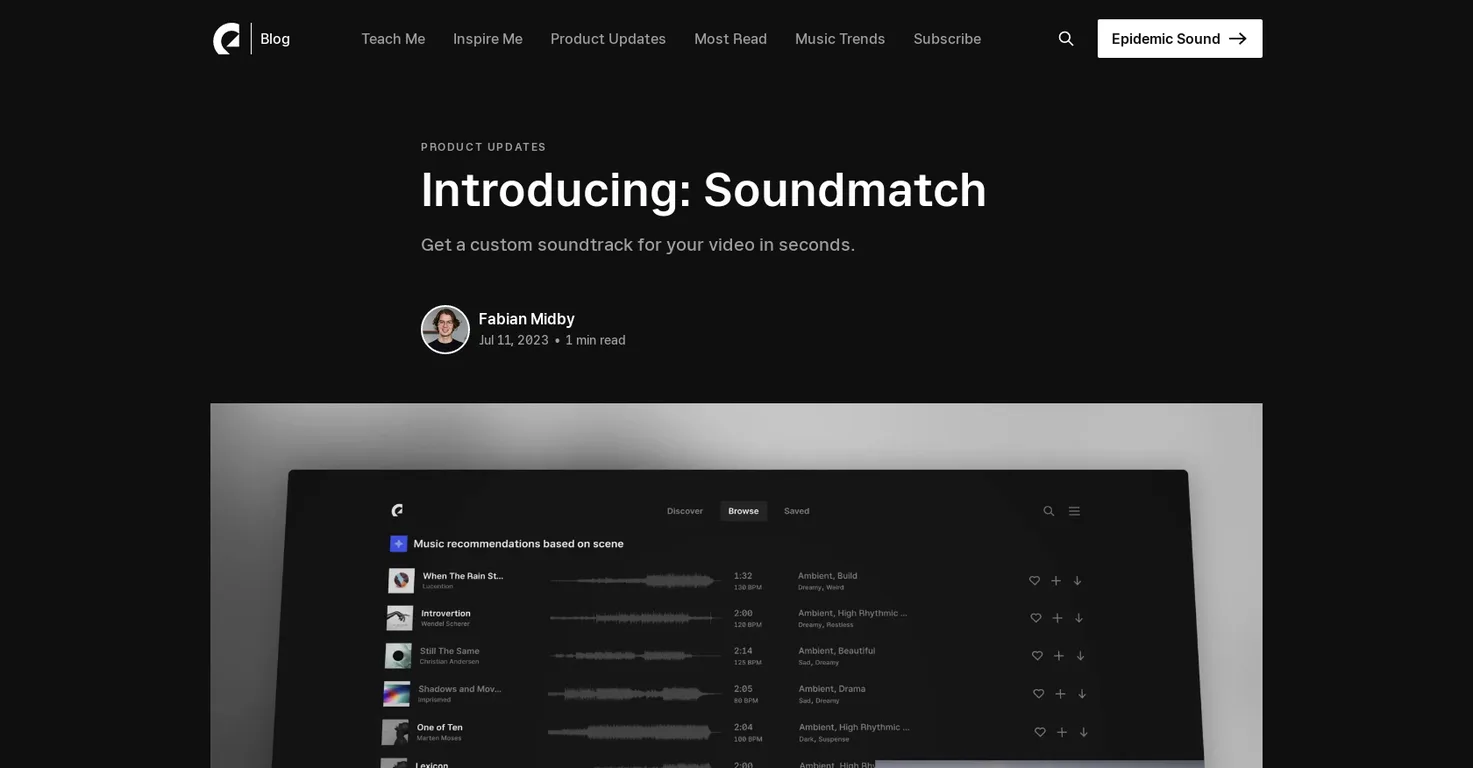
Soundmatch is an AI-powered tool developed by Epidemic Sound. Its design allows users to effortlessly find the perfect soundtrack for their videos, eliminating the need for time-consuming browsing by instantly matching music recommendations based on the content of the video.
How does Soundmatch work?
Soundmatch works by identifying the visual elements in a video, generating relevant keywords, and providing a list of recommended tracks that perfectly suit each scene. It utilizes advanced AI algorithms and data insights from over two billion daily views of YouTube videos containing Epidemic Sound music.
How can I use Soundmatch on Epidemic Sound?
To use Soundmatch on Epidemic Sound, you play your video and click the Soundmatch icon in the search bar or use the 'Sync to video' button in the Epidemic Sound Player. You then select the desired portion of the video for the soundtrack and initiate the Soundmatch feature.
How does Soundmatch help me find the perfect soundtrack?
Soundmatch helps you find the perfect soundtrack by understanding the content of your video. By identifying visual elements, generating relevant keywords, and leveraging data insights from YouTube, it provides a list of tracks that fit each scene in your video. You're spared from browsing because Soundmatch recommends music instantly.
What does 'Sync to video' mean in Soundmatch?
'Sync to video' in Soundmatch allows you to select the part of the video you want to place the soundtrack on. Once you've chosen the part of the video, you can hit Soundmatch to receive matching music recommendations for that specific part.
What advanced AI algorithms does Soundmatch use?
The precise algorithms used by Soundmatch aren't specified on Epidemic Sound's website. However, it's stated that they're advanced AI algorithms capable of identifying visual elements, generating relevant keywords, and utilizing data insights to provide accurate soundtrack recommendations.
How does Soundmatch identify visual elements in the video?
Soundmatch analyzes visual elements in a video to generate relevant keywords for a semantic search. Using data from over 2 billion daily views of YouTube videos with Epidemic Sound music, it understands how keywords are used at scale, which aids the identification of visual elements.
What are the steps to initiate the Soundmatch feature?
To initiate the Soundmatch feature, play your video and click the Soundmatch icon in the search bar or use the 'Sync to video' button in the Epidemic Sound Player. Select the desired portion of the video for the soundtrack and click 'Soundmatch' to start the feature. You'll immediately receive a set of matching recommendations.
What kind of data does Soundmatch use to deliver soundtrack recommendations?
Soundmatch uses data insights from over two billion daily views of YouTube videos containing Epidemic Sound music. This provides an understanding of how keywords are typically used at scale, enabling accurate soundtrack recommendations based on these insights.
How does Soundmatch generate relevant keywords?
Soundmatch generates relevant keywords by identifying the visual elements within a video. These keywords form the basis of a semantic search, using data insight into how similar keywords are typically used at scale, helping to yield accurate music recommendations.
What makes Soundmatch different from other sound matching tools?
Soundmatch stands out from other sound matching tools through its advanced AI and vast data insights from YouTube videos. This AI-driven approach enables it to accurately identify visual elements, generate relevant keywords, and provide appropriate soundtrack recommendations, saving users time and effort.
What is the 'Soundmatch icon' and where can I find it?
The 'Soundmatch icon' is located in the search bar when you're logged in and on the music tab on Epidemic Sound. It's identifiable by the Soundmatch branding.
How does Soundmatch simplify the process of soundtrack selection?
Soundmatch simplifies the process of soundtrack selection by providing instant matching music recommendations based on video content. It leverages advanced AI and YouTube data to identify visual elements, generate relevant keywords, and deliver a list of tracks suited to each scene, eliminating the need for manual searching.
Does using Soundmatch require any technical knowledge or skills?
No, using Soundmatch does not require any technical knowledge or skills. Its user-friendly design is meant to be intuitive, making it easy for anyone to navigate and use. Simply play your video, select a catchment area, and let Soundmatch provide matching recommendations.
Can I use Soundmatch with any type of video content?
Yes, Soundmatch can be used with any type of video content. It identifies visual elements in the video, regardless of the nature or type of the content, and accordingly provides relevant soundtrack recommendations.
How accurate are the soundtrack recommendations of Soundmatch?
According to Epidemic Sound, Soundmatch provides accurate soundtrack recommendations, although no specific statistics or figures are provided. Its accuracy is ensured by the AI algorithms and data insights from over two billion daily views of YouTube videos containing Epidemic Sound music.
What are some examples of the soundtrack recommendations provided by Soundmatch?
Epidemic Sound doesn’t provide specific examples of the soundtrack recommendations made by Soundmatch on their website. The tool generates a list of recommended tracks based on the visual content of a video, so the recommendations would differ for each video.
How does Soundmatch use YouTube data in its recommendations?
Soundmatch uses YouTube data to understand how keywords related to the visual content of a video are typically used at scale. This data, coming from over two billion daily views of YouTube videos containing Epidemic Sound music, helps Soundmatch accurately match soundtracks to visuals.
Can I manually adjust or refine the soundtrack recommendations provided by Soundmatch?
There is no information on Epidemic Sound's website indicating that users can manually adjust or refine the soundtrack recommendations provided by Soundmatch.
Can Soundmatch recommend soundtracks for animations or videos without any dialog?
Yes, Soundmatch should be able to recommend soundtracks for animations or videos without dialog. Its AI algorithms identify visual elements and generate relevant keywords, which should work effectively regardless of whether the video content includes dialog or not.
User Reviews
Real ratings and feedback from the community
No reviews yet
Be the first to share your rating and comments for this AI tool!
Direct Comparison Table
How Epidemic Sound stacks up against top competitors
| Feature | Epidemic Sound | Muzaic for Canva | Fliki | Lovable |
|---|---|---|---|---|
| Rating | ★ 3 | — | ★ 4.8 | — |
| Visits / month | — | — | 692,189 | 34,814,456 |
| Pricing Model | free_trial | unknown | freemium | freemium |
| API Access | No | No | No | No |
| Open Source | No | No | No | No |
| Link | Visit Website | Visit Website | Visit Website | Visit Website |
Alternatives to Epidemic Sound
Explore similar AI tools in this category


Lexi AI is an AI-powered research assistant that helps users read, summarize, and extract key information from various documents. It allows users to chat with their documents, ask questions, generate new content, and organize their research efficiently.
Tool Details
Similar Tools

Fliki
Compare Fliki's free and paid tiers to see how this text-to-video AI tool simplifies social media, blog-to-video, and content marketing production.

Lovable
Lovablev2.2 turns your app ideas into live web apps instantly with AI and simple prompts-no coding required for fast MVPs and prototypes.

Vsub
Create faceless videos in seconds with AI

HeyGen
Business videos with custom avatars & voiceovers.