

EmoGPTChatGPT for Gmail AI Tool
Personalized email responses for Gmail.
ChatGPT for Gmail0
Personalized email responses for Gmail.
Overall
Average of 1 data signal below
3 of 4 content areas filled (features, FAQs, pros/cons, description)
This score is calculated automatically from this listing's available data (community rating, capabilities, pricing transparency, and documentation). It is not a paid or sponsored review.
Pricing & Model
paid
Open Source & API
Proprietary
No Public API
Foundational Model
Proprietary Engine
Key Integrations
Web App Only
Common queries about EmoGPT answered
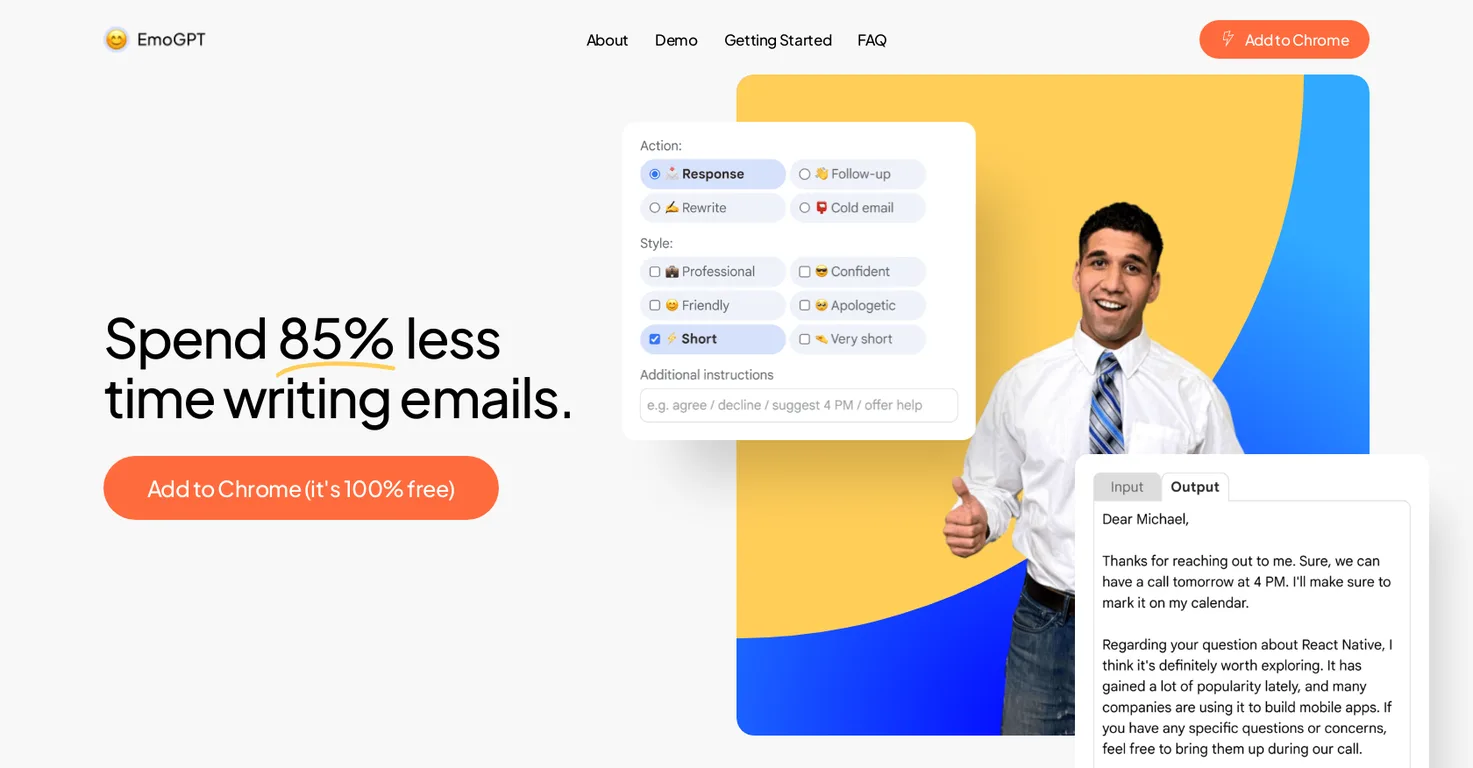
EmoGPT is a free Google Chrome extension that utilizes artificial intelligence to generate personalized email replies, follow-ups, rewrites, and cold outreach emails for Gmail users. It is a user-friendly interface that offers exclusivity to OpenAI’s ChatGPT and Gmail.
EmoGPT leverages the power of artificial intelligence by harnessing the power of ChatGPT, a large language model trained by OpenAI. It uses this model to analyze incoming messages and subsequently generate engaging, relevant, and personalized responses.
Real ratings and feedback from the community
Be the first to share your rating and comments for this AI tool!
How EmoGPT stacks up against top competitors
| Feature | EmoGPT | Klart AI | ChatGPT for Gmail | Fliki |
|---|---|---|---|---|
| Rating | ★ 3 | ★ 3 | — | ★ 4.8 |
| Visits / month | — | — | — | 692,189 |
| Pricing Model | paid | free_trial | Free | freemium |
| API Access | No | No | No | No |
| Open Source | No | No | No | No |
| Link | Visit Website |
Explore similar AI tools in this category
ChatGPT is a large language model trained by OpenAI. It is used as a core component of EmoGPT, empowering the tool to analyze messages and construct personal, relevant and engaging responses. Thus, the functionality of EmoGPT is largely attributed to ChatGPT.
EmoGPT keeps its scope for future advancement open. Although the exact features are not explicitly stated, they may contain elements that require additional resources or teamwork, hinting at more complex or innovative functionalities beyond the current offerings.
EmoGPT is secure because it communicates exclusively with OpenAI’s ChatGPT and Gmail, with no permission to share data or make requests to other internet resources. EmoGPT prioritizes user privacy by only storing settings locally in the user's browser, not on external servers.
EmoGPT requires permissions to interact with OpenAI's ChatGPT and Gmail. These permissions are necessary for EmoGPT to analyze incoming messages and generate personalized responses. It does not require, nor does it have the permission to interact with any other internet resources.
Upon its installation, EmoGPT can be accessed via a smiling emoji button which appears in the toolbar of your email window in Gmail.
Yes, users can configure desired email formats using EmoGPT. This can be performed in EmoGPT interface and then applied by clicking the “Compose” button.
Yes, EmoGPT aids in boosting productivity by drastically reducing the time spent on crafting emails. It allows users to generate high-quality emails swiftly, thereby allowing them to concentrate on other tasks and improve their productivity.
EmoGPT is a free tool. The main features of EmoGPT are free without any cost considerations, however, potential future advanced features could require additional resources and may not be free.
EmoGPT as a Google Chrome extension that can be acquired from the Chrome Web Store.
EmoGPT assists Gmail users by automating the process of email construction. It leverages AI to craft personalized and engaging email responses, follow-ups, rewrites, and cold outreach emails, thus enhancing their email communication skills.
Yes, EmoGPT can generate cold outreach emails. It can comprehensively analyze incoming messages to construct tailored, relevant, and engaging cold outreach emails.
No, EmoGPT does not have permission to share data or make requests to any other internet resources other than communicating with OpenAI’s ChatGPT and Gmail. Its strict and granular permission rules ensure secure operations.
While using EmoGPT, your data is protected through stringent privacy measures. EmoGPT stores settings locally in your browser, ensuring that no personal data is stored externally. Its communication is limited to OpenAI’s ChatGPT and Gmail, without the capacity to share data with other online resources.
EmoGPT stores settings locally in the user's browser. This means that any configurations and settings made by users within the extension are saved directly on the device used, rather than on any external servers, contributing to an additional layer of data privacy.
To use EmoGPT, users can opt between using their ChatGPT account or an API key, based on their preference. This suggests that usage of EmoGPT doesn't mandatorily require a ChatGPT account.
The specifics about available personalization preferences with EmoGPT are not distinctly mentioned. However, given its description and use, it can be inferred that it offers enough room for users to determine the tone, format, and other aspects of the emails it generates.
Writing a new email using EmoGPT involves selecting the desired configuration for the email in the EmoGPT interface and clicking on the “Compose” button. The extension then generates a high-quality, personalized email.
EmoGPT aids in saving time on writing emails by automating the email construction process. Its AI-driven technique allows for the fast creation of personalized, apt and engaging emails, reducing the manual effort and time typically required in email writing, consequently allowing users to spend their time on other tasks.
| Visit Website |
| Visit Website |
| Visit Website |

Lovable
Lovablev2.2 turns your app ideas into live web apps instantly with AI and simple prompts-no coding required for fast MVPs and prototypes.


