

Cognify StudioBackgrounds AI Tool
Transform your photos into stunning designs with AI.
BackgroundsFree0
Transform your photos into stunning designs with AI.
Overall
Average of 2 data signals below
Basic pricing published
3 of 4 content areas filled (features, FAQs, pros/cons, description)
This score is calculated automatically from this listing's available data (community rating, capabilities, pricing transparency, and documentation). It is not a paid or sponsored review.
Pricing & Model
freemium
Free
Open Source & API
Proprietary
No Public API
Foundational Model
Proprietary Engine
Key Integrations
Web App Only
Free
See full pricing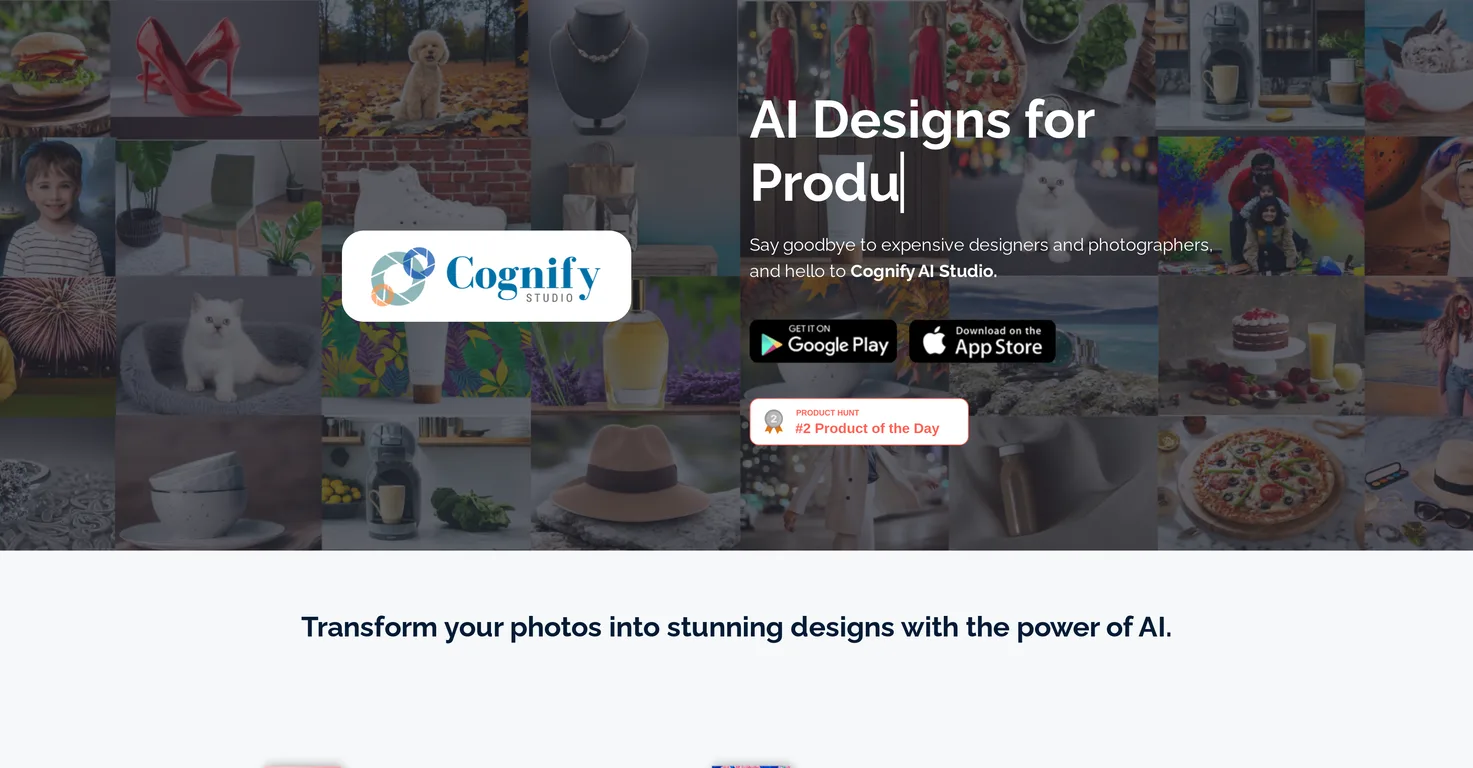
Common queries about Cognify Studio answered
Cognify Studio is an AI-driven design tool specializing in creating stunning designs for products, offering an alternative to expensive design software and subscriptions. It allows users to create unique images each time with design and backgrounds that perfectly match their images. The tool is built to save users time and money, providing a swift and simple solution. The designs created with Cognify Studio can be shared easily, and the tool also provides a Privacy Policy and Terms & Conditions to secure user data.
Cognify Studio harnesses the power of artificial intelligence to transform photos into unique and professional designs. The AI algorithm takes into consideration the image input, and based on its analytical capability, generates design and background that suits the specific image. It requires no prompt engineering or in-depth AI usage knowledge from the user's end.
Real ratings and feedback from the community
Be the first to share your rating and comments for this AI tool!
How Cognify Studio stacks up against top competitors
| Feature | Cognify Studio | AI Background Generator by PhotoRoom | Generatebg | Green Screen AI |
|---|---|---|---|---|
| Rating | ★ 3 | — | ★ 3 | — |
| Pricing Model | freemium | freemium | freemium | freemium |
| API Access | No | No | No | No |
| Open Source | No | No | No | No |
| Link | Visit Website |
Explore similar AI tools in this category
Cognify Studio is accessible on both the App Store and Google Play, catering to both iOS and Android users.
Cognify Studio eliminates the need for expensive design software and subscriptions by providing an AI-driven solution empowering users to create stunning designs themselves. It replaces tedious and time-consuming editing processes, costly software, expensive designers, and photographers, making it a cost-effective solution for users.
Designs created on Cognify Studio can be conveniently shared. The specifics of the sharing feature aren't explicitly mentioned on their website.
Cognify Studio ensures user data security through its Privacy Policy and Terms & Conditions, which are easily accessible to users. The specifics regarding its data security measures are not mentioned on their website.
Cognify Studio has the capability through AI to transform any photo into a unique and professional design. How it deals with different types of photos or how versatile it is with different photo genres isn't explicitly laid out on their website.
No, users do not need any AI or prompt engineering experience to use Cognify Studio. The tool is designed to be user-friendly, requiring no technical experience.
Cognify Studio caters to product marketing needs by allowing users to transform their product images into eye-catching, professional designs. It helps showcase products in an attractive manner, enhancing visual appeal, and potentially boosting sales.
On Cognify Studio, every design is unique. The AI generates a different design and background each time tailored specifically to the provided image.
Cognify Studio offers several benefits over hiring professional designers and photographers. It provides quick results, unique image creation every time, easy sharing options, and is user-friendly, all at a fraction of the cost of hiring professionals.
With Cognify Studio, you get a unique design every time. The AI ensures each design and background created is tailored specifically to your image.
Cognify Studio is designed with user-friendliness in mind. It requires no AI or prompt engineering knowledge and offers a straightforward design process. However, the website does not provide detailed specifics about the user interface and navigation details within the tool itself.
Cognify Studio's cost-effectiveness stems from the fact that it eliminates the need for expensive designers, photographers, and design software subscriptions. Users get professional-grade design service at a fraction of the usually associated cost.
Cognify Studio offers swift and easy design creation which minimizes time spent on the editing process. However, the precise details of how efficient is the tool compared to traditional editing software in saving time is not mentioned on their website.
The exact process for creating designs with Cognify Studio is not provided on their website. However, based on the nature of the tool as described, it likely involves uploading an image and using the AI-powered tool to create the design.
Yes, Cognify Studio can be used for personal photo transformation along with product photos. It is designed to transform any photo into a stunning design.
The support for Cognify Studio is presumably available through a designated support page as mentioned on their website, but the specifics aren't outlined.
Cognify Studio can be installed on your phone by downloading it from the corresponding app store. For Android users, it's available on Google Play, and for iOS users, it's available on the App Store.
Yes, Cognify Studio can assist in making product images look more professional. The AI-powered tool transforms product photos into professionally looking product showcases, thereby enhancing their visual appeal.
| Visit Website |
| Visit Website |

Jector is an AI-powered presentation generator that transforms text prompts into complete, visually appealing slide decks. It automates content creation, design, and image selection, enabling users to quickly produce professional presentations for various purposes.


