

AutomaticDocsCode documentation AI Tool
Use AI to generate documentation for your software projects.
Code documentation0
Use AI to generate documentation for your software projects.
Overall
Average of 1 data signal below
3 of 4 content areas filled (features, FAQs, pros/cons, description)
This score is calculated automatically from this listing's available data (community rating, capabilities, pricing transparency, and documentation). It is not a paid or sponsored review.
Pricing & Model
paid
Open Source & API
Proprietary
No Public API
Foundational Model
Proprietary Engine
Key Integrations
Web App Only
Common queries about AutomaticDocs answered
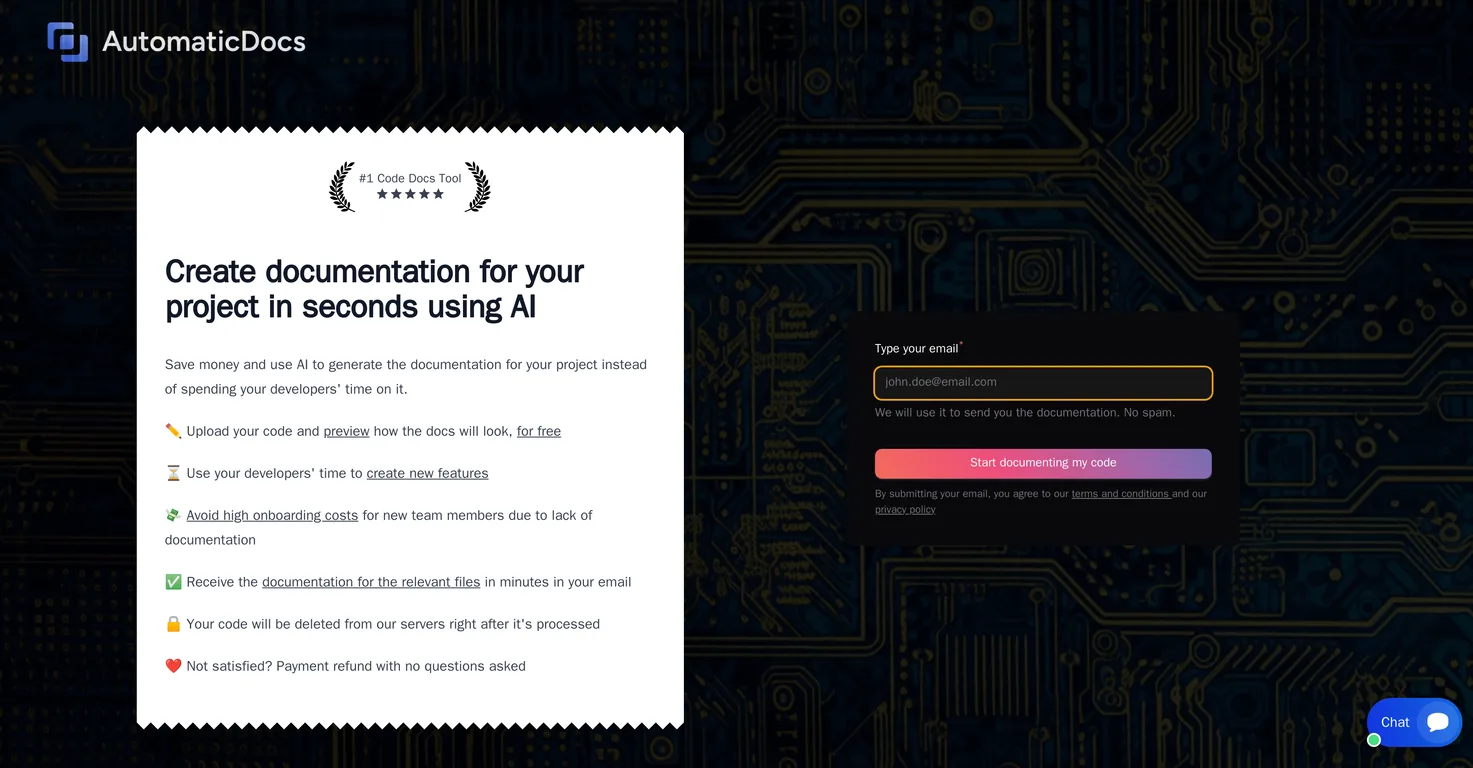
AutomaticDocs is an AI-based tool which efficiently produces project documentation for multiple software systems. It helps developers save time by automating the process of generating code documentation.
AutomaticDocs works by analyzing a project's code to generate relevant documentation. This includes uploading the code to the AutomaticDocs server for processing, creating a preview of the documentation and eventually sending the finely produced documents to the user's email within minutes.
AutomaticDocs supports an extensive list of programming languages and frameworks such as Laravel, Spring, Django, Ionic + Angular, Next, NuxtJS, ReactNative, Angular, Vue, React, COBOL, CSS, .NET, Go, HTML, Java, Javascript, Kotlin, NodeJS, PHP, Python, Rust, and Swift.
Real ratings and feedback from the community
Be the first to share your rating and comments for this AI tool!
How AutomaticDocs stacks up against top competitors
| Feature | AutomaticDocs | AutoKT | Penify.dev | Snorkell |
|---|---|---|---|---|
| Rating | ★ 3 | ★ 3 | — | ★ 3 |
| Pricing Model | paid | freemium | unknown | Freemium |
| API Access | No | No | No | No |
| Open Source | No | No | No | No |
| Link | Visit Website | Visit Website |
Explore similar AI tools in this category

Penify.dev is an AI-powered content generation tool for developers, creating documentation, blog posts, and social media content directly from code.
To ensure data privacy, once the code has been processed by AutomaticDocs, it is immediately deleted from their servers. Furthermore, while OpenAI may retain the code in their logs for up to 30 days, they will not use the code for training their models.
AutomaticDocs is highly efficient in generating documentation. This AI-based tool saves considerable time and takes mere minutes to generate and deliver complete documentation for a project.
Yes, AutomaticDocs offers a preview feature. Developers can upload their code and see how the documentation will look for free before deciding to proceed with the full service.
AutomaticDocs delivers the final documentation in Markdown format, sent directly to user's email.
AutomaticDocs retains the uploaded code on their servers only until it's processed. This process lasts for a few minutes after which the code is completely deleted.
AutomaticDocs helps in speeding up the onboarding process by generating comprehensive project documentation in natural language. This facilitates new team members to understand the project faster, efficiently reducing the onboarding time.
AutomaticDocs mitigates technical debt by automatically documenting a project's code. This documentation keeps the entire project organized and helps in the regular maintenance of the project, thereby mitigating technical debt.
Yes, AutomaticDocs pricing depends on the size of the project. The larger the project, the higher the price, categorized into three sets: Small Projects (10€), Mid-sized Projects (40€), and Large Projects (70€).
The exact time taken by AutomaticDocs to document a software project isn't specified. However, it's mentioned on their website that the process of documenting a project takes only minutes.
Yes, AutomaticDocs can analyze your code to estimate the cost of documenting your project before proceeding with the actual documentation.
Yes, AutomaticDocs offers 24-hour support response time for any queries or issues during your documentation process.
AutomaticDocs can save developers' time by automating the time-consuming task of manual documentation. This allows developers to focus on their core work of crafting and refining new product features.
AutomaticDocs should ideally be used by software teams and individual developers who want to efficiently manage their time by automating the documentation process, mitigate technical debt, accelerate onboarding, and want to expedite their routine software development work.
While AutomaticDocs doesn't directly prevent bugs in a project, having a well-documented code can significantly lower the likelihood of bugs appearing. This is because documentation makes it easier to understand the code, which often leads to discovering and fixing potential issues before they become problematic bugs.
Onboarding a new developer can be costly due to the time they'd need to understand the project. AutomaticDocs significantly lowers this cost by providing comprehensive documentation in natural language, which helps new developers understand the project faster.
Yes, AutomaticDocs offers refunds. If a customer is not satisfied with the service, they'll provide a payment refund with no questions asked.
The terms and conditions of AutomaticDocs mandate that by submitting your email to them, you agree to their terms and conditions as outlined on their website.
| Visit Website |
| Visit Website |

Lovable
Lovablev2.2 turns your app ideas into live web apps instantly with AI and simple prompts-no coding required for fast MVPs and prototypes.


