

AnthemScore by LunaverusMusic transcription AI Tool
Music transcription and editing.
AnthemScore by Lunaverus Listing Score
Auto-calculatedOverall
Average of 2 data signals below
Basic pricing published
3 of 4 content areas filled (features, FAQs, pros/cons, description)
This score is calculated automatically from this listing's available data (community rating, capabilities, pricing transparency, and documentation). It is not a paid or sponsored review.
Capabilities & Key Tasks
Atomic Answer Block (Fact Checked)
Pricing & Model
freemium
Free + from $29
Open Source & API
Proprietary
No Public API
Foundational Model
Proprietary Engine
Key Integrations
Web App Only
About AnthemScore by Lunaverus
AnthemScore by Lunaverus Pricing
Free + from $29
See full pricing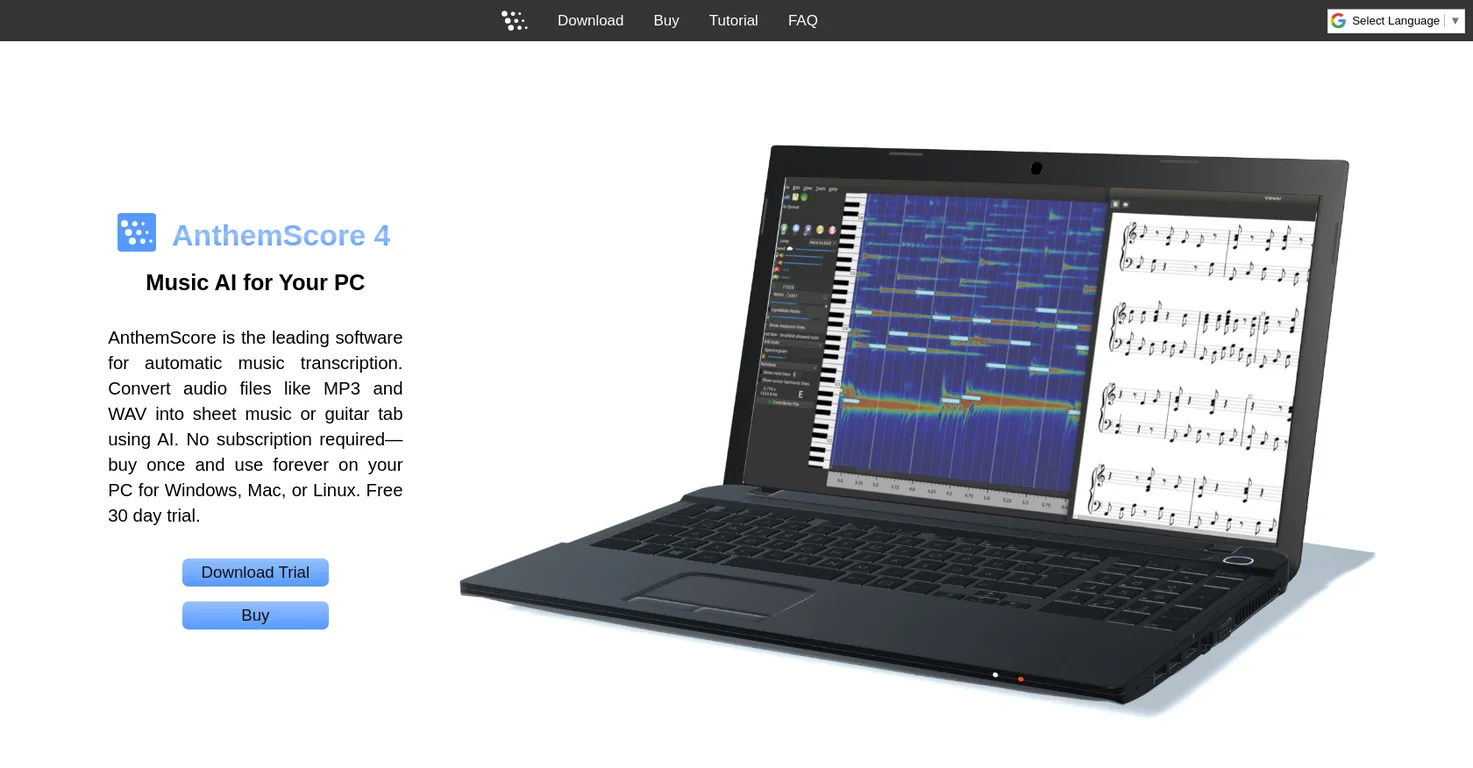
Pros
- Music transcription and editing
- Automatic note detection
- Can add/remove single notes
- Section-wise fine-tuning
- Note copy/paste feature
- Customizable for different instruments
- Auto-format for key
- range
- staff
- Standard sheet or tablature options
- Saves as PDF
- musicXML
- MIDI
- Flexible edition differences
- Advanced editing options
- Changeable time/key signatures and tempo
- Following edits: add triplets
- measures
- Free 30 day trial
- Switchable between Lite and Professional
- No subscription required
- Once purchased
- use forever
- Offers three versions
- Free trial full features
- Purchase activation key
- Software works on PC
- Compatible with Windows
- Mac
- Linux
- Automatic transcription
- Sheet music saving/printing
- Audio playback
- Has editing tools
Cons
- Not subscription based
- Limited trial
- Limited free updates
- No note editing on Lite
- No spectrogram display on Lite
- No audio playback on Lite
- No priority customer support except Studio
- Requires activation key purchase
- Doesn't include all tools in Lite
Frequently Asked Questions
Common queries about AnthemScore by Lunaverus answered
What is AnthemScore?
AnthemScore is an automatic music transcription software tool developed by Lunaverus. Utilizing AI technology, it transcribes music from audio files like MP3 and WAV into sheet music or guitar tab. It is available for Windows, Mac, or Linux systems and does not require a subscription.
How does AnthemScore work?
AnthemScore works using machine learning to detect notes in audio files and arranging them into measures. The software detects notes automatically to facilitate and speed up the process, and it also allows the user to adjust certain aspects of the transcription manually.
Can I edit the transcriptions made by AnthemScore?
Yes, AnthemScore provides options for users to edit transcriptions. They can add or remove notes by dragging a slider, fine-tune any selected region separately, as well as add or remove single notes by right-clicking. Users can also change time signature, key signature, or tempo for any measure in a song, add triplets, insert or remove measures.
What file formats does AnthemScore support?
AnthemScore supports MP3 and WAV audio file formats for transcription. After the transcription process, users can save the results as a PDF, musicXML, or MIDI file.
How do I correct or change the automatic transcriptions?
To correct or change the automatic transcriptions in AnthemScore, users can add or remove notes by simply dragging a slider and letting the software pick the most likely candidates. They can also select any region and fine-tune it separately and can add/remove single notes by right-clicking.
Is it possible to customize transcriptions to suit different instruments with AnthemScore?
Yes, with AnthemScore users have the ability to customize transcriptions to suit different instruments. They can pick from a variety of different instruments to auto-format sheet music in the correct key, range, and staff.
What differences are there between the Lite, Professional, and Studio versions of AnthemScore?
AnthemScore offers three versions: Lite, Professional, and Studio. Lite version allows automatic transcription of songs and enables users to view, save, and print sheet music, but lacks note editing, spectrogram display, or audio playback. Professional version includes all features of Lite, along with viewing spectrogram, keyboard, and timeline, powerful editing tools and playback of audio notes. Studio version includes all features of Professional, offers lifetime free software updates, and prioritizes customer support requests.
How does the free trial of AnthemScore work?
AnthemScore offers a free trial for 30 days during which the user can access the full set of features and switch between Lite and Professional editions. No account or payment information is needed for the trial, users simply download and run the software.
How do I acquire an activation key for AnthemScore after trial period?
After the 30-day trial period, users need to purchase an activation key from the AnthemScore website to continue using the software. Once purchased, the key is pasted into the software to activate it permanently.
Does AnthemScore offer support for both standard sheet music and tablature?
Yes, AnthemScore does offer support for both standard sheet music and tablature. Users can choose their preferred format for their transcriptions.
Is it possible to change time and key signatures with AnthemScore?
Yes, users of AnthemScore can change time and key signatures for any measure in a song, providing flexibility in editing the transcriptions.
What adjustments can be made to tempo in AnthemScore?
With AnthemScore users have the option to change the tempo for any measure in the song, thus providing control over the rhythm and speed of the transcribed music.
Can I copy and paste sections of notes in AnthemScore?
Yes, in AnthemScore you can copy and paste sections of notes. This feature allows users to duplicate and reproduce specific sections of their transcriptions efficiently.
How does AnthemScore use machine learning?
AnthemScore uses machine learning to detect notes and arrange them into measures. The software utilizes this technology for automatic note detection, which speeds up the transcription process and makes it more accurate.
What are the system requirements for AnthemScore on PC, Mac, and Linux?
IDK
Is there a subscription needed to use AnthemScore?
No, there is no subscription required to use AnthemScore. It is available for a one-time purchase, affording users the ability to buy once and use forever on their systems, without any recurring charges.
How does the note detection in AnthemScore work?
In AnthemScore, note detection works automatically using machine learning. The software uses algorithms to predict and identify the most likely notes in a piece of music, aiming to make the process faster and more accurate.
Can I view, save, and print sheet music with AnthemScore?
Yes, with all versions of AnthemScore, users can view, save, and print out sheet music from their transcriptions.
What editing options does AnthemScore provide?
AnthemScore provides a breadth of editing options such as changing the time signature, key signature or tempo for any measure in the song, adding triplets, inserting or removing measures. Users can also fine-tune any region separately, and add/remove notes by dragging a slider or right-clicking on single notes.
Is customer support prioritized for users with the Studio version of AnthemScore?
Yes, for users with the Studio version of AnthemScore, customer support is prioritized. Their support requests immediately go to the top of the queue.
User Reviews
Real ratings and feedback from the community
No reviews yet
Be the first to share your rating and comments for this AI tool!
Direct Comparison Table
How AnthemScore by Lunaverus stacks up against top competitors
| Feature | AnthemScore by Lunaverus | Ivory-App | Fliki | Lovable |
|---|---|---|---|---|
| Rating | ★ 3 | — | ★ 4.8 | — |
| Visits / month | — | — | 692,189 | 34,814,456 |
| Pricing Model | freemium | unknown | freemium | freemium |
| API Access | No | No | No | No |
| Open Source | No | No | No | No |
| Link | Visit Website | Visit Website | Visit Website | Visit Website |
Alternatives to AnthemScore by Lunaverus
Explore similar AI tools in this category


Lexi AI is an AI-powered research assistant that helps users read, summarize, and extract key information from various documents. It allows users to chat with their documents, ask questions, generate new content, and organize their research efficiently.
Tool Details
Similar Tools

Fliki
Compare Fliki's free and paid tiers to see how this text-to-video AI tool simplifies social media, blog-to-video, and content marketing production.

Lovable
Lovablev2.2 turns your app ideas into live web apps instantly with AI and simple prompts-no coding required for fast MVPs and prototypes.

Vsub
Create faceless videos in seconds with AI

HeyGen
Business videos with custom avatars & voiceovers.