

AI-PortraitAvatars AI Tool
Customize ordinary selfies into stunning self-portraits.
Avatars2 views
Customize ordinary selfies into stunning self-portraits.
Overall
Average of 1 data signal below
3 of 4 content areas filled (features, FAQs, pros/cons, description)
This score is calculated automatically from this listing's available data (community rating, capabilities, pricing transparency, and documentation). It is not a paid or sponsored review.
Pricing & Model
paid
Open Source & API
Proprietary
No Public API
Foundational Model
Proprietary Engine
Key Integrations
Web App Only
Common queries about AI-Portrait answered
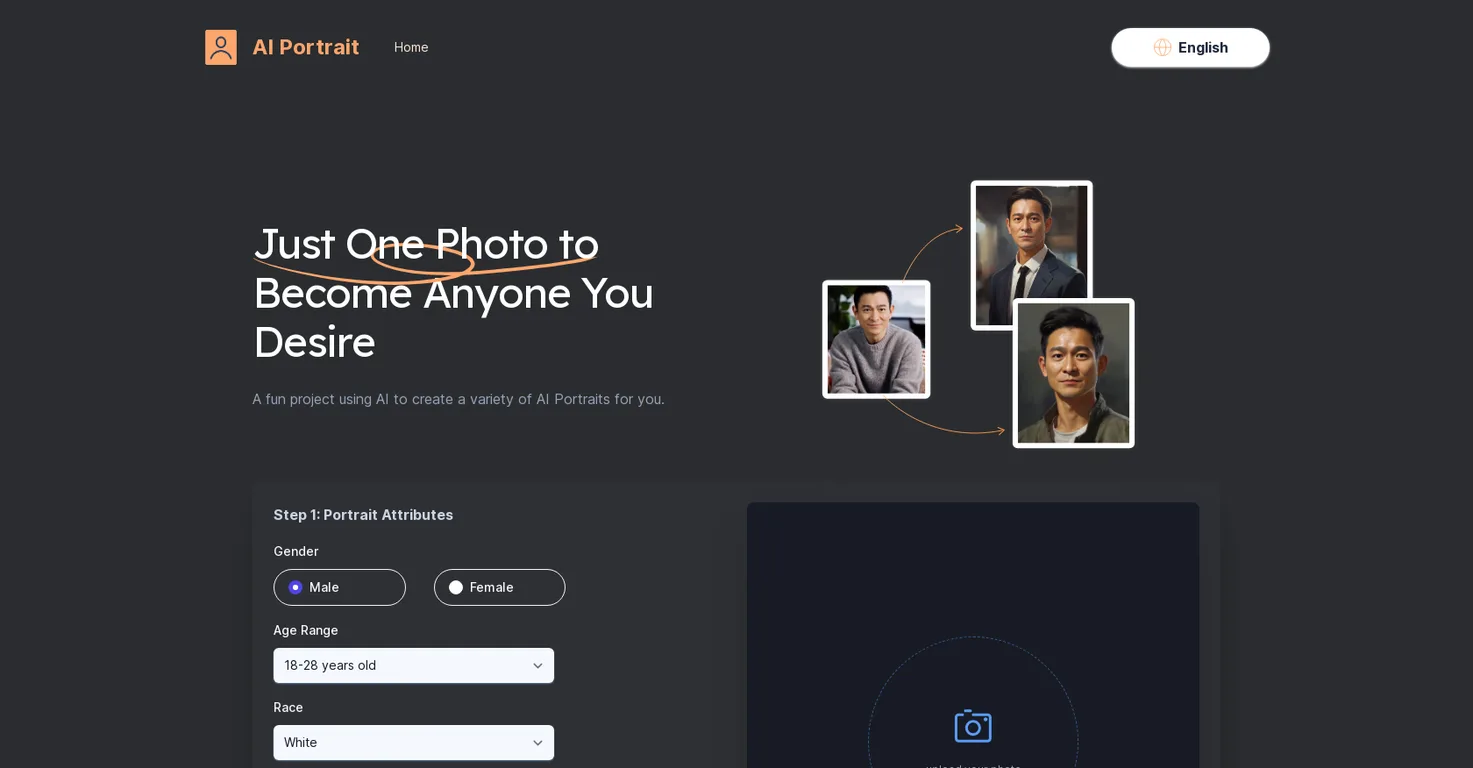
The AI Portrait Generator is an online app powered by Midjourney V5, which transforms ordinary selfies into striking AI portraits. It's a user-friendly and accessible platform that allows users to transform their images into various styles including Film Portrait, Realistic Oil Painting, and more.
The AI Portrait Generator works by users uploading a high-resolution solo photo of themselves. After choosing various portrait attributes such as gender, race, and age range, the platform creates a unique AI portrait in a style chosen by the user.
Real ratings and feedback from the community
Be the first to share your rating and comments for this AI tool!
How AI-Portrait stacks up against top competitors
| Feature | AI-Portrait | SnapshotAI | AIAvatar | Unycorn |
|---|---|---|---|---|
| Rating | ★ 3 | ★ 3 | ★ 3 | ★ 3 |
| Pricing Model | paid | paid | free | freemium |
| API Access | No | No | No | No |
| Open Source | No | No | No | No |
| Link | Visit Website | Visit Website |
Explore similar AI tools in this category
No, the AI Portrait Generator does not require any payment. It's free for users to access and create AI portraits.
Midjourney V5 is the artificial intelligence that powers the AI Portrait Generator. It enables the conversion of ordinary images into AI portraits, offering users access to high-quality AI portrait generation without worry of repetition.
The AI Portrait Generator offers a diverse range of styles including, but not limited to, ID Photo, Film Portrait, Realistic Oil Painting, Front Face Portrait, Realistic Comic, and Cartoon Avatar. Users can choose their preferred style to create unique AI portraits.
Yes, you can customize your AI portrait based on gender, age range, and race. You just need to select your preferences in the Portrait Attributes section on the AI Portrait Generator's platform.
For the best results, you should upload high-resolution solo photos looking straight at the camera without hair or glasses obstructing the face.
No, you don't need multiple photos. The AI Portrait Generator requires just one selfie to create unique and beautiful AI portraits.
You can use the AI Portrait Generator to enhance your social presence by crafting unique AI self-portraits and sharing them across various platforms like Instagram, TikTok, and Facebook.
Yes, once the AI portraits are generated, they can be directly shared across various social media platforms to boost your online presence.
No, the AI Portrait Generator does not infringe on any third-party copyrights. The generated AI portraits are original and do not infringe on any copyrights.
Yes, the AI Portrait Generator is suitable for commercial use. The AI portraits created are original and do not infringe on any third-party copyrights.
The AI Portrait Generator considers your facial features from the uploaded selfie to merge them with various artistic styles and create a unique AI portrait.
The AI Portrait Generator stands out from other similar tools as it only requires a single selfie to create unique AI portraits. Furthermore, it respects users' privacy by not requiring a multitude of images.
No, you don't need any software to use the AI Portrait Generator. It's an online app which you can access from your web browser.
No, you do not need to install the AI Portrait Generator. It's an online tool that can be accessed from any browser.
Yes, the AI Portrait Generator does offer a range of different racial attributes. Users can select from White, Black, Asian, and Latino races when creating their AI portrait.
Yes, the AI Portrait Generator maintains your privacy. It only requires one photo to create a unique AI portrait, thereby respecting user privacy.
Yes, you can create any age range portrait using the AI Portrait Generator. It offers a broad selection from 3-6 years to 66 years and above.
Once your AI portrait is generated, it will be sent to your provided email address. You can also directly download it from the AI Portrait Generator platform.
| Visit Website |
| Visit Website |


