

AI PaletteColor palettes AI Tool
Auto-generates color palettes for designers.
AI Palette Listing Score
Auto-calculatedOverall
Average of 2 data signals below
Basic pricing published
3 of 4 content areas filled (features, FAQs, pros/cons, description)
This score is calculated automatically from this listing's available data (community rating, capabilities, pricing transparency, and documentation). It is not a paid or sponsored review.
Capabilities & Key Tasks
Atomic Answer Block (Fact Checked)
Pricing & Model
free
Free
Open Source & API
Proprietary
No Public API
Foundational Model
Proprietary Engine
Key Integrations
Web App Only
About AI Palette
AI Palette Pricing
Free
See full pricing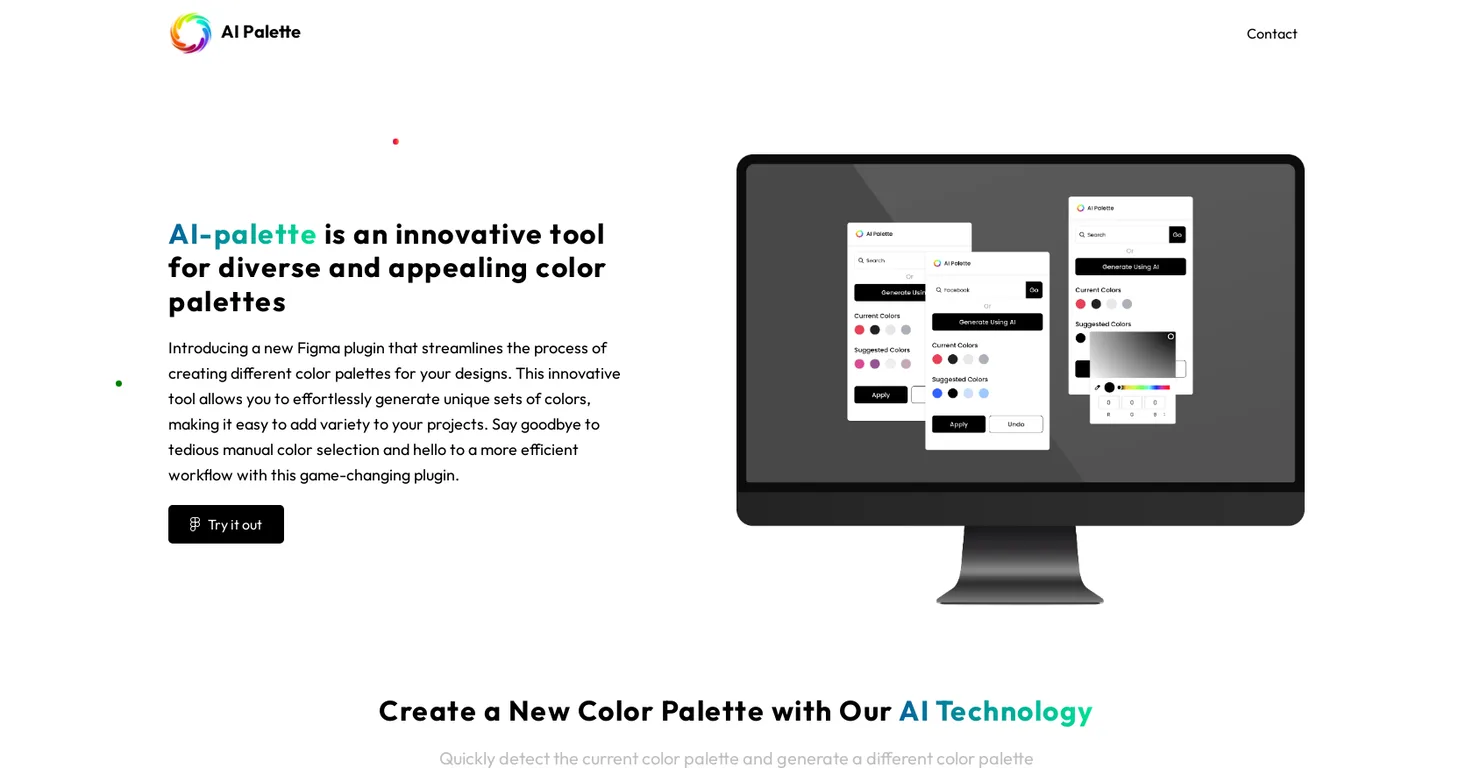
Pros
- Figma plugin
- Generates diverse colors
- Quick palette detection
- New palettes per click
- Apply button for easy use
- Includes chat GPT model
- Generates palette from text input
- Enables palette modifications
- Streamlines color selection process
- Enhances workflow efficiency
- User-friendly interface
- Time-saving tool
Cons
- Figma exclusive
- No psd
- ai import
- No historical palette reference
- No global color adjustments
- No mobile app
- No offline capability
- No manual palette entry
- No blend modes
- Limited to computer model
- No multi-language support
Frequently Asked Questions
Common queries about AI Palette answered
Does AI Palette automatically generate color palettes?
Yes, AI Palette is designed to automatically generate color palettes using AI technology.
What are the features of AI Palette?
AI Palette has several features including automatic generation of color palettes, the ability to detect the current color palette, a function to modify the suggested color palette, and a chat GPT AI model that allows designers to generate unique color palettes from text input.
How do I use the generate button in AI Palette?
To use the generate button in AI Palette, you simply have to click on it. Each time you click, AI Palette detects the current palette and suggests a new one.
How can I apply the color palette generated by AI Palette in my design?
You can apply the color palette generated by AI Palette in your design by clicking on the apply button, which subsequently changes the color in the artboard.
Can AI Palette detect the current color palette?
Yes, AI Palette has the technology to detect the current color palette within your design.
Can I generate a new color palette every time I click on the generate button with AI Palette?
Yes, each time you click on the generate button, AI Palette suggests a different color palette.
What is the chat GPT AI model in AI Palette?
The chat GPT AI model in AI Palette is a feature that allows designers to generate unique color palettes based on text input.
How can I generate a unique color palette from text input using AI Palette?
To generate a unique color palette from text input using AI Palette, you have to enter the color you want in the input box and click on the search button. AI Palette will then generate a new color palette.
Can I modify the suggested color palette in AI Palette?
Yes, you can easily modify the suggested color palette in AI Palette.
How do I modify the suggested color palette in AI Palette?
To modify the suggested color palette in AI Palette, you need to click on the suggested color and select a different color from the window color palette. Once done, click the apply button.
Does AI Palette save time in the color selection process?
Yes, AI Palette does save time in the color selection process by generating color palettes automatically.
How does AI Palette streamline the color selection process?
AI Palette streamlines the color selection process by allowing designers to automatically generate color palettes, detect and suggest new color palettes, and modify suggested palettes with ease.
How user-friendly is AI Palette?
AI Palette is extremely user-friendly. Its interface is designed to simplify the process of creating unique and diverse color palettes and improve efficiency in design.
Can AI Palette generate different color palettes for my designs?
Yes, AI Palette can generate different color palettes for your designs using automated AI technology.
What is the Figma plugin in AI Palette?
The Figma plugin in AI Palette is an innovative tool that streamlines the process of creating different color palettes for your designs.
Is AI Palette efficient for workflow?
Yes, AI Palette enhances efficiency in the workflow by automating the generation of color palettes and reducing the need for manual color selections.
How can AI Palette help with my projects?
AI Palette can help with your projects by generating unique color palettes, saving you time, and improving the efficiency of your design workflow.
What are the benefits of using AI Palette for designs?
The main benefits of using AI Palette for designs include automated generation of color palettes, efficient workflow, time-saving color selection process, ability to modify suggested palettes, and creation of unique color palettes from text input.
How can I contact the AI Palette team?
You can contact the AI Palette team via email at [email protected] or by phone at +91 74350 47427. Their office is located in Ahmadabad, Gujarat, India.
Does AI Palette have a trial version?
IDK
User Reviews
Real ratings and feedback from the community
No reviews yet
Be the first to share your rating and comments for this AI tool!
Direct Comparison Table
How AI Palette stacks up against top competitors
| Feature | AI Palette | ColorCrawler | Smudge | Text2Color for Canva |
|---|---|---|---|---|
| Pricing Model | free | free | unknown | unknown |
| API Access | No | No | No | No |
| Open Source | No | No | No | No |
| Link | Visit Website | Visit Website | Visit Website | Visit Website |
Alternatives to AI Palette
Explore similar AI tools in this category

ColorCrawler is an Artificial Intelligence-powered color palette generating tool aimed at designers and developers. It serves as a platform for creating unique color palettes for various design projec


Text2Color for Canva is an AI plugin that transforms text descriptions into custom color palettes and gradients directly within Canva. Users can effortlessly generate unique color schemes for their designs by simply typing what they envision, streamlining the design process.


Tool Details
Similar Tools

Fliki
Compare Fliki's free and paid tiers to see how this text-to-video AI tool simplifies social media, blog-to-video, and content marketing production.

Lovable
Lovablev2.2 turns your app ideas into live web apps instantly with AI and simple prompts-no coding required for fast MVPs and prototypes.

Vsub
Create faceless videos in seconds with AI

HeyGen
Business videos with custom avatars & voiceovers.