

AgentopsAgents AI Tool
Improved performance analytics for agent development.
Agents1 views
Improved performance analytics for agent development.
Overall
Average of 1 data signal below
3 of 4 content areas filled (features, FAQs, pros/cons, description)
This score is calculated automatically from this listing's available data (community rating, capabilities, pricing transparency, and documentation). It is not a paid or sponsored review.
Pricing & Model
free_trial
Open Source & API
Proprietary
No Public API
Foundational Model
Proprietary Engine
Key Integrations
Web App Only
Common queries about Agentops answered
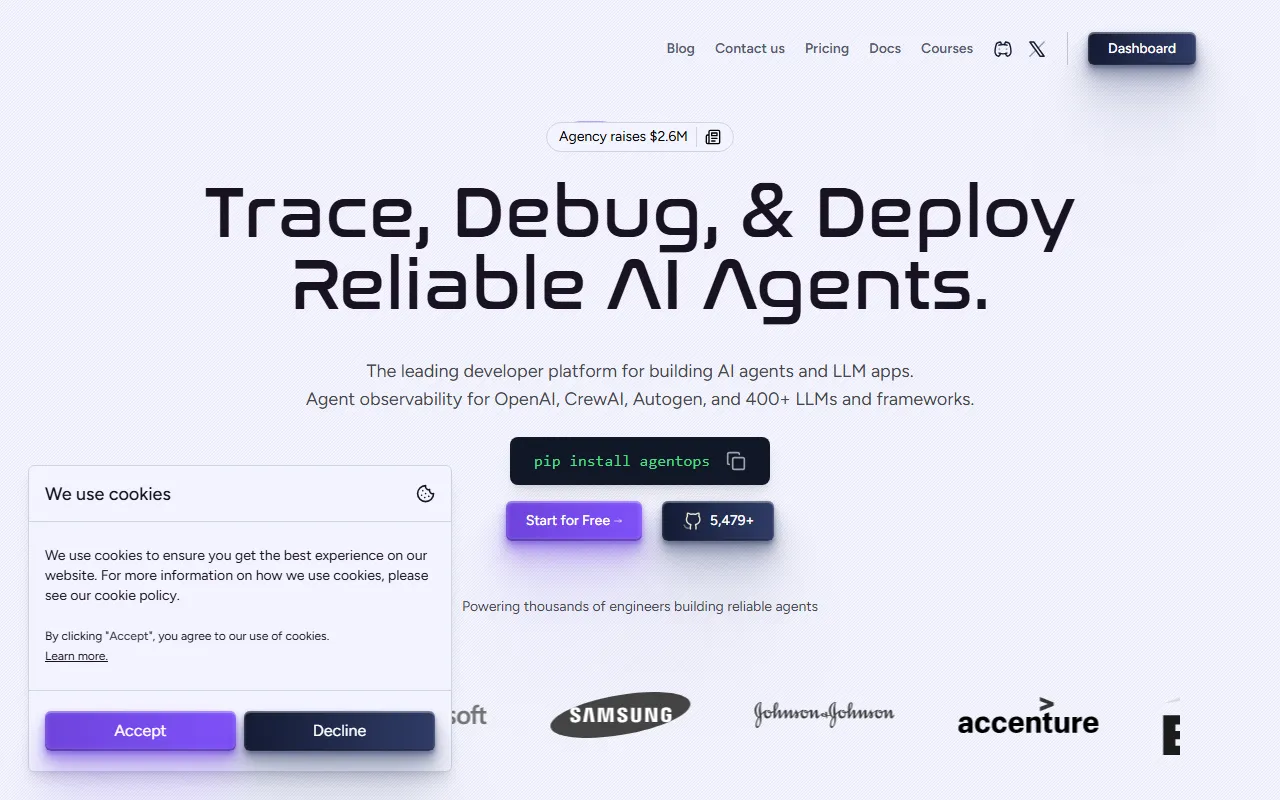
AgentOps is an AI tool that provides improved performance analytics for agent development. It chiefly offers analytics and debugging features for AI agents, allowing users to build effective and reliable agents. The software aims to enhance transparency, performance, and reliability, overcoming challenges like black boxes and the uncertainty of prompt guessing.
AgentOps provides functionalities such as visual representation through graphs, monitoring, and replay analytics. The visual representation by graphs allows users to visualize the agent's performance. In the meantime, the monitoring feature provides continuous tracking of the agent's actions and behaviour, aiding in identifying potential issues. Dynamo finally, replay analytics enable users to scrutinize past agent interactions and evaluate their effectiveness.
Real ratings and feedback from the community
Be the first to share your rating and comments for this AI tool!
How Agentops stacks up against top competitors
| Feature | Agentops | Mitra | CrewAI | MindOS |
|---|---|---|---|---|
| Rating | ★ 3 | ★ 3 | ★ 3 | — |
| Pricing Model | free_trial | Freemium | paid | freemium |
| API Access | No | No | No | No |
| Open Source | No | No | No | No |
| Link | Visit Website | Visit Website |
Explore similar AI tools in this category
Yes, AgentOps indeed assists in debugging AI agents. By closely tracking the agent's actions, monitoring their behaviour, and analyzing past interactions, users can identify potential issues and rectify them, thereby improving agent performance.
The monitoring feature of AgentOps essentially tracks the continuous actions and behavior of agents. This can aid in identifying potential issues or areas that need improvement. Continuous monitoring allows users to understand how their agents are behaving in different conditions, thereby facilitating prompt and effective refinement of strategies.
Visualizing through graphs in AgentOps provides a graphical representation of AI agent performance. This visual interface aids users in understanding complex analytics data in a more easily comprehensible manner. Users can identify patterns, trends, and anomalies from these graphs, thereby knowing where improvements are needed and taking specific, targeted actions to enhance performance.
Replay analytics is a feature of AgentOps that allows users to revisit past agent interactions and evaluate their effectiveness. These analytics help in reflecting upon agent performance, identifying what worked and what didn’t, and making necessary modifications for better future performances.
Replay analytics can greatly enhance an AI agent's performance by allowing you to analyze past agent interactions. By revisiting these interactions, you can understand what worked well and what didn't, enabling you to make adjustments and improvements. This feature facilitates learning from past mistakes and successes, and applying those insights in future scenarios for better performance.
AgentOps addresses AI agent challenges like black box issues and prompt guessing by enhancing transparency and providing in-depth insights into the agent's behavior. The software enables a visual representation of the agent's performance, continuous tracking of actions, and the ability to replay past interactions. This results in a better understanding of how agents function and where improvements are needed.
AgentOps offers tools like continuous monitoring, visual representation through graphs, and replay analytics. These features collectively aid in building effective and reliable AI agents by allowing users to closely follow and understand the agent's behavior, visualize its performance, and analyze past interactions for improvement.
Indeed, AgentOps aims to make your AI agents more reliable. The comprehensive analytical tools, along with debugging features, enable building agents that are both effective and dependable. Continuous monitoring and replay analytics help in identifying and rectifying issues, leading to more reliable AI agent performance.
The waitlist for AgentOps is a system where interested users can sign up to gain access to the AI tool. It serves as a way for users to express their interest and stay updated about the tool's availability.
To join the AgentOps waitlist, you need to provide your email address on their website. This will ensure you are on the list of interested users and will be notified when AgentOps is available.
AgentOps can help you understand your AI agent's behavior better by offering continuous monitoring, visual representations through graphs, and replay analytics. These capabilities reveal the agent's functioning, performance trends, and past behaviors, offering a clear insight into how they are operating and where refinement is needed.
Yes, using AgentOps can certainly improve your AI agent's performance. Its features like continuous monitoring, replay analytics, and visual depiction of agent performance help users identify areas of improvement, thereby refining agent behavior and enhancing overall performance.
Yes, AgentOps does provide continuous tracking of AI agent's actions. This feature is an integral part of its monitoring capabilities, which assist in identifying potential issues and improving the agent's performance.
Yes, with AgentOps' replay analytics, you can analyze past agent interactions. This feature aids in evaluating the effectiveness of previous actions and refining future strategies accordingly.
AgentOps enhances the transparency of AI agents by providing a visual representation of the agent's performance, allowing for monitoring of their continuous actions, and enabling the replay of past interactions. All these collectively offer a cleari insight into the agent's behavior, overcoming black box issues and improving understanding of the agent's functioning.
AgentOps offers development functionalities such as visual analytics, continuous monitoring, and replay analytics. These features assist in the identification and rectification of potential issues, scrutinizing past interactions for effectiveness evaluation, and visualization of agent performance for a better comprehension of its behavior.
Yes, using AgentOps can indeed identify potential issues in your AI agent. Its continuous monitoring feature tracks the actions and behaviors of your agent, pinpointing areas of concern and offering immediate insights for rectification.
Yes, AgentOps provides a comprehensive set of tools for developers working on AI agents. The software enables better understanding and improvement of AI agent behaviors through its various features like visual analytics, continuous tracking, and replay analytics.
| Visit Website |
| Visit Website |


