

Xspiral3D design AI Tool
Blending 2D and 3D design for seamless collaboration.
3D designFree + from $7.60/mo0
Blending 2D and 3D design for seamless collaboration.
Overall
Average of 2 data signals below
Basic pricing published
3 of 4 content areas filled (features, FAQs, pros/cons, description)
This score is calculated automatically from this listing's available data (community rating, capabilities, pricing transparency, and documentation). It is not a paid or sponsored review.
Pricing & Model
freemium
Free + from $7.60/mo
Open Source & API
Proprietary
No Public API
Foundational Model
Proprietary Engine
Key Integrations
Web App Only
Free + from $7.60/mo
See full pricing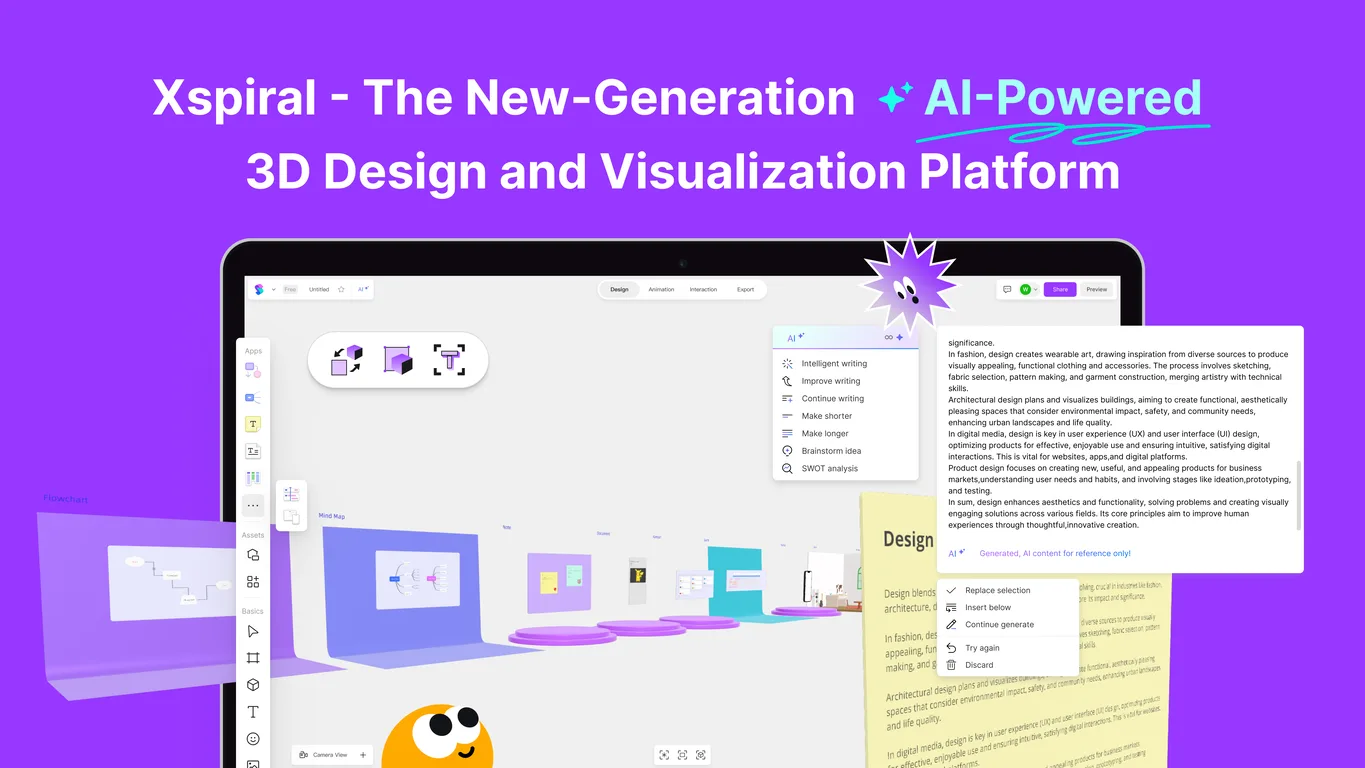
Common queries about Xspiral answered
Xspiral is a new-generation hybrid design visualization platform that blends 2D and 3D capabilities for seamless collaboration and real-time visualization. With Xspiral, users get advanced tools for 3D modeling, 2D sketching, and interactive design, all within one integrated workspace.
Xspiral offers a wide range of functionalities. It provides capabilities for advanced 3D modeling and 2D sketching, real-time visibility, collaborative design, creation of workflow applications, online editing, and commenting. It also includes intelligent writing tools and mind mapping. Additionally, Xspiral supports the design of VR/AR applications, and users can publish their creations as 3D websites.
Real ratings and feedback from the community
Be the first to share your rating and comments for this AI tool!
The intended user base of Xspiral includes a broad spectrum, including UX/UI designers, product managers, educators, and freelancers, among others. It is also helpful for individuals in various roles such as product designers, creative workers, bloggers, students, game designers, developers, engineers, marketers, and 3D beginners.
Xspiral incorporates both 2D and 3D design by integrating familiar 2D design tools and operation logic. This allows designers to efficiently perform 3D design tasks and complete UI/UX design in a 3D space.
Xspiral provides several features that facilitate collaboration. It allows multiple people to edit online at the same time and communicate their ideas through built-in comments. This makes team collaboration more timely and efficient. Xspiral also supports the sharing of 3D work which assists in the collaborative process.
No, coding knowledge is not necessary to utilize Xspiral's capabilities. Users can publish their works as webpages, export images, record videos, and convert into 3D files, all without needing any programming knowledge.
Yes, Xspiral can be used for creating and managing VR/AR applications. It offers built-in components and resources to assist in the design of these applications.
Various options are available for publishing creations on Xspiral. Users can publish their work as a webpage, export images, record videos, and even convert their creations into 3D files. These operations can be performed without any coding.
Yes, Xspiral can be used for both animation design and website production. It allows users to add keyframes for creating smooth animations and set triggers and actions for interactive prototypes. Websites can also be created and published directly on the platform.
Yes, Xspiral does indeed have built-in comment features. These make it easier for team members to communicate and exchange ideas, contributing to timely and efficient collaboration.
Xspiral supports a wide array of tasks and activities including: prototyping, brainstorming, team collaboration, animation design, website production, UI/UX design, online document creation, presentations, blog writing, and more. This diverse functionality makes it a comprehensive tool for various creative and collaborative needs.
Yes, Xspiral has features designed to enhance productivity. The platform aids in workflow creation and also offers intelligent writing tools and quick mind mapping. These tools help boost user productivity and creativity in the 3D workspace.
Users can share their 3D work on Xspiral by publishing their creations as a 3D website which can then be accessed by others. In addition, Xspiral's collaboration features also allow multiple users to edit and view the same work in real time.
Xspiral offers extensive mind mapping capabilities. It aids users in creating and managing interactive 3D workflow applications, including documents, mind maps, and flowcharts, thus streamlining the process of brainstorming and ideation.
Yes, 2D sketching is possible on Xspiral. It integrates familiar 2D design tools, allowing designers to perform efficient 3D design and complete UI/UX design in a 3D space using their knowledge and expertise in 2D sketching.
Yes. Xspiral lets users export creations in the form of images, record videos, and convert their works into 3D files. This comprehensive range of export options facilitates diverse use cases for creations made on the platform.
Yes, creations can be published as 3D websites on Xspiral. Users can deliver their brilliant creativity in different forms, and without coding, publish their work as a webpage.
Yes, Xspiral supports real-time online editing. It allows multiple people to edit online at the same time, fostering a more timely and efficient collaboration.
AI plays a fundamental role in Xspiral's features. The platform employs AI to boost user productivity and creativity, providing intelligent writing features like one-click rewriting, summarizing, and expanding. The AI also facilitates quick mind mapping and helps users create and manage interactive 3D workflow apps.
Xspiral facilitates seamless collaboration by blending advanced 3D modeling and 2D sketching capabilities. It allows for real-time online editing and integrated commenting features, making collaboration between team members efficient. It also enables the creation, management, and sharing of 3D work, helping streamline the exchange of ideas in real time.