

Printnanny3D printer monitoring AI Tool
Automated 3D printer quality control.
3D printer monitoringFree + from $8/mo0
Automated 3D printer quality control.
Overall
Average of 2 data signals below
Basic pricing published
3 of 4 content areas filled (features, FAQs, pros/cons, description)
This score is calculated automatically from this listing's available data (community rating, capabilities, pricing transparency, and documentation). It is not a paid or sponsored review.
Pricing & Model
freemium
Free + from $8/mo
Open Source & API
Proprietary
No Public API
Foundational Model
Proprietary Engine
Key Integrations
Web App Only
Free + from $8/mo
See full pricing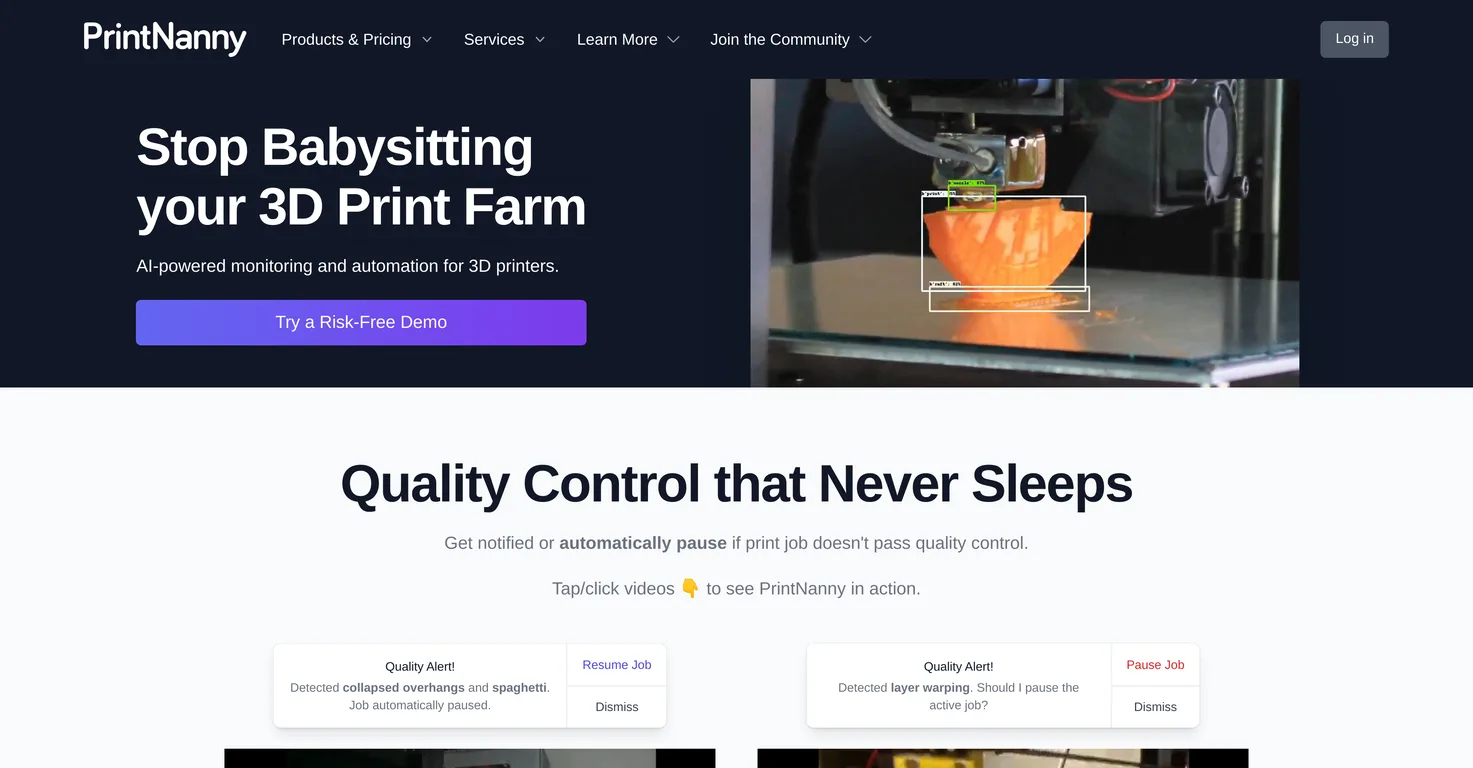
Common queries about Printnanny answered
PrintNanny is an AI-based tool designed to streamline the 3D printing process by monitoring and automating various tasks. It can greatly enhance your 3D printing process by providing real-time quality control that constantly runs throughout the print, enabling early anomaly detection and prevention of possible failures. If a print job doesn't pass the quality test, you'll be notified or the job will be paused, saving both materials and time. Additionally, PrintNanny offers an easy-to-install operating system for 3D printing and has a user-friendly interface that allows for easy adjustment of settings and synchronization of Gcode macros. It also facilitates remote access to the tool, thanks to its cloud functionality.
PrintNanny is powered by advanced artificial intelligence (AI) and machine learning technologies. These enable it to conduct real-time tracking of print jobs and employ sophisticated image recognition algorithms for detecting any anomalies during the printing process.
Real ratings and feedback from the community
Be the first to share your rating and comments for this AI tool!
How Printnanny stacks up against top competitors
| Feature | Printnanny | Octoeverywhere | Fliki | Lovable |
|---|---|---|---|---|
| Rating | — | — | ★ 4.8 | — |
| Visits / month | — | — | 692,189 | 34,814,456 |
| Pricing Model | freemium | freemium | freemium | freemium |
| API Access | No | No | No | No |
| Open Source | No | No | No | No |
| Link | Visit Website |
Explore similar AI tools in this category
If a print job doesn't meet the set quality standards, PrintNanny will either pause the job or automatically notify the user. This way, potential failures can be averted, leading to improved quality of print outcomes.
Yes, PrintNanny can indeed be installed on a Raspberry Pi. This allows for seamless integration with a range of 3D printing tools, increasing its versatility and convenience.
PrintNanny integrates seamlessly with 3D printing tools like OctoPrint and Klipper. The software is designed to work compatibly with these tools, allowing you to enhance your 3D printing process without having to switch between different platforms.
The benefit of PrintNanny's over-the-air updates is that they keep all the tools up-to-date without the need to re-image your SD card constantly. This feature ensures that you have the latest functionality and improvements, which can contribute to an optimized 3D printing process.
Yes, you can adjust your settings in PrintNanny without having to open an SSH terminal. The settings and macro editor provided by the tool allows for comfortable tweaking of user settings.
Yes, PrintNanny does feature a Gcode macros sync feature. It's designed for easy synchronization, which can best serve your specific 3D printing processes.
Yes, PrintNanny does offer custom packages for enterprise customers. This allows businesses to distribute their software packages and Gcode macros more effectively, tailoring the solution to their particular needs.
Release notes for every new version of PrintNanny can be found on their website. These detailed release notes contain all the improvements, fixes, and new features introduced in each update.
Yes, PrintNanny offers several educational and informative resources. There is a development blog on PrintNanny’s website that delves deep into how each aspect of the software functions. Additionally, there is also a quick start guide that helps new users to navigate the platform easily.
PrintNanny leverages advanced image recognition algorithms to monitor the ongoing 3D printing process in real-time. This allows for early detection of any anomalies or issues that could potentially affect the print quality. This proactive approach helps prevent possible failures, improving end results.
PrintNanny improves operational efficiency and resource optimization by minimizing the wastage of material and time associated with printing errors. By constantly running quality control checks and alerting users of any detected anomalies, it ensures minimal interruptions in the printing process. This results in optimum usage of resources, thereby saving both time and material.
Yes, PrintNanny is designed to send alerts to users in case of detected anomalies during the print process. This fosters proactive issue resolution and helps in maintaining high-quality print outcomes.
Yes, you can remotely access the data generated by PrintNanny. Thanks to its cloud functionality, you have full visibility of your 3D printing operations, regardless of your location.
PrintNanny is beneficial for both hobbyists and businesses as it provides an intelligent, efficient and reliable solution for optimizing 3D printing workflows. For businesses, it offers custom packages allowing for effective distribution of their software packages and Gcode macros. Hobbyists benefit from features like the ability to fine-tune settings, seamless integration with various 3D printing tools, and remote access to their printing operations.
PrintNanny can prevent potential printing failures by using its AI and image recognition capabilities to monitor print jobs in real time. If the tool detects any anomalies or unmet quality standards, it will automatically pause the print or notify the user, preventing a poor-quality print from completing.
Yes, PrintNanny can help you save material and time in your 3D printing operations. It does this by constantly running quality tests during printing and pausing or alerting the user if the print doesn't meet quality standards, which helps avoid wastage of materials. Also, by detecting and addressing anomalies early, it helps save time that would otherwise be spent troubleshooting and rectifying issues.
PrintNanny's web interface provides an overview of ongoing print jobs. In addition to this, it facilitates seamless interaction with the 3D print hardware, making it user-friendly and easy to navigate even for individuals without much technical knowledge.
Yes, you can distribute your software packages and Gcode macros using PrintNanny, especially if you're an enterprise customer. PrintNanny provides custom packages that allow users to distribute their software packages and Gcode macros effectively.
| Visit Website |
| Visit Website |
| Visit Website |
Lexi AI is an AI-powered research assistant that helps users read, summarize, and extract key information from various documents. It allows users to chat with their documents, ask questions, generate new content, and organize their research efficiently.


