

PixplainImage analysis AI Tool
Unlock visual content with AI-powered clarity.
Image analysis0
Unlock visual content with AI-powered clarity.
Overall
Average of 1 data signal below
3 of 4 content areas filled (features, FAQs, pros/cons, description)
This score is calculated automatically from this listing's available data (community rating, capabilities, pricing transparency, and documentation). It is not a paid or sponsored review.
Pricing & Model
free_trial
Open Source & API
Proprietary
No Public API
Foundational Model
Proprietary Engine
Key Integrations
Web App Only
Common queries about Pixplain answered
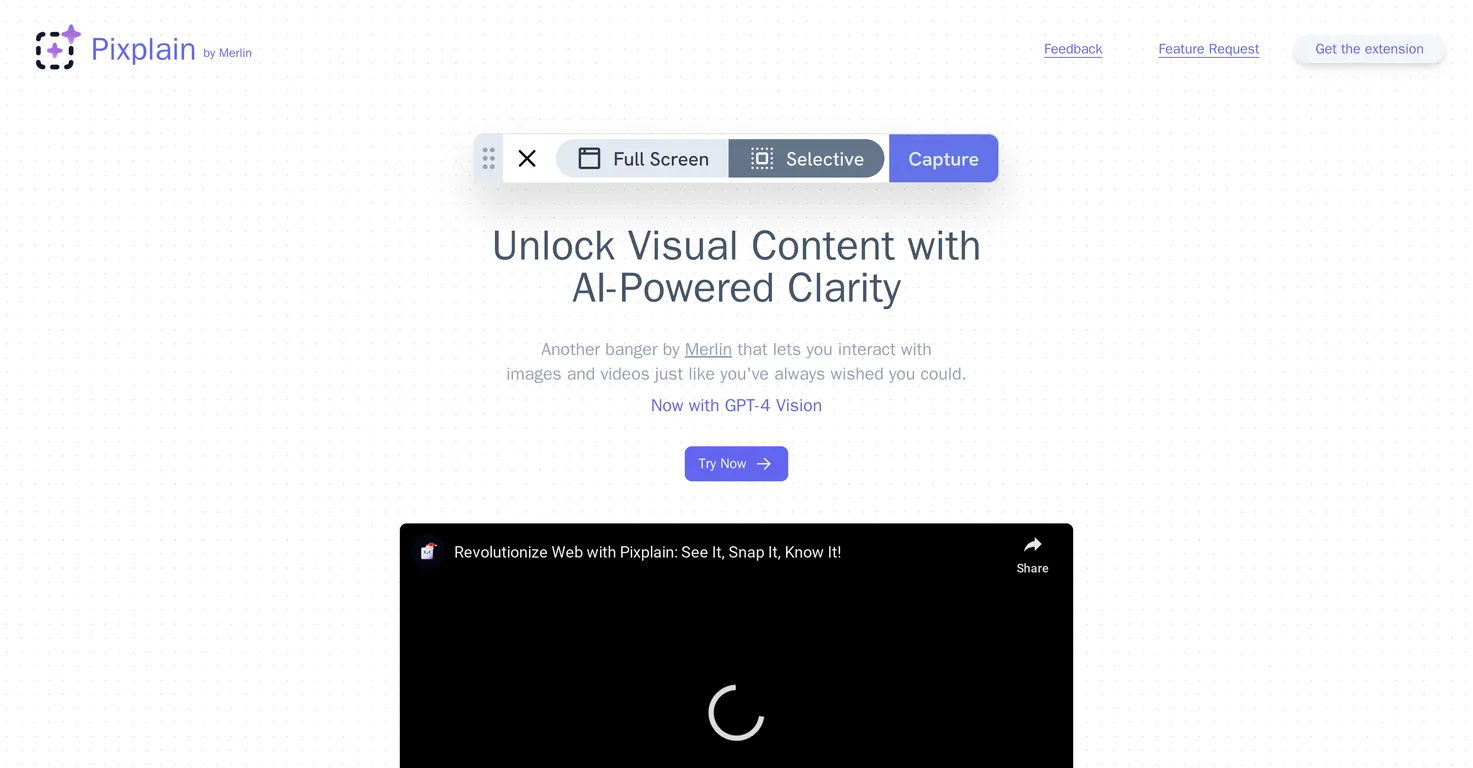
Pixplain is an AI-powered tool developed by Merlin. It's designed to unlock visual content by allowing users to interact with images and videos intuitively. It enhances user experience with AI clarity, chiefly through a feature known as the Pixplain Capture Bar.
You can access Pixplain by adding its extension to your preferred browser. Once the extension is added, you can choose any website you prefer to initiate the tool.
The Pixplain Capture Bar is activated by clicking the 'Explain this page' button on any webpage. After activation, a selection window is initiated where users can choose an area on the screen or the entire screen for capture.
Real ratings and feedback from the community
Be the first to share your rating and comments for this AI tool!
How Pixplain stacks up against top competitors
| Feature | Pixplain | Chooch | GPT-4V | Visnet |
|---|---|---|---|---|
| Pricing Model | free_trial | freemium | unknown | free |
| API Access | No | No | No | No |
| Open Source | No | No | No | No |
| Link | Visit Website | Visit Website | Visit Website |
Explore similar AI tools in this category
In Pixplain, you can select either an individual area of your screen or the entire screen for capture. This flexibility allows you to focus on the specific content you want to analyze or capture larger contexts if needed.
You initiate a selection window in Pixplain by clicking on the 'Explain this page' button located on any webpage of your choice. This triggers the Pixplain Capture Bar, where you can drag and select the area you would like to capture.
Pixplain operates on top AI models including GPT-4, GPT Vision, Claude, and Llama. These models ensure efficient and effective outcomes for visual content analysis and response generation.
The function of GPT Vision in Pixplain is to provide enhanced results for visual content analysis. As a top AI model, GPT Vision is especially aimed at improving insight generation from captured images and videos.
The Pixplain interface is highly flexible. You can move its window freely across your screen for an optimal view. Additionally, you have the ability to easily copy, update, or change prompts for a smoother creative process.
In Pixplain, you can change your prompts in multiple ways for a smoother creative process. The system allows you to easily copy prompts, update them, or completely change them according to your needs.
After capturing an image with Pixplain, you simply input a query to initiate the tool's AI models and receive insightful responses. This enables you to extract valuable insights from any visual content you capture.
Yes, you can indeed move the Pixplain window. The interface of Pixplain is built to be flexible and user-friendly, so you can freely adjust the window's position for the optimal on-screen view.
What differentiates Pixplain from other AI tools is its specialized ability to unlock visual content, its intuitive interaction with images and videos, and the integration of top AI models like GPT-4 and GPT Vision. It's designed to provide enhanced user experience with AI clarity and smooth creative processes.
Pixplain can enhance your user experience by enabling intuitive interactions with images and videos. It gives you accessibility to analyse and understand visual content in a new way, and the Pixplain Capture Bar along with GPT-4 and other AI models provide you with valuable insights based on your queries.
The 'Explain this page' feature in Pixplain works by activating a selection window in the pixplain interface. By clicking the 'Explain this page' button on a webpage, you can then select any desired area or the entire screen for Pixplain to capture and analyze.
No, there are no restrictions to what websites you can use Pixplain on. As long as the extension is added to your browser, you can choose any website to initiate the tool.
GPT-4 and GPT Vision are two of the top AI models used in the operation of Pixplain. These advance models ensure efficient and superior results. Particularly, the integration of GPT Vision in Pixplain assists in providing better outcomes for visual content analysis.
Pixplain allows for intuitive interaction with images and videos by enabling you to 'explain' pages, select areas or the full screen for capture, and then generates insights from the captured visual data. This innovative use of AI models like GPT-4 and GPT Vision significantly aid in image and video recognition.
Yes, with Pixplain you can freely choose any area on a webpage for capture. The Pixplain Capture Bar activates a selection window, then you can drag and select any desired area on the screen.
After entering a query in Pixplain, you can expect insightful responses generated by the application's top AI models. These responses aim to provide valuable understanding and analysis of the visual content you captured.
Pixplain allows for a smoother creative process by enabling you to easily copy, update, or change prompts as needed. Along with this, the Pixplain window can be freely moved for the best on-screen view, and its top AI models deliver insightful responses that can drive your creativity further.

Lovable
Lovablev2.2 turns your app ideas into live web apps instantly with AI and simple prompts-no coding required for fast MVPs and prototypes.


