

Keo DevTask management AI Tool
AI-powered task management for professionals
Task management0
AI-powered task management for professionals
Overall
Average of 1 data signal below
3 of 4 content areas filled (features, FAQs, pros/cons, description)
This score is calculated automatically from this listing's available data (community rating, capabilities, pricing transparency, and documentation). It is not a paid or sponsored review.
Pricing & Model
paid
Open Source & API
Proprietary
No Public API
Foundational Model
Proprietary Engine
Key Integrations
Web App Only
Common queries about Keo Dev answered
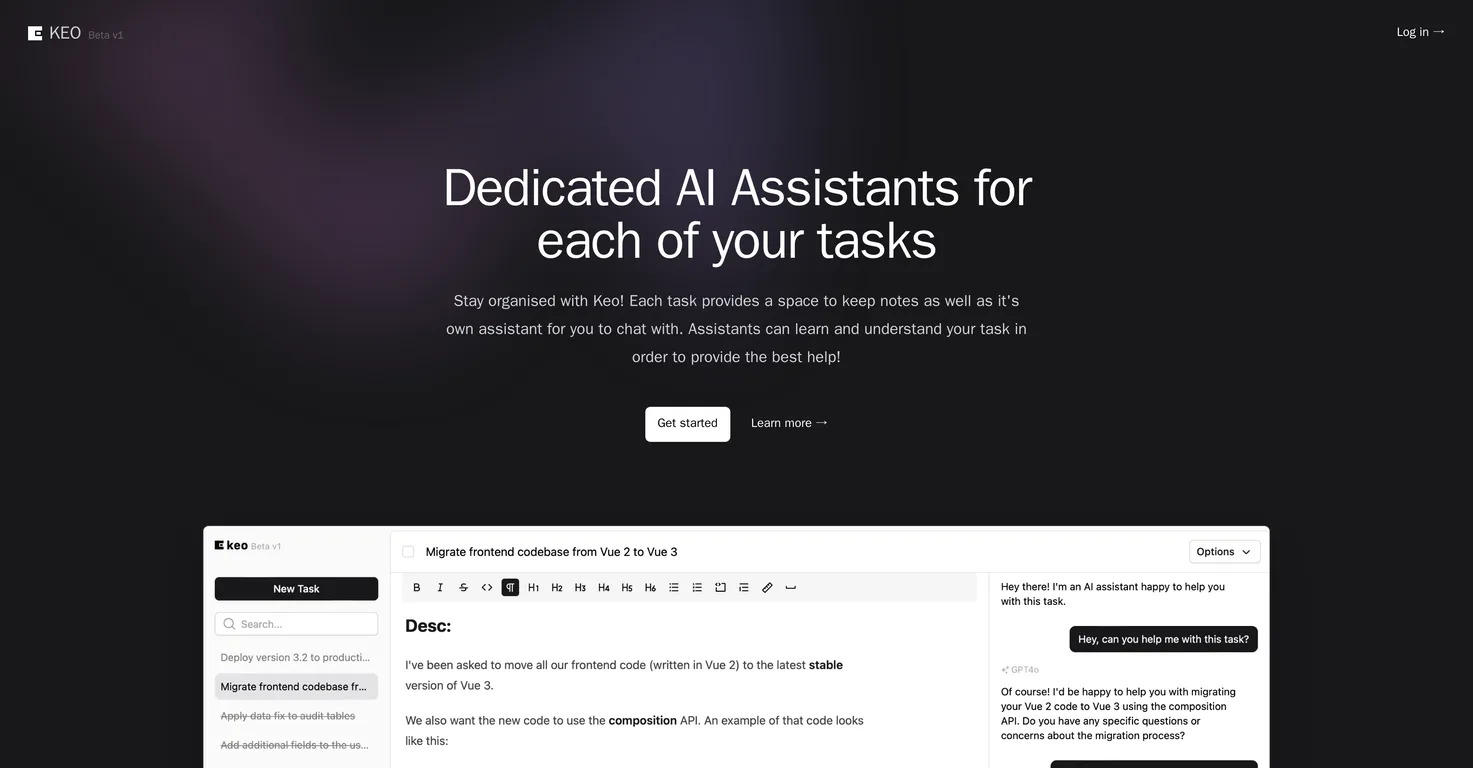
Keo is a powerful task management tool envisioned for individual professionals. It is designed to streamline organization through the integration of dedicated AI assistants for each task, an accessible, modern interface, and the ability to store notes for each task.
Keo's AI assistant aids in task management by understanding the context and specifics of each task. They interact with users, providing them with the most relevant and helpful guidance in accordance to the task's context and requirements.
Yes, every task in Keo possesses its own dedicated AI assistant, allowing for multiple AI assistants in use concurrently.
Real ratings and feedback from the community
Be the first to share your rating and comments for this AI tool!
How Keo Dev stacks up against top competitors
| Feature | Keo Dev | Dypt | TwingBot Pro | BeeDone: Unlock Your Potential |
|---|---|---|---|---|
| Rating | ★ 3 | ★ 3 | ★ 3 | ★ 3 |
| Pricing Model | paid | freemium | paid | freemium |
| API Access | No | No | No | No |
| Open Source | No | No | No | No |
| Link | Visit Website | Visit Website |
Explore similar AI tools in this category
AI assistants in Keo understand the context and specifics of tasks by gaining insights from the task notes provided by the users. They are designed to leverage this context in order to provide the best help possible.
In Keo, every task you create comes with a provision to make and store notes. These assist you in staying organized and maintaining focus, while also providing context to the AI assistants.
Yes, you can use the notes in Keo to provide context to the AI assistant. This context is used by the AI assistant to understand the task and provide more accurate and relevant help.
Keo is designed primarily for individual professionals who are seeking a streamlined and efficient way to manage and stay on top of their tasks.
Keo's user interface is geared towards enhancing your workflow by providing an easy-to-use, modern interface. It provides a simple way to track your tasks, keep notes, and interact with your designated AI assistant.
Keo, as per the information on their website, is primarily designed for individual professionals. There is no specific mention of it being suitable for team use.
You can interact with the AI assistant in Keo through a chat feature. You can discuss the task you currently have selected with the AI, and it will even have context of your tasks notes.
Keo helps to improve your work efficiency by allowing you to manage tasks with the help of AI assistants, track tasks through an easily navigable interface, and organize your work via note-taking capabilities, leading to lesser time spent on organization and more on task completion.
Keo can impact aspects of workplace productivity such as task organization, effective communication with AI assistants for problem-solving, note-taking for context and better understanding, and efficiently tracking all tasks through a simple, modern interface.
Keo aids in staying organized by enabling you to keep track of your tasks via an accessible interface, store notes for each task, and provide each task with an AI assistant. These features help maintain focus, categorize work, and manage tasks efficiently.
Yes, the AI assistants in Keo are designed to learn and understand your task using the notes you provide. This information helps them provide the best, most relevant assistance.
Yes, Keo provides a straightforward method to sort and categorize your work. You can keep track of your tasks, organize them, and navigate through them using Keo's modern interface.
Key features of Keo include its dedicated AI assistants for every task, built-in note-taking functionality for each task, streamlined modern user interface, and the overall enhancement of work efficiency for professional individuals.
Keo stores notes for each task within the task itself. The notes are directly integrated with the task and its associated AI assistant, providing information and context about the task at hand.
AI integration in Keo enhances task management by empowering each task with its own AI assistant. These AI assistants can understand the specific context of their assigned tasks, assist users, provide guidance, and contribute to increased work efficiency and productivity.
Keo's interface is user-friendly, providing an uncomplicated, modern way to manage tasks, organise work and communicate with dedicated AI assistants. It helps users stay organized and focused on their work.
Yes, you can chat with the AI about your tasks in Keo. The dedicated AI assistant linked with each task can interact with you and provide guidance based on the context of your tasks notes.
| Visit Website |
| Visit Website |

Lovable
Lovablev2.2 turns your app ideas into live web apps instantly with AI and simple prompts-no coding required for fast MVPs and prototypes.


