

EqualsSpreadsheet tasks AI Tool
Your AI assistant for next-gen spreadsheet tasks.
Spreadsheet tasksfrom $39/mo
Your AI assistant for next-gen spreadsheet tasks.
Overall
Average of 2 data signals below
Basic pricing published
3 of 4 content areas filled (features, FAQs, pros/cons, description)
This score is calculated automatically from this listing's available data (community rating, capabilities, pricing transparency, and documentation). It is not a paid or sponsored review.
Pricing & Model
freemium
from $39/mo
Open Source & API
Proprietary
No Public API
Foundational Model
Proprietary Engine
Key Integrations
Web App Only
from $39/mo
See full pricing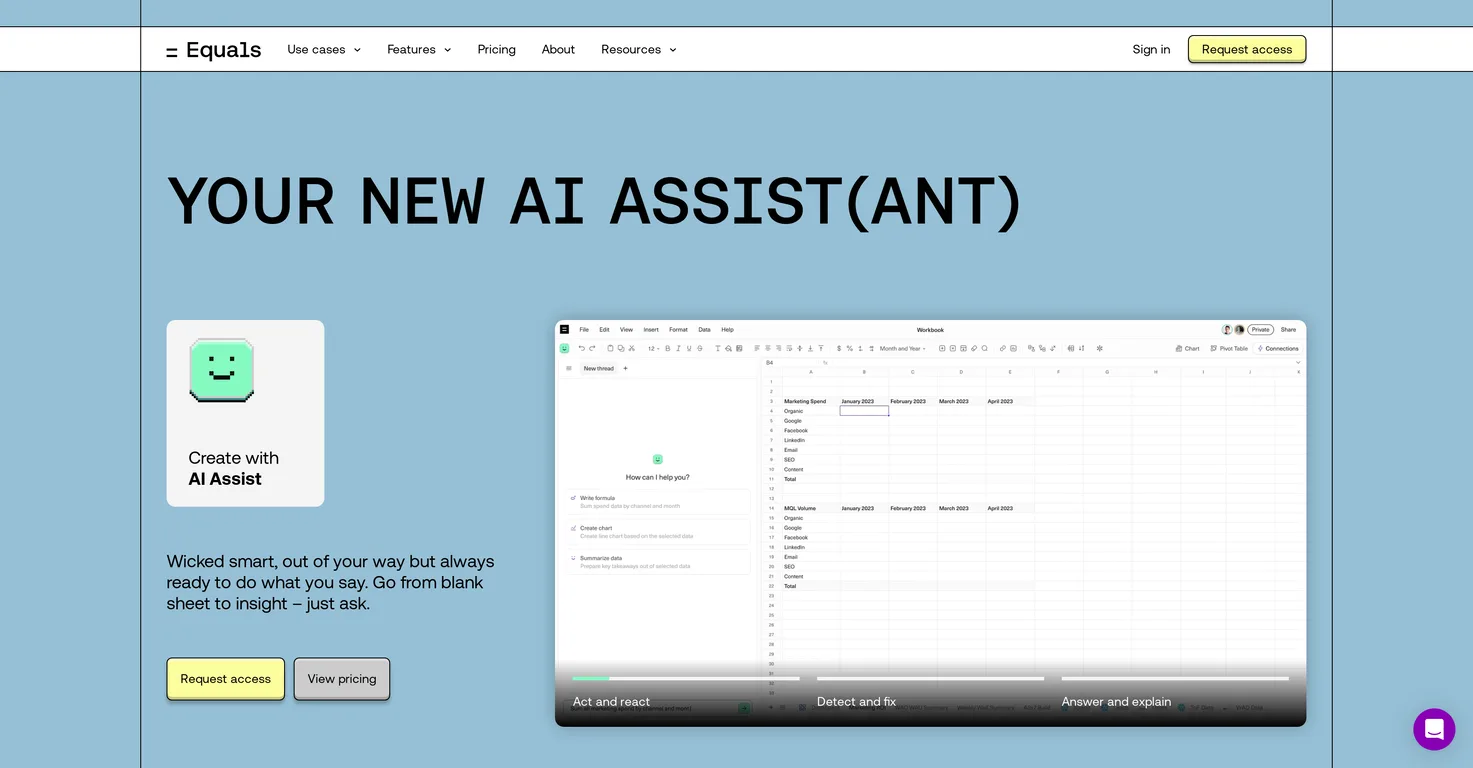
Common queries about Equals answered
Equals AI Assist is a spreadsheet AI assistant designed to handle a variety of spreadsheet tasks and enhance users' productivity. It is capable of generating formulas, writing SQL queries, summarizing data, and more. It works in real-time and is proactive in detecting and fixing issues. This AI-powered tool offers advanced features like over 100 supported formulas, professional-grade charting capabilities, real-time collaboration features, and data connectors to automate tasks. Furthermore, Equals AI Assist supports building dashboards within spreadsheets, offers input from external APIs, and incorporates version history for reproducibility.
Equals AI Assist improves spreadsheet tasks by automating various processes and offering advanced features. These include real-time collaboration, where users can edit and access spreadsheets simultaneously with teammates. The AI assistant also supports more than 100 types of formulas, helping users to quickly build models and analyses. With its data connector feature, it automates spreadsheets by connecting to multiple data sources and creating calculated columns that automatically extend formulas. The tool also supports advanced keyboard shortcuts for efficient navigation and editing, which helps users save time and increase their productivity.
Real ratings and feedback from the community
Be the first to share your rating and comments for this AI tool!
How Equals stacks up against top competitors
| Feature | Equals | SheetSavvy AI | Goodlookup | Flowshot |
|---|---|---|---|---|
| Rating | ★ 3 | — | — | ★ 3 |
| Pricing Model | freemium | freemium | paid | freemium |
| API Access | No | No | No | No |
| Open Source | No | No | No | No |
| Link | Visit Website | Visit Website |
Explore similar AI tools in this category

The main features of Equals AI Assist include the ability to generate, edit, explain, and fix SQL queries directly within the spreadsheet, support for over 100 formulas, and assistance with formula-building and rectification. It offers advanced features like chart generation for data visualization, a visual query builder, version history for reproducibility, and scheduled queries for automated updates. Users can also build and save important queries in a library and import scripts from external APIs or internal tools. The platform supports real-time collaboration for simultaneous viewing and editing of spreadsheets.
Yes, with Equals AI Assist, you can generate SQL queries directly within the spreadsheet. This capability allows you to perform data analysis without needing to move to a separate database platform. You can also use a visual query builder to assist you if you're not familiar with SQL.
Equals AI Assist supports more than 100 types of formulas. This comprehensive support enables users to swiftly build a wide range of models and analyses that meet specific business requirements.
Indeed, Equals AI Assist enables users to build and visualize data through professional-grade charts. The platform's charting capabilities allow for effective data visualization, aiding users in interpretation and clearer understanding of their data.
Equals AI Assist supports advanced keyboard shortcuts. Though the specific list of supported shortcuts is not explicitly stated, these shortcuts provide efficiency in navigation and editing within the spreadsheet platform.
Equals AI Assist can automate your spreadsheets through its data connectors. The feature allows connection to more than 10 data sources to gather, analyze, and display data. Additionally, Equals AI Assist can create calculated columns that automatically extend formulas during model refreshes, further automating spreadsheet tasks.
Yes, Equals AI Assist supports real-time collaboration. It features a platform that includes real-time collaboration features, enabling multiple users to view and edit the same spreadsheet simultaneously.
Indeed, Equals AI Assist can be used for SQL command explanation and debugging. Using AI technology, it can detect and fix issues, provide explanations, and help users understand complex SQL commands. It offers real-time assistance with SQL-related tasks directly within the spreadsheet environment.
Equals AI Assist is integrated with GPT-4 Turbo. This integration enables AI Assist to provide real-time assistance for various tasks such as generating SQL queries, explaining and fixing SQL commands, and creating charts. The AI detects issues, fixes them, and provides explanations for the users, enhancing their workflow significantly.
Equals AI Assist offers several reporting capabilities. It enables ARR reporting, sales funnel reporting, and SQL database reporting. Users can swiftly move from analysis to insights, enabling them to create charts, surface insights, build dashboards and summarise takeaways.
Equals AI Assist handles user privacy and data security very seriously. The tool is SOC 2 Type II compliant and does not require training on users' data, guaranteeing that personal and sensitive information remains secure.
Yes, Equals AI Assist can help improve your workflow. By automatically generating insights from data, assisting with complex queries, and providing real-time actions and reactions, Equals AI Assist aids in increasing efficiency and productivity.
Equals AI Assist can connect to more than 10 different data sources. It uses these connections to automate data collection and update spreadsheets, enhancing the efficiency of data management processes.
Yes, Equals AI Assist can assist in fixing SQL queries and formulas. It has proactive error detection, offering one-click fixes and suggested prompts to resolve issues. This capability extends to understanding other workbooks and rectifying mistakes within them.
The functionality of the visual query builder in Equals AI Assist allows users who may not be familiar with SQL to write SQL queries. By using a graphical interface to build queries, users do not necessarily need to write complex SQL codes, thus making data analysis accessible to a wider range of users.
Yes, Equals AI Assist can help users with dashboard creation. Users can leverage this feature to build custom dashboards within the familiar spreadsheet environment, which allows for data visualization and insight generation in a simplified and efficient manner.
The version history feature in Equals AI Assist improves reproducibility by maintaining a record of all versions of a spreadsheet. This enables users to revert to previous versions, compare changes over time, and understand the progression of their data analyses and models.
Yes, with Equals AI Assist, you can schedule queries for automatic updates. This feature enhances productivity by automating routine tasks and ensuring your data analyses and reports are consistently updated with the latest data.
| Visit Website |
| Visit Website |
Just type what you need - AI fills Sheets™, Docs™, and Slides™ in seconds using 100+ AI models.
Fliki
Compare Fliki's free and paid tiers to see how this text-to-video AI tool simplifies social media, blog-to-video, and content marketing production.


