

PullflowCollaboration AI Tool
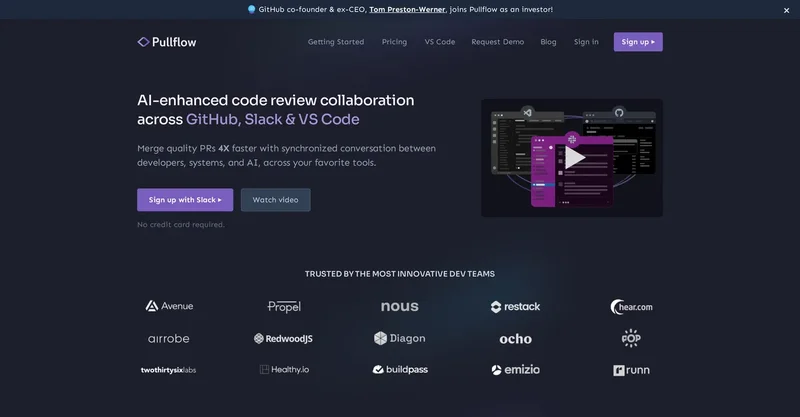
Pullflow revolutionizes code reviews with AI-driven collaboration, syncing GitHub, Slack, and VS Code for efficient developer teams.
About Pullflow
Let's talk features, because that's where it shines. The real-time threaded discussions keep everything in one place-no more digging through Slack channels or GitHub comments. AI integration is the star; it auto-suggests fixes for bugs or style issues right in your PR, and I've caught stuff that would've slipped through otherwise.
Then there's the VS Code extension, which lets you annotate code without leaving your editor-basically, it's like having a virtual pair programmer. Slack notifications pull your team in instantly, and the repo search tool? Super handy for finding that one commit in a massive codebase. Oh, and agile automation handles workflow nudges, keeping sprints on track without constant check-ins.
Who benefits most:
Well, remote dev teams in agile setups, for sure-mid-sized startups scaling their CI/CD, or even enterprises wrestling with complex repos. Use cases are endless: daily standup PR reviews, open-source contributions where feedback loops drag, or internal audits like the one I did for a fintech gig last year.
Solo devs even use it for self-reviews, with AI acting as that tough critic you need. I was initially skeptical about the AI not being gimmicky, but it proved me wrong-pretty reliable for flagging security holes. What sets Pullflow apart from, say, GitHub's built-in stuff or tools like CodeStream? The multi-platform sync feels more natural, less forced, and the AI is proactive, not just reactive.
It's lighter on resources too-no bloated setup that slows your machine. Unlike what I expected from similar apps, it doesn't overwhelm with features; it's intuitive, which made onboarding new hires a breeze in my experience. Sure, it's GitHub-focused, but that depth pays off if that's your stack. All in all, if fragmented reviews are killing your productivity, give Pullflow a whirl.
Start with the free tier-you'll likely see the speedup in your next sprint. It's not perfect, but man, it beats the old email ping-pong every time.
When Pullflow is worth shortlisting
Pullflow is most relevant for buyers who already know the problem they need to solve and want to compare one focused collaboration product against nearby alternatives instead of reading a generic directory card. It sits in a comparison set that also includes Chaturji, FYI, Gemoo.
On this page, the goal is to keep the evaluation practical: understand what Pullflow does well, where the free tier available with core collaboration features for small teams, pro plan at $10/user/month for advanced ai and unlimited integrations, enterprise custom pricing for large deployments. pricing model makes sense, and which adjacent tools are worth opening in parallel before making a shortlist.
Teams exploring collaboration can use Pullflow for github pr reviews.
Teams exploring collaboration can use Pullflow for slack team notifications.
Teams exploring collaboration can use Pullflow for vs code annotations.
Teams exploring collaboration can use Pullflow for ai bug suggestions.
Pros
- Seamless GitHub-Slack-VS Code integration keeps workflows fluid, no tab-jumping required.
- AI proactively spots bugs and suggests fixes, saving hours-I've dodged production issues this way.
- Real-time threads reduce miscommunication, making team alignment effortless.
- Quick repo search accelerates reviews in large codebases, a lifesaver for big projects.
- Scales from solo devs to enterprises with straightforward pricing tiers.
- Users report 30-50% faster reviews, essentially adding an extra team member.
- Intuitive setup means quick adoption, even for less tech-savvy folks.
- Agile tools automate feedback, keeping sprints momentum without manual prods.
- Cuts email and notification clutter for a cleaner, modern collab experience.
- Frequent updates incorporate user feedback, like enhanced AI capabilities.
Cons
- Free tier caps AI scans at basics, so power users might need to upgrade for deeper analysis.
- Requires GitHub knowledge for setup-newcomers could stumble, but docs are solid.
- Lacks native GitLab support yet, limiting options if that's your VCS.
- Mobile features are basic; full power comes on desktop for reviews.
- Rare sync lags in busy teams, though updates fix them promptly.
- Per-user pricing can stack up for huge enterprises-watch the budget.
FAQ
What integrations does Pullflow support?
It connects with GitHub for PR management, Slack for instant notifications, and VS Code for in-editor reviews-keeping your workflow centralized.
Is there a free version of Pullflow?
Yes, the free tier offers basic AI suggestions and collaboration tools, perfect for small projects or testing it out.
How does the AI in Pullflow assist with code reviews?
The AI scans code for issues, proposes fixes, and summarizes discussions to speed up reviews-it's caught subtle bugs I've overlooked before.
Can Pullflow handle large teams?
Definitely, Pro and Enterprise plans support big groups with custom workflows, unlimited users, and priority help.
What's the setup process like for Pullflow?
It's straightforward: link your GitHub and Slack, install the VS Code extension, and start reviewing in under 10 minutes.
Does Pullflow provide customer support?
Free users get community forums, while paid plans include email, chat support, and dedicated assistance for quicker resolutions.
Alternatives to Pullflow
Explore similar AI tools in this category

Chaturji
Collaboration
Chaturji unifies top AIs like Claude 3 and GPT-4 into one secure dashboard, enabling teams to write, share, and analyze prompts seamlessly for boosted productivity.

FYI
Collaboration
FYI empowers creative teams with AI-driven chat, asset organization, and project tools to transform ideas into films, songs, or business plans in one secure platform.

Gemoo
Collaboration
Gemoo streamlines visual collaboration with instant annotations on screen recordings, videos, and screenshots for clearer team communication.

Assembly
Collaboration
Assembly's AI-powered intranet unifies team tools, boosts engagement, and delivers real-time insights for efficient collaboration and smarter decisions.

Mural AI
Collaboration
Mural AI enhances team collaboration with smart AI tools for brainstorming, idea generation, and workflow guidance to drive productivity.

MarkovML
Collaboration
MarkovML streamlines ML workflows with low-code drag-and-drop pipelines, enabling data teams to deploy models 40% faster through real-time collaboration.
Similar Tools

Fliki
Fliki turns text into stunning AI videos with realistic voices in 80+ languages, slashing production time by 80% for creators and marketers.

Lovablev2.2
Lovablev2.2 turns your app ideas into live web apps instantly with AI and simple prompts-no coding required for fast MVPs and prototypes.

Vireel
Vireel turns raw ideas into viral TikTok, Reels, and Shorts with AI formulas and real-time analytics to boost engagement for creators.

Vsub
Vsub AI turns text into faceless YouTube Shorts and TikTok videos effortlessly, boosting engagement without cameras or editing skills.